
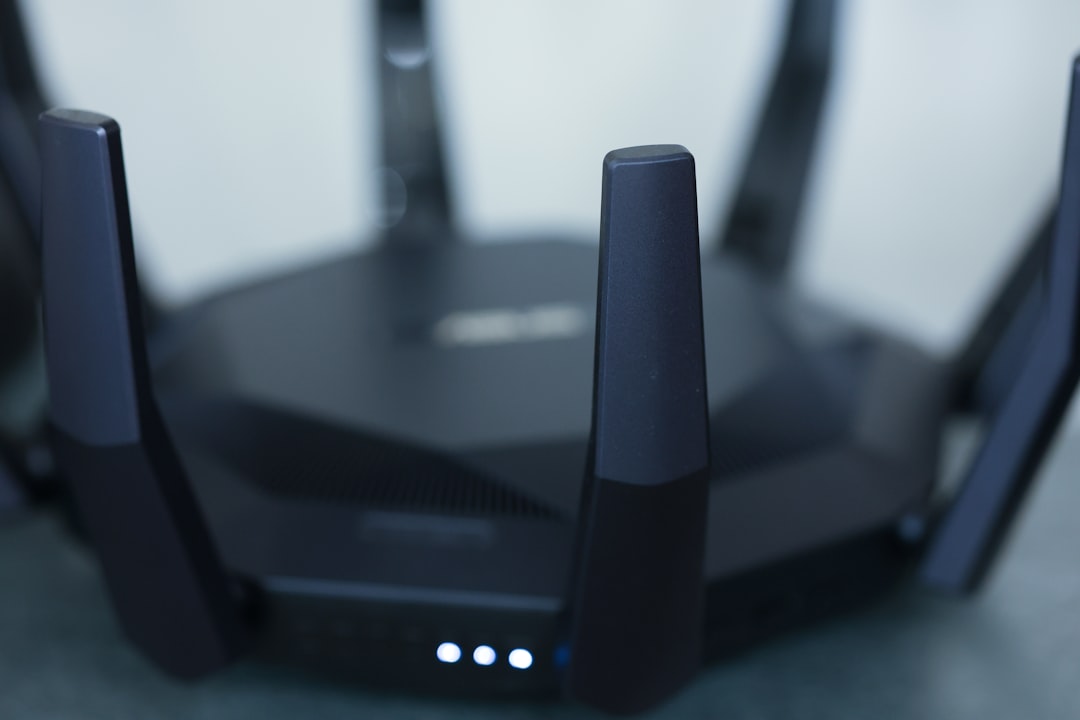
Imagine this: You’re lounging on your couch, scrolling through your social media feed while your Wi-Fi connection zips along without a hitch. But then, the thought crosses your mind: “How secure is my home Wi-Fi network?” For many, the comfort of modern technology can sometimes lead to complacency about security. You might not realize it, but an unsecured Wi-Fi network can open the door to hackers, snoopers, and unwanted guests.
It’s easy to assume that just sharing your Wi-Fi password with family and friends is enough, but it’s not. Today, we’ll dive deep into how to secure your home Wi-Fi network effectively. Whether you’re a tech guru or someone who just wants to stream their favorite shows in peace, these essential Wi-Fi security tips will help you protect your home network.
Understanding the Risks
First off, let’s talk about why this matters. Many people don’t realize the dangers lurking on unprotected networks. A weak security setup can allow a neighbor—or worse, a hacker—to access your personal data. I’ve spoken with numerous people whose identities were compromised after they neglected their network’s security. If your Wi-Fi isn’t secured, anyone within range can potentially snoop on your online activities or even access sensitive information stored on your devices.
Change Default Settings
When you first set up your router, it comes with default settings that are often far from secure. From the factory-set username and password to default network names, these settings make it incredibly easy for intruders to access your network. In my experience, this is where most people get it wrong. They either don’t change these settings or they choose weak passwords that can be easily cracked.
- Change the default username and password: Most routers come with generic usernames and passwords—think “admin/admin” or “admin/password.” Change these to something unique you can remember.
- Update your SSID: Your SSID (Service Set Identifier) is your network name. While this won’t necessarily secure your network, using something less identifiable can deter snoopers. Avoid using personal names or identifiers.
Use Strong Passwords
Making it hard for would-be intruders to guess your password is essential. A strong password is your first line of defense in how to secure your home Wi-Fi. When creating a password, aim for at least 12-16 characters and mix uppercase, lowercase, numbers, and special characters. Here are some tips:
- Avoid common words: Don’t use easily guessable information like your dog’s name or your birthday.
- Consider a passphrase: Longer phrases that are easy for you to remember can be more secure than random characters. For example, “ILoveToSwim@Parks2023!” is strong, manageable, and hard to guess.
Enable WPA3 Encryption
When discussing home network protection, encryption types matter. Most routers come with multiple encryption methods, and not all are created equal. If your router supports it, enable WPA3 encryption for the best security. Here’s a brief rundown:
- WEP: Wired Equivalent Privacy is outdated and easily cracked. Avoid it.
- WPA: Wi-Fi Protected Access is better than WEP but still vulnerable.
- WPA2: This is commonly used and offers decent security, but if possible, upgrade to WPA3.
Make sure to access your router’s settings to choose the encryption method that best suits your needs. It’s surprising how many people leave it on WEP.
Keep Your Router’s Firmware Updated
Just like your smartphone or computer needs updates, so does your router. Manufacturers frequently release updates to patch vulnerabilities and improve performance. If you’re not regularly checking for router firmware updates, you might be leaving a gaping security hole wide open for attackers. You can usually find the update option in your router’s admin dashboard.
In my opinion, set a reminder to check for updates every couple of months or enable automatic updates so you won’t have to think about it. Some routers even allow you to enable notifications for new firmware releases.
Limit Wi-Fi Access with MAC Address Filtering
Another underutilized method for how to secure your home Wi-Fi is MAC address filtering. Every device has a unique identifier known as a MAC address. By creating a white list of allowed devices, you can restrict network access and keep unwanted devices out.
- Find MAC addresses: You can usually find MAC addresses in the settings of your device or sometimes on the device itself.
- Add devices: Go to your router settings and look for a section that allows you to add MAC addresses. Enter the MAC addresses of the devices that should have access.
However, keep in mind that while MAC filtering adds an extra layer of security, it’s not foolproof. Tech-savvy intruders can still spoof MAC addresses, but it can deter casual hackers.
Use a Guest Network
If you frequently have guests at home who need internet access, creating a guest network is one of the best Wi-Fi security tips you can implement. This keeps your main network safer by separating guest access from your personal devices. Here’s how to set it up:
- Access your router settings: Most modern routers have an option for setting up a guest network.
- Customize guest network settings: Set a strong password and consider restricting access to your shared resources.
- Limit bandwidth: Some routers allow you to limit the bandwidth allotted to the guest network, ensuring that guests don’t slow down your internet speeds.
By using a guest network, you dramatically reduce the risk of unauthorized access to your main devices without sacrificing the convenience of sharing your connection.
Monitor Your Network
Staying on top of who’s using your Wi-Fi is a critical part of home network protection. Many routers offer features that allow you to see all connected devices. Make it a habit to check this list regularly. If you spot an unfamiliar device, take action immediately.
- Disconnect unknown devices: If you find a device you don’t recognize, most routers will let you kick it off the network immediately.
- Change your Wi-Fi password: If you see unauthorized devices, it might be necessary to change your network password.
Additionally, consider using network monitoring apps that notify you when new devices connect to your Wi-Fi. Technology is a great tool, but it also brings risks. Keeping tabs on your network can go a long way in maintaining security.
Conclusion
Securing your home Wi-Fi network is crucial in today’s technology-driven world. By following these tips, you’ll strengthen your defenses against potential intruders looking to exploit weaknesses. Remember, the best approach to how to secure your home Wi-Fi is an ongoing mindset. This includes regularly updating passwords, keeping an eye on your network activity, and staying informed about the latest security practices.
No one wants to compromise their privacy or deal with the stress of a data breach. With these strategies, you can enjoy the conveniences of modern technology while keeping your home network protected. So, what are you waiting for? Start implementing these Wi-Fi security tips today!







