
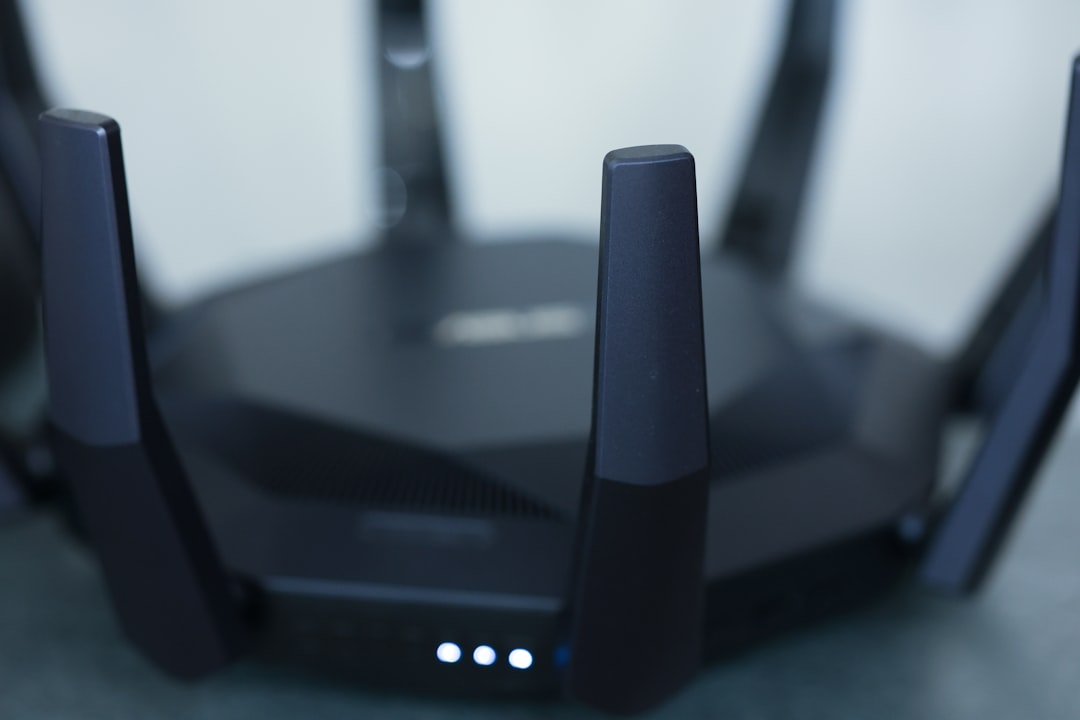
Ever tried streaming your favorite show only to keep buffering in the middle of a scene? Annoying, right? If you’ve found yourself wrestling with poor Wi-Fi signal in your home, I completely get it. We’ve all been there! The good news is that boosting your Wi-Fi signal isn’t as complicated as it might seem. Whether you’re working from home, gaming, or just trying to stream movies, a strong Wi-Fi connection is crucial. In this post, we’ll explore useful tips and tricks on how to boost Wi-Fi signal at home and maximize your browsing experience.
Understanding Your Wi-Fi Signal
Before we dive into solutions, let’s take a closer look at what affects your Wi-Fi signal. The frequency bands—2.4 GHz and 5 GHz—play a major role in how well your network performs. In my experience, most households use the 2.4 GHz band, which travels further but runs slower and is often congested. Conversely, the 5 GHz band provides faster speeds over shorter distances. Understanding these frequencies can help you improve your home Wi-Fi.
Positioning Your Router
One of the simplest and most effective ways to boost Wi-Fi signal is by optimizing your router’s placement. Here are a few tips:
- Central Location: Place your router in a central spot in your home. This reduces the number of walls and obstacles your signal has to pass through.
- Elevation Matters: Make sure the router is elevated, as signals tend to propagate downward. Placing it on a shelf can help.
- Avoid Obstacles: Keep the router away from objects like microwaves and cordless phones, which can interfere with the signal.
Here’s what most people get wrong: they tuck their router away in a cabinet or a corner. This can lead to significant signal loss. Try moving it around and see if you notice any improvement.
Upgrading Your Router
Sometimes, your router may just be outdated. If you’ve been using the same model for years, it might be time for an upgrade. Newer models often come with advanced features that can drastically improve coverage and speed. Look for routers that support the 802.11ac or 802.11ax standards; these offer better performance and range than older models.
When shopping, consider dual-band routers. They allow you to switch between frequencies, which can help reduce congestion and improve performance, making it easier to boost Wi-Fi signal at home.
Using a Wi-Fi Extender
If repositioning isn’t cutting it, you might want to consider adding a Wi-Fi extender. These devices can effectively expand your Wi-Fi coverage. They work by receiving your existing Wi-Fi signal and rebroadcasting it further.
However, not all extenders are created equal. I’ve seen some people buy low-cost models that only slow down their connection, rendering them useless. It’s best to invest in a solid Wi-Fi signal booster that’s compatible with your router to maximize the Wi-Fi range throughout your home.
Mesh Wi-Fi Systems: The Future of Home Networking?
In recent years, mesh Wi-Fi systems have gained popularity for their ability to eliminate dead zones. Instead of a single router sending signals in all directions, a mesh system consists of multiple nodes working together to blanket your home in Wi-Fi.
If you have a larger house, or if your space has unusual shapes (like long hallways or multiple levels), mesh systems may be the smartest choice. They’re typically easy to set up and manage through an app, which is a bonus for those who aren’t tech-savvy.
Fine-Tuning Your Network Settings
Optimizing your Wi-Fi settings can also make a big difference. Here are a few adjustments you might consider:
- Change the Channel: Routers often run on overlapping channels. If you’re in a crowded area, changing the channel can minimize interference.
- Adjust the Bandwidth: Some routers allow you to prioritize certain devices over others. This can be especially useful if you have high-demand devices connected.
- Disable Unused Features: Features like guest networks or older protocols (like WEP) can slow down your Wi-Fi. Disable them to free up bandwidth.
Many people overlook these settings, which can significantly improve home Wi-Fi. Don’t hesitate to check your router’s manual or online resources for guides on how to access and tweak these settings.
Reducing Interference with Better Hardware
Aside from your router, other hardware and configurations can impact your Wi-Fi signal. Here are some things you can do:
- Switch to Ethernet When Possible: For devices that require a steady connection, like gaming consoles or desktop computers, using an Ethernet cable can ease the load on your Wi-Fi.
- Upgrade Your Antennas: Some routers come with removable antennas. Upgrading to higher-gain antennas can extend your Wi-Fi signal.
- Consider Powerline Adapters: These adapters use your home’s electrical wiring to carry network signals, which can be a great alternative for hard-to-reach areas.
Regular Maintenance and Updates
Finally, don’t forget about regular maintenance. Keeping your router’s firmware updated can solve bugs and improve performance. Most routers will notify you of available updates, but you can also check the manufacturer’s website for the latest software.
Additionally, every few months, take a moment to reboot your router. This refreshes the connection and clears any traffic that may have accumulated over time. Simple yet effective!
Conclusion
Boosting your Wi-Fi signal at home doesn’t have to be a complicated task. From repositioning your router to investing in a mesh system, there are plenty of options available to fit your specific needs. It’s all about trial and error—what works for one home might not work for another. So don’t be afraid to experiment and find the best solution for your situation.
In the end, a few small changes can greatly improve your home Wi-Fi, making your online experience much more enjoyable. Stop struggling with weak signals and start enjoying uninterrupted internet usage today!







