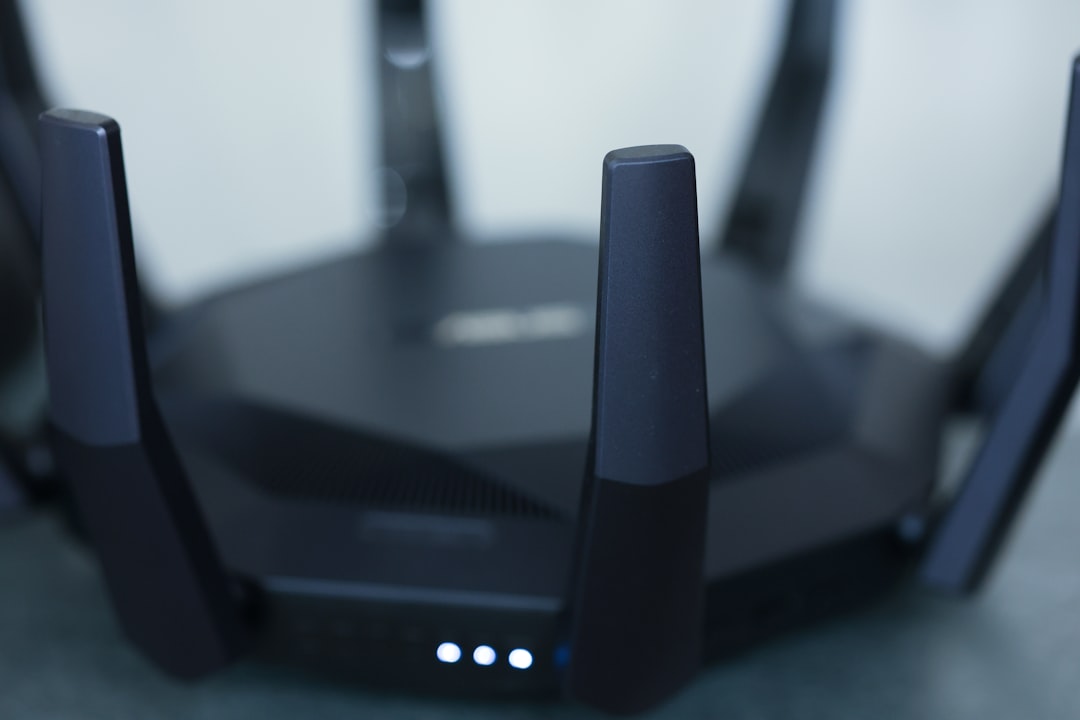
Ever found yourself in the middle of a streaming session only to have the video buffer more times than you can count? Or perhaps you’ve experienced the frustration of being in a crucial video call when your Wi-Fi drops out. It’s infuriating, isn’t it? If you’ve ever asked yourself how to optimize your Wi-Fi signal at home, you’re in the right place. Let’s face it: a strong Wi-Fi signal isn’t a luxury—it’s a necessity. So, let’s dive into some practical tips and tricks to improve your Wi-Fi signal.
Understanding Wi-Fi Signal Strength
Before we dive into the tips, it’s worth understanding what Wi-Fi signal strength truly means. Simply put, it’s a measure of how well your devices can communicate with your router. Stronger signals lead to faster speeds and more reliable connections. And in most homes, Wi-Fi dead zones exist, where the signal is either severely weakened or completely absent. So, how do you determine if your Wi-Fi signal is strong enough and where it falls short?
Many people assume that as long as their router is brand new, it’ll automatically provide a great signal throughout their home. Here’s what most get wrong: the performance of a Wi-Fi network isn’t just about the router’s specs. It’s also about its placement, interference from other devices, and how many walls the signals have to pass through. By systematically addressing these factors, you can effectively learn how to optimize your Wi-Fi signal at home.
Strategic Router Placement
One of the simplest yet most effective home networking tips is where you place your router. Many folks make the mistake of tucking it away in a corner or behind furniture, assuming it won’t affect performance. In reality, a router’s placement is key in determining how strong your signal can be.
- Central Location: Place your router close to the center of your home. This isn’t just a coincidence; it’ll help provide equal coverage for every room.
- Elevate It: Try to keep your router above the ground, ideally on a shelf or mounted on a wall. A higher position allows signals to spread more easily.
- Avoid Obstacles: Keep it away from thick walls, metallic surfaces, and electronic devices like microwaves and cordless phones that can cause interference.
In my experience, just moving the router a few feet can greatly enhance your Wi-Fi signal strength.
Consider Your Bandwidth
Wi-Fi operates on different frequencies: 2.4 GHz and 5 GHz. Most modern routers have dual-band capabilities, allowing you to take advantage of both. Here’s how they differ:
- 2.4 GHz: Offers longer range but lower speed. It’s great for covering larger areas.
- 5 GHz: Provides faster speeds but has a shorter range. It’s typically best for streaming and gaming.
If you’re trying to improve your Wi-Fi signal at home, consider connecting devices that require speed, like gaming consoles or streaming devices, to the 5 GHz band. Meanwhile, smart home devices like lights and thermostats can usually connect just fine to the 2.4 GHz band without feeling the need for speed.
Reduce Interference
Interference is a major culprit that can deteriorate your Wi-Fi signal. Aside from physical barriers, other electronic devices in your home can also contribute to the problem. You’re likely wondering how to identify and reduce interference, and I’m here to help!
- Identify Interfering Devices: Common culprits include microwaves, cordless phones, and baby monitors. If you find these devices close to your router, try moving them further apart.
- Specify Your Channel: Most routers automatically switch channels to find the best signal, but sometimes it helps to set it manually. Tools like Wi-Fi analyzers can help you find the least congested channels.
By identifying and reducing these interferences, you’re already halfway to optimizing your Wi-Fi signal at home.
Create a Guest Network
You might be thinking, “What does a guest network have to do with improving my Wi-Fi signal?” Actually, a lot! When you have guests who connect to your Wi-Fi, it can strain your router, especially if they’re streaming or downloading large files. Setting up a guest network can help you manage this.
- Limit Bandwidth: Many routers allow you to set bandwidth limits for guest networks. This ensures your guests can use the internet without hogging your precious signal strength.
- Segregate Traffic: By having a separate network, you can better prioritize traffic and allocate resources for devices that truly need them.
I’ve noticed a considerable improvement in my connection speed after implementing a guest network. My guests can have their fun while I still enjoy uninterrupted streaming and browsing.
Invest in Wi-Fi Extenders or Mesh Systems
If you’re still struggling with Wi-Fi dead zones after trying the tips mentioned above, it might be time to consider investing in a Wi-Fi extender or a mesh networking system. While these solutions come with some initial costs, the benefits often outweigh them in the long run.
- Wi-Fi Extenders: These devices amplify your existing Wi-Fi signal and are relatively inexpensive. They sit halfway between your router and the dead zone, collecting the signal and rebroadcasting it.
- Mesh Networking Systems: These offer a more comprehensive solution. A mesh system includes multiple nodes placed around your home for seamless coverage, effectively eliminating dead zones.
In my experience, moving from a traditional router to a mesh system was a game-changer. If you’re serious about optimizing your Wi-Fi signal at home, this route is worth considering.
Regular Router Maintenance and Upgrades
Just like your car needs regular maintenance, your router requires attention too! Many people overlook this, but keeping your router updated can make a significant difference.
- Firmware Updates: Check your router’s settings regularly for firmware updates. Manufacturers often release patches that improve performance and security.
- Restart Your Router: This may sound trivial, but restarting your router regularly can prevent it from becoming sluggish. Aim for a reboot once a month.
- Ulterior Upgrades: If your router is several years old and showing signs of poor performance, it might be time for an upgrade. Newer models provide better coverage and improved speed.
Conclusion: Your Route to a Stronger Wi-Fi Signal
Having a strong Wi-Fi signal at home isn’t just a luxury; it’s essential for modern living, whether for work, entertainment, or staying connected with friends and family. By following these home networking tips, you can optimize your Wi-Fi signal at home and ensure you’re never left buffering during your favorite movie or losing connection during an important call.
From adjusting your router’s placement to investing in extenders, every little step counts in enhancing your Wi-Fi experience. Remember, optimizing your Wi-Fi isn’t a one-time event; it’s an ongoing process. Regular maintenance, placement tweaks, and a good understanding of your network will go a long way in keeping your internet connection strong.
Take these tips to heart, and watch as your Wi-Fi signal transforms into the robust network you need it to be!