
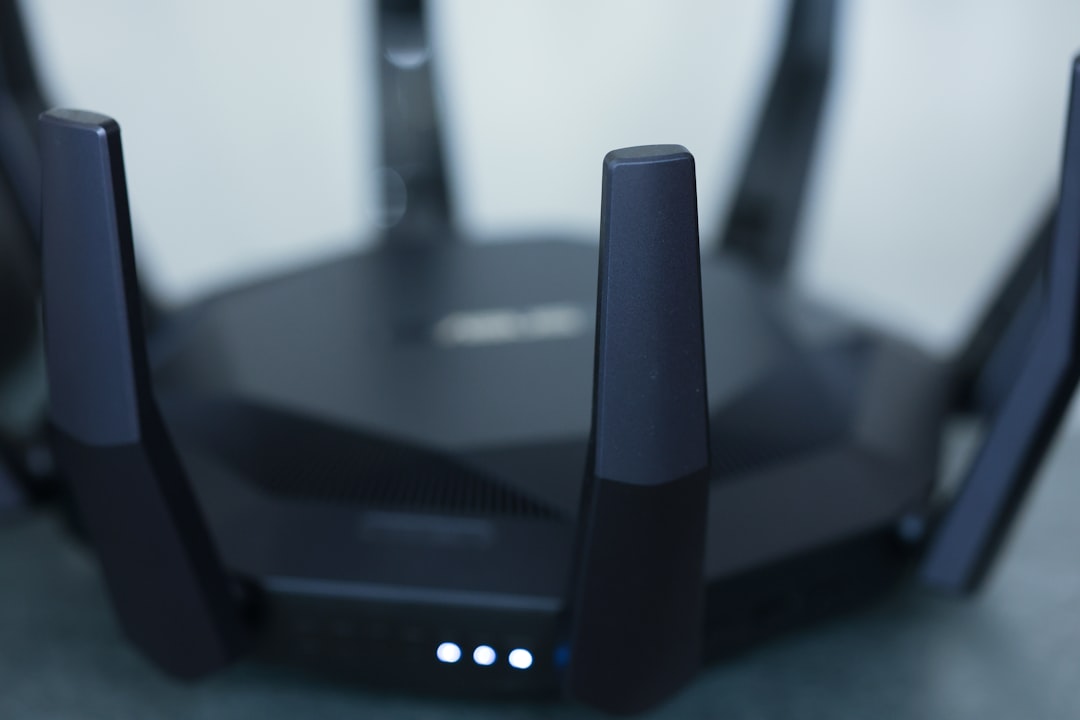
Imagine this: you’re binge-watching your favorite show, and suddenly, the streaming freezes. You check your Wi-Fi connection only to find that your neighbor’s hacking into your network, stealing your precious bandwidth. Not cool, right? This isn’t just a hypothetical scenario; it’s a common problem for many people these days. If you want to avoid sharing more than just a friendly wave with those around you, it’s crucial to secure your home Wi-Fi network. Let’s dive into how you can protect what’s rightfully yours.
Understanding the Importance of Home Network Protection
When you set up your home Wi-Fi network, it may seem like a straightforward task. You connect your router, type in a password, and voilà! You’re online. But here’s what most people get wrong: they don’t give enough thought to Wi-Fi security. A weak network can lead to unauthorized access, data theft, and even identity fraud. No one wants to become a cautionary tale, so let’s make sure you don’t fall victim to these pitfalls.
Start with a Secure Wi-Fi Setup
The first step in securing your home Wi-Fi network is ensuring that your router is set up correctly. Many people skip over the router’s settings, thinking the default configuration is good enough, but it’s not. Here are some essential tasks you need to tackle:
- Change the Default Username and Password: Most routers come with a default username and password (think ‘admin’ for both), which are available online. Changing these should be your first order of business.
- Update the Router’s Firmware: Manufacturers regularly release firmware updates, which often include security patches. Don’t ignore them; make sure your firmware is always up to date.
- Use WPA3 Encryption: If your router supports it, switch to WPA3 encryption. This type of security is significantly stronger than the older WPA2. If WPA3 isn’t available, ensure you at least use WPA2.
Setting Up a Strong Wi-Fi Password
Now that you’ve taken care of the basics, it’s time to focus on your password. It’s tempting to go for something easy to remember, like “12345678” or “password1,” but that’s like leaving your front door wide open. Instead, opt for a password that’s:
- At least 12-15 characters long
- Mix of uppercase, lowercase, numbers, and special characters
- A phrase or combination of unrelated words to make it memorable but hard to guess
In my experience, using a passphrase is not only secure but also easier to remember. Something like “BlueSky!TreeHouse2023” mixes numbers, letters, and symbols while being memorable.
Network Name (SSID) Matters
Next up, consider your network name, or SSID. Here’s a tip: avoid using personal identifiers, like your last name or house number. While it might feel harmless, broadcasting “John’s Wi-Fi” can make it easier for hackers to target you specifically.
Instead, choose something generic or playful. Ideas like “Best Wi-Fi Ever” or “Very Fast Internet” keep it light and keep you under the radar. Some people even use random combinations of letters and numbers for an added layer of anonymity.
Guest Networks: A Smart Strategy
Have guests over often? It’s tempting to let them use your main network without much thought, but that can be risky. Instead, consider setting up a guest network. Here’s why:
- Isolation: Your guests are on a separate network, which means they can’t access your personal devices.
- Access Control: You can set specific limits on how much bandwidth guests can use or set time limits for their access.
This way, you can socialize freely without compromising your home network protection.
Monitor Connected Devices Regularly
If you want to secure your home Wi-Fi network, keeping an eye on connected devices is vital. Most routers allow you to view all devices currently using your network. Look for any unfamiliar devices; if you see anything odd, change your password immediately. In my experience, a routine check can alert you to potential intrusions before they become serious issues.
Invest in Additional Security Features
If you’re serious about protecting your network, you might consider investing in some additional security solutions. Here are a few options:
- Firewall: Most routers come with built-in firewalls, but you can also set up a dedicated hardware or software firewall for extra protection.
- Antivirus Software: This won’t directly protect your Wi-Fi but can help protect devices that connect to it. It’s essential for keeping your data safe.
- VPN Services: Using a Virtual Private Network encrypts your internet traffic, making it much harder for anyone to snoop on your data.
While some may find this step unnecessary, I believe it’s worth the investment for those looking for peace of mind in their digital lives.
Regular Maintenance: An Ongoing Process
Securing your home Wi-Fi network isn’t a once-and-done task; it requires continuous attention. Here are some ongoing maintenance tips:
- Regularly Change Your Password: Even with a strong password, changing it every few months is a good practice.
- Stay Updated: Keep an eye on your router for firmware updates and apply them promptly.
- Review Your Security Settings: Check your security settings every few months to ensure they’re up to date and adequate.
Many people pack away the manual and forget their router exists after the initial setup. Don’t be one of them. A little maintenance can go a long way in keeping your network secure.
Conclusion: Your Wi-Fi, Your Control
Ultimately, securing your home Wi-Fi network is about control—control over your digital space and peace of mind knowing that your personal information is safe. Following these Wi-Fi security tips isn’t just for the tech-savvy; it’s for anyone who uses the internet. With these strategies, you can ensure that your network remains a haven, not a target.
Remember, security isn’t a destination but a path you walk daily. Check your settings, keep your eyes peeled for odd activity, and don’t hesitate to update your practices as technology evolves. With a little effort, your home Wi-Fi can be as secure as a fortress—at least until the next door neighbor decides to upgrade their hacking skills!








