
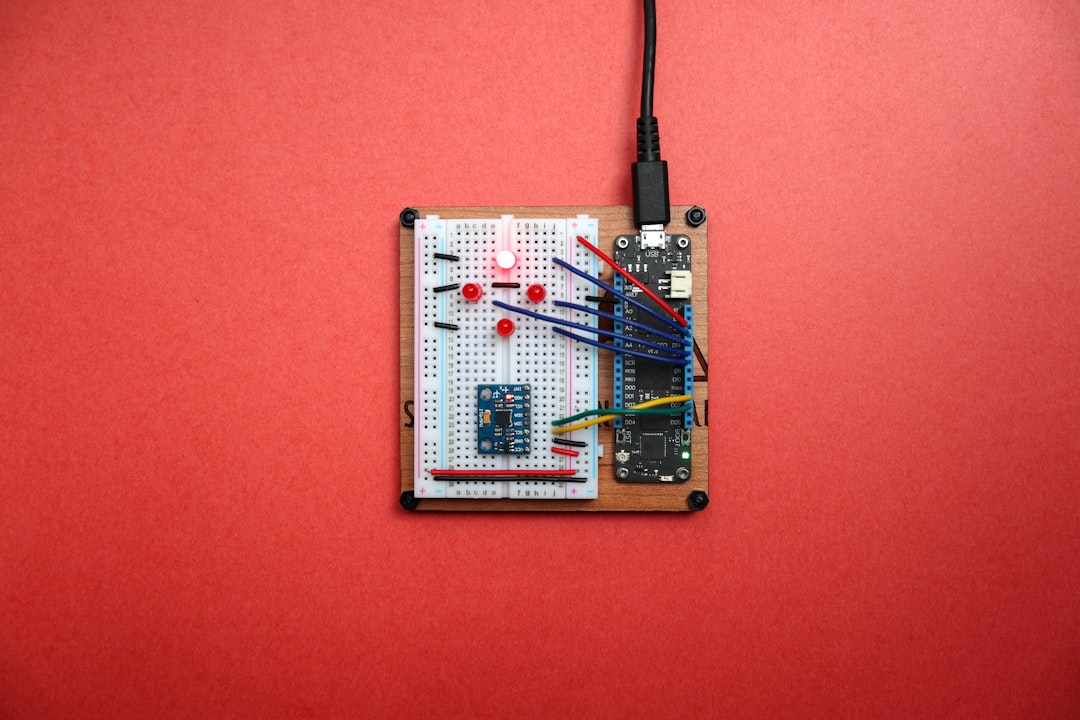
Why Build a Raspberry Pi Home Automation System?
Imagine waking up in the morning, and as you step out of bed, the lights gently fade on, your coffee maker starts brewing, and the thermostat adjusts to your preferred temperature. Sounds dreamy, right? This isn’t just a fantasy anymore; it’s entirely possible with DIY smart home technology. Building a Raspberry Pi home automation system opens up a world of possibilities for making your living space smarter and more efficient.
But why choose a Raspberry Pi? In my experience, it’s the perfect platform for DIY enthusiasts and tech lovers alike. It’s affordable, versatile, and well-supported by a huge community. If you’ve got a bit of curiosity and a weekend to spare, you can embark on an exciting project that will not only modernize your home but also enhance your tech skills.
Getting Started: What You’ll Need
Before diving headfirst into your Raspberry Pi home automation system, it’s vital to gather all the tools and components. Here’s a quick checklist:
- Raspberry Pi 3 or 4: The heart of your setup.
- Power Supply: Ensure you have a compatible power supply for your Raspberry Pi.
- MicroSD Card: A minimum of 16GB with Raspberry Pi OS installed.
- Wi-Fi or Ethernet Connection: For controlling your devices remotely.
- Sensors and Modules: Depending on your project—motion sensors, temperature sensors, smart plugs, etc.
- Software: Home Assistant or OpenHAB are great options to get started.
Once you have everything set up, you can jump into the fun part!
Choosing Your Home Automation Ideas
What do you want your Raspberry Pi home automation system to accomplish? There are countless possibilities. Here are a few common home automation ideas to consider:
- Smart Lighting Control: Schedule your lights to turn on or off based on time or occupancy.
- Thermostat Control: Adjust the heating/cooling system based on your preferences or even detect when you’re home.
- Security System: Use cameras, motion sensors, and alarms to build a DIY home security setup.
- Home Theater Automation: Control your media devices and lighting with a single command.
- Automated Notification System: Set up alerts for specific conditions—like when someone breaks into your property or when the temperature is too high in your home.
Here’s what most people get wrong: they try to automate everything right away. Start simple! Pick one or two projects that excite you and expand from there. It makes the process more manageable and enjoyable!
Setting Up Your Raspberry Pi
To get started with your Raspberry Pi home automation system, you need to set up your Raspberry Pi board. Follow these steps:
- Install Raspberry Pi OS: Download the latest Raspberry Pi OS image from the official Raspberry Pi website and flash it onto your microSD card using software like Balena Etcher.
- Boot Your Raspberry Pi: Insert the microSD card into your Raspberry Pi, connect your monitor, keyboard, and power it up.
- Configure Your Settings: Follow the on-screen instructions to set up Wi-Fi and complete the initial configurations.
Once you’re done with that, you’ll have a basic Raspberry Pi system ready for customization!
Installing Home Automation Software
The next step in your quest to build a Raspberry Pi home automation system is installing software that’ll help you manage your devices. Two popular options are Home Assistant and OpenHAB. Here’s a quick breakdown of both:
Home Assistant
Home Assistant is one of the most user-friendly options available. It provides a web interface, allowing you to control your devices easily. To install it:
- Open the terminal on your Raspberry Pi and update your system:
- Then, install Home Assistant via Docker:
- Finally, pull the Home Assistant image:
sudo apt-get update && sudo apt-get upgrade
sudo apt-get install docker.io
sudo docker run -d --name home-assistant --restart=unless-stopped -e "SUPERVISOR_SHARE=/srv/homeassistant" -e "SUPERVISOR_NAME=homeassistant" -e "HASSIO_TOKEN=your_token" -v /etc/localtime:/etc/localtime:ro -v /srv/homeassistant:/data --network=host homeassistant/home-assistant
OpenHAB
OpenHAB is another fantastic choice for building your Raspberry Pi home automation system, especially if you’re looking for more customization options. Installation is a bit more involved, so follow the official guide as it’s beyond the scope of this post. But it’s worth exploring!
Connecting Smart Devices and Sensors
Once you have your software installed, it’s time to connect your various smart devices and sensors to your Raspberry Pi. This is where the real fun begins! You can choose from many devices—Philips Hue lights, smart plugs from TP-Link, cameras for security, and more.
Creating Automations
Creating automations is the icing on the cake. Here’s a simple example using Home Assistant:
- Open the Home Assistant dashboard.
- Navigate to the “Automations” page.
- Click “Add Automation” and write out your desired actions—like triggering lights when motion is detected in a room.
This may sound complicated, but once you get the hang of it, you’ll find it intuitive.
Testing Your System
After setting everything up and connecting your devices, it’s time to put your Raspberry Pi home automation system to the test. Walk around your home and activate the various functions you’ve set up.
- Do the lights turn on and off as expected?
- Does the temperature adjust properly?
- Are you receiving notifications for activity detected by a sensor?
If something doesn’t work as planned, don’t panic. Troubleshooting is an integral part of the DIY experience. Check your connections, review configuration settings, and consult online forums for advice.
Expanding Your Raspberry Pi Home Automation System
Once you’ve gotten the basics down and created a functioning system, you might want to expand on your Raspberry Pi home automation system. Keep your mind open to endless possibilities. Some advanced ideas include:
- Integrating Voice Assistants: Connect Alexa or Google Assistant for voice control.
- Remote Management: Access your home system from anywhere using mobile apps or web access.
- Energy Monitoring: Track the energy consumption of your devices to stay more eco-friendly.
Conclusion: Embrace Your DIY Smart Home
Building a Raspberry Pi home automation system is not just about creating a tech-savvy home; it’s about tailoring your living space to fit your lifestyle. With some patience and creativity, you can craft a setup that enhances your daily experience—like programmable lighting for movie nights or automated cooling for those hot summer days.
So, gather your components, brainstorm your home automation ideas, and take the plunge into the wonderful world of DIY smart homes. You won’t just build a system; you’ll also grow your skills and confidence in tackling tech projects. Happy automating!








