Picture this: you’re settled on your couch with a bowl of popcorn, ready to binge-watch your favorite series. You hit play, and right when things are getting interesting, the screen freezes. The dreaded buffering icon spins around and around. Sound familiar? Poor Wi-Fi signal strength can be a real buzzkill. If you’ve ever found yourself in a similar situation, you’re not alone. Many people struggle with their home Wi-Fi, and understanding how to enhance your home Wi-Fi signal can be a game-changer for your internet experience.
Understanding Wi-Fi Signal Strength
Before jumping into solutions, it’s crucial to understand what Wi-Fi signal strength actually is. Simply put, it’s a measure of how well your Wi-Fi network can communicate with your devices. Factors like distance from the router, interference from walls or furniture, and the type of router you have all play a part in shaping your Wi-Fi experience.
In my experience, a common misconception is that simply having a high-speed internet plan guarantees strong Wi-Fi everywhere in your home. This isn’t always the case! You might have a fast connection on paper, but if your signal’s weak where you actually use it, you’re still going to struggle. It’s all about knowing how to enhance your home Wi-Fi signal.
Identifying the Weak Spots
The first step in improving your Wi-Fi signal is identifying where the weak spots are in your home. Walk around your space with a device and perform a speed test in various locations. Most smartphones have apps that can help you measure Wi-Fi strength. Pay attention to areas where the connection drops or becomes sluggish.
Make a note of these zones, and think about the layout of your home. If your router is in the basement and you have bedrooms upstairs, for example, that distance could be the root of your problem. Sometimes, even the materials used in your walls could be intercepting your signal. Metal and concrete are notorious for blocking signals!
Position Your Router Wisely
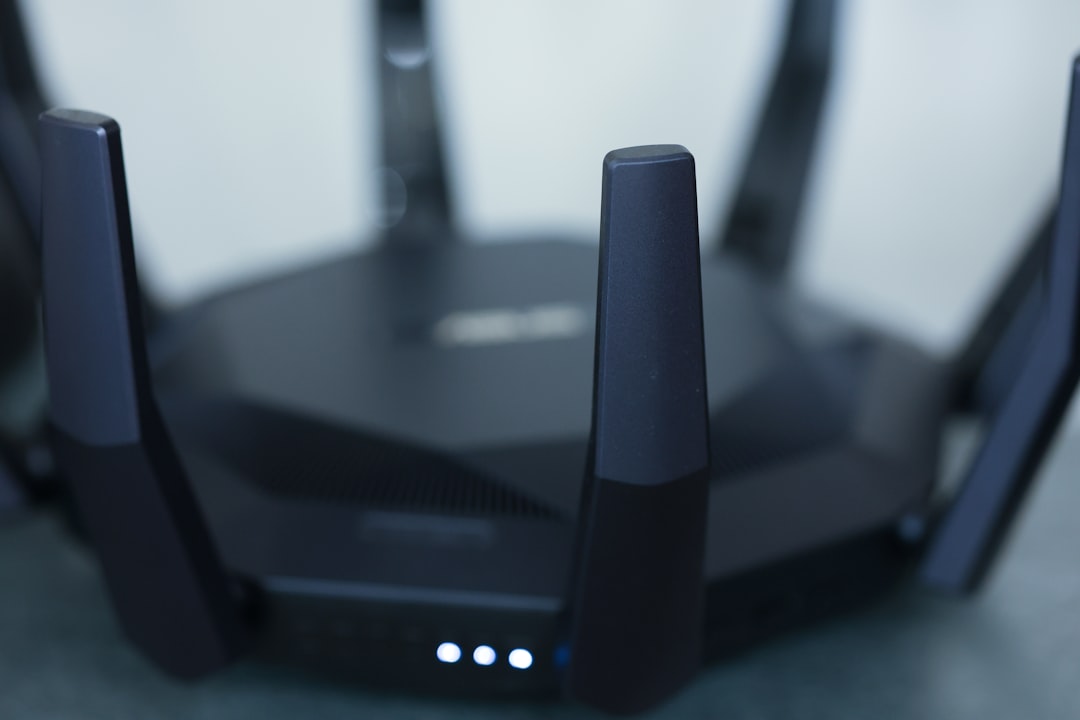
Now that you know where the weak spots are, it’s time to get your router in a position that maximizes its range. Here are some tips for optimal router placement:
- Elevate it: Place your router on a high shelf or mount it on a wall. A higher position can improve coverage.
- Center it: If possible, place your router in the center of your home. This will help distribute the signal more evenly.
- Avoid obstacles: Keep it away from thick walls, metal objects, and other electronics that can cause interference, like microwaves.
People often neglect this simple step, but the right placement can significantly boost your home Wi-Fi.
Upgrade Your Router
If your router is several years old, it might be time for an upgrade. Newer models come with better technology for managing multiple devices and improving signal strength. For instance, routers that support the 802.11ac or Wi-Fi 6 standards are built to handle higher speeds and more devices concurrently. Here’s what most people get wrong: sticking with outdated technology can severely hold back your internet experience.
Before buying a new router, spend some time researching different models and read reviews. Consider your household’s specific needs. If you have several smart devices or stream in 4K, it’s especially important to invest in a high-quality router.
Adjust Router Settings
You may not realize it, but many routers come preloaded with settings that aren’t optimized for your environment. Log into your router’s admin panel (check the manual for instructions) and see if you can tweak a few things.
- Change the channel: Wi-Fi channels can get crowded, especially in apartment buildings. Switching to a less congested channel might improve your connection.
- Enable Quality of Service (QoS): This feature allows you to prioritize certain types of traffic, like video streaming or gaming, ensuring they get the bandwidth they need.
Even small adjustments can lead to noticeable improvements in Wi-Fi signal strength.
Consider Signal Boosters or Mesh Wi-Fi Systems
If your home is large or has areas with stubbornly weak signals, consider investing in a Wi-Fi extender or a mesh Wi-Fi system. Wi-Fi extenders work by amplifying your existing signal, while mesh systems use multiple nodes around your home to create a unified network. This can be especially useful in multi-story homes.
I’ve seen plenty of cases where people see dramatic improvements with these options. However, it’s important to note that mesh systems can be pricier than traditional routers, so consider your budget before diving in.
Reduce Interference from Other Devices
Your Wi-Fi signal can be negatively affected by other devices. A microwave oven, cordless phone, or even neighboring Wi-Fi networks can interfere with your connection. To minimize interference:
- Keep your router away from electronics: Place it as far away as possible from devices that may disrupt the signal.
- Switch to 5GHz: If your router supports dual-band (both 2.4GHz and 5GHz), consider using the 5GHz band. It tends to be less congested and can provide faster speeds closer to the router.
Implementing these changes can make a noticeable difference in how you experience your Wi-Fi at home.
Regular Maintenance and Monitoring
Your network isn’t a set-it-and-forget-it situation. Regularly checking your Wi-Fi performance can help spot issues before they become major problems. Make it a habit to:
- Update firmware: Keeping your router’s firmware up-to-date can improve security and performance.
- Reboot it periodically: Just like computers, routers can get bogged down. A regular reboot can refresh the connection.
Routine checks and maintenance can extend the lifespan of your network and keep things running smoothly.
Final Thoughts
Improving your home Wi-Fi doesn’t have to be a daunting task. With a few strategic changes, you can significantly enhance your connectivity. Remember to first understand the weak spots in your network, consider the placement of your router, and think about upgrades if needed. Adjusting settings and potentially adding extenders or mesh systems can also lead to substantial improvements. In my experience, many people simply overlook the simplest fixes, leading to frustration when they don’t need it.
Whether it’s for working from home, streaming your favorite shows, or just browsing the web, a strong Wi-Fi connection is essential. Start implementing these tips today and watch your Wi-Fi signal strength improve!