Picture this: you walk into your home after a long day, and with just a simple voice command, the lights dim, your favorite playlist starts, and the thermostat adjusts to your preferred temperature. Sounds like a scene from a sci-fi movie, right? But it’s the reality we can create with smart home automation systems. This guide aims to be your go-to resource for setting up smart home automation systems, providing practical tips and personal insights along the way.
Understanding Smart Home Automation Systems
Before we dive into how to set up your own smart home, let’s clarify what smart home automation systems really are. At their core, they involve devices that connect to the internet and can be controlled remotely, often via a smartphone app or voice command. This can range from simple things like smart bulbs to more complex systems like automated security and climate control. In my experience, the best setups often begin with defining what you want out of your smart home.
Choosing the Right Smart Devices
The first step in setting up smart home automation systems is selecting the right devices. This can be a bit overwhelming given the myriad of options available on the market. Here’s what most people get wrong: they tend to buy what’s trending rather than what fits their specific needs.
- Smart Speakers: Devices like the Amazon Echo or Google Nest are not just smart speakers but central hubs for controlling other smart devices.
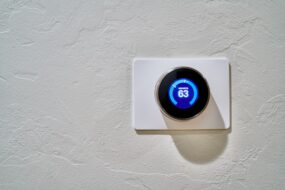
- Smart Thermostats: Brands like Nest or Ecobee can adjust heating or cooling based on your habits, which can save you money on energy bills.
- Smart Lights: Options from Philips Hue or LIFX allow you to change the ambiance of your home with a tap or voice command.
- Security Cameras: Look into options from Ring or Arlo for keeping an eye on your home while you’re away.
When you’re selecting devices, consider compatibility. Some systems work better together than others, so check if your smart devices can communicate. Devices that readily integrate will make your smart home setup much easier.
Setting Up Your Smart Home Hub
Once you’ve chosen your devices, it’s time to think about a smart home hub. This is essentially the brain of your operation. A good hub ensures all your devices can communicate, even if they’re from different manufacturers.
- Amazon Echo: Works well with many third-party devices.
- Google Nest Hub: Best for those already using Google services.
- Samsung SmartThings: A bit more complex but highly versatile, supporting a wide range of products.
The setup process varies by device, but generally, you’ll need to download an app, create an account, and follow the prompts. It’s usually straightforward, but make sure to keep your firmware updated. This can prevent compatibility problems down the line, making the entire process of setting up smart home automation systems smoother.
Configuring Smart Devices
After you’ve set up your hub, it’s time to configure your smart devices. This includes connecting them to your hub and ensuring they’re working together seamlessly. Here’s a quick step-by-step:
- Open your hub’s app and select “Add Device.”
- Follow the prompts for each specific device type.
- Make sure each device is connected to your Wi-Fi.
- Once connected, test each device to ensure it responds to commands from the hub.
It’s important to rename devices in the app to something intuitive. For example, instead of “Living Room Light,” consider “Cozy Light.” This makes voice commands easier and communication smoother when you’re setting up smart home automation systems.
Creating Routines and Automations
One of the best aspects of setting up smart home automation systems is creating routines that work for you. Most hub apps allow you to set specific conditions for your devices to operate.
For instance, you can create a “Good Night” routine, which could:
- Dim all lights.
- Set the thermostat to a comfortable sleeping temperature.
- Lock the doors automatically.
In my experience, automations enhance convenience significantly. While it might seem a bit tedious to set these up initially, they pay off in day-to-day life.
Maintaining Your Smart Home System
After investing time and money into your smart home setup, you’ll want to ensure it runs smoothly. Regular maintenance is key to keeping everything operational:
- Update Firmware: Just like any software, smart devices need updates to maintain security and functionality.
- Check Wi-Fi Connection: Regularly check signals and reset devices if necessary. A strong Wi-Fi connection is crucial for a smooth experience.
- Manage Device Load: Don’t overload your network. If too many devices are connected, performance can decline.
Regularly reviewing your devices and routines allows you to adjust them over time. As your needs change, so should your smart home setup!
Common Mistakes to Avoid
As with any project, some common pitfalls can make the experience frustrating. Here are a few mistakes to avoid when setting up smart home automation systems:
- Skipping the Compatibility Check: Always double-check that devices work well together before purchasing.
- Neglecting Security: Make sure to enable two-factor authentication and regularly change your passwords.
- Overcomplicating Your Setup: Start simple. Only add devices that you really need, and expand gradually to avoid feeling overwhelmed.
Many people dive in headfirst, only to feel frustrated when their systems don’t work as planned. Taking a thoughtful approach from the beginning can save you a lot of hassle later.
Final Thoughts on Smart Home Automation
Setting up smart home automation systems can transform your living experience into something almost magical. It’s not only about convenience but also about energy efficiency and enhancing your home’s security. Start with a clear vision of what you want, choose compatible devices, and take the time to build routines that suit your lifestyle.
Remember, the smartest homes are not the ones filled with gadgets, but those that reflect the preferences and needs of their inhabitants. So take your time, enjoy the setup process, and watch your space transform into a smart haven. Happy automating!