Imagine walking into your home after a long day and having the lights turn on, your favorite music begin to play, and the temperature adjust to your liking—all without lifting a finger. Sounds appealing, right? If you’re curious about how to make this dream a reality, you’re in the right place. Setting up a home automation system doesn’t have to be a rigorous task filled with complicated tech jargon. Whether you’re an avid DIY enthusiast or someone who simply wants some convenience in life, I’ll walk you through how to set up a home automation system easily and effectively.
Understanding Home Automation
Before diving into the nitty-gritty of setting up a smart home setup, let’s take a moment to understand what home automation is all about. At its core, it’s about connecting various devices within your home so they can communicate with each other and be controlled remotely. This could include anything from lights and thermostats to locks and security cameras.
What most people get wrong about home automation is thinking it has to be overly complicated and expensive. Trust me, you don’t need to be a tech wizard or break the bank to create a functional smart home!
Choosing the Right Devices
The journey to set up a home automation system begins with selecting the right devices. Here are some essentials you might want to consider:
- Smart Lights: These allow you to control your lighting through your smartphone or voice-activated assistant.
- Smart Thermostat: This can optimize your heating and cooling based on your preferences, which can save you money on energy bills.
- Smart Security Cameras: These will give you a sense of security and let you monitor your home remotely.
- Smart Plugs: Perfect for making any appliance “smart.” Want to turn on a coffee maker from your bed? Smart plugs can do that.
- Home Hub: Optional, but incredibly useful, this acts as a central controller for your devices.
When picking devices, consider compatibility. Most brands coexist well within ecosystems, but some may not like to play nicely together. So, it pays to do a bit of research before you buy.
Deciding on Your Smart Home Ecosystem
Once you’ve got an idea of what devices you want, it’s essential to decide on your smart home ecosystem. This is basically the platform or operating system that will control all those devices. Some popular ecosystems include:
- Amazon Alexa: A user-friendly option that supports a wide variety of devices.
- Google Home: Offers seamless integration with Google services.
- Apple HomeKit: Great for Apple fans, with a focus on security and privacy.
- SmartThings: A versatile platform that supports devices from multiple manufacturers.
In my experience, sticking to one ecosystem simplifies the smart home setup. You won’t have to switch between apps or worry about compatibility issues.
DIY Home Automation vs. Professional Installation
One of the most significant decisions you’ll make when planning to set up a home automation system is whether to go the DIY route or hire professionals. Both options have pros and cons.
DIY Home Automation: If you enjoy tackling projects on your own, this could be a satisfying and budget-friendly option. You get complete control over your setup and can customize it to your liking. Plus, there’s a real sense of accomplishment when you see everything in action!
Professional Installation: For those who find tech intimidating or simply don’t have the time, hiring a professional may be the way to go. This often comes with a proper warranty and ongoing customer support, but it typically costs more.
Ultimately, it depends on your comfort level with technology. If you’re unsure, start small and see how you feel about it.
Setting Up Your Home Automation System: Step-by-Step
Now that you’ve got a game plan, let’s break down how to set up a home automation system in easy-to-follow steps:
Step 1: Establish Your Goals
Ask yourself what you want to achieve with your automation. Is it convenience, security, energy efficiency, or a combination of these? Establishing clear goals will help you pick the right devices and solutions.
Step 2: Set Up Your Hub (if using one)
If you’ve chosen a home hub, follow the manufacturer’s instructions to set it up first. Usually, this involves connecting it to your Wi-Fi network and downloading the corresponding app. Most hubs guide you through initial setup and configuration.
Step 3: Connect Your Devices
With your hub ready, start connecting your smart devices. Depending on the manufacturer, this can typically be done through an app. Follow the instructions, ensuring each device is on the same Wi-Fi network. Double-check compatibility to avoid any headaches.
Step 4: Organize Your Devices
Once connected, consider organizing your devices by room or function within the app. Creating groups—like “living room lights” or “bedroom thermostat”—will make it easier to control multiple devices at once, especially with voice commands.
Step 5: Explore Automation Features
Many devices come with built-in automation features. For instance, you can program your lights to turn on at sunset or set your thermostat to adjust when you’re not home. Take time to explore these options; they can significantly enhance your smart home setup.
Step 6: Test Everything Out
Now comes the fun part—testing everything! Try out your voice commands, set schedules, and ensure all devices respond as expected. If something doesn’t work, consider consulting the troubleshooting guide for that device; chances are, you’re not the first person to encounter that problem.
Home Automation Tips for Optimal Performance
While setting up is crucial, keeping your system running smoothly is equally vital. Here are some home automation tips to help with that:
- Keep Software Updated: Regular updates often fix bugs and improve performance, so don’t skip them!
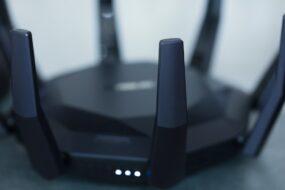
- Invest in Good Wi-Fi: A strong and stable Wi-Fi connection is the backbone of any smart home. Consider upgrading your router if you’re experiencing connectivity issues.
- Secure Your Network: Don’t forget the importance of security. Change default passwords and enable two-factor authentication where possible.
- Regularly Review Devices: As you get more comfortable with your setup, take the time to periodically review your devices and remove any that you’re no longer using.
Common Mistakes to Avoid
Even with the best plans, mistakes can happen. Here are some common blunders to steer clear of:
- Skipping Compatibility Checks: Always ensure that devices are compatible with your chosen hub or ecosystem.
- Overloading Your Wi-Fi: If too many devices are connected to a single network, you may notice slowdowns. Balance your smart devices to different networks if possible.
- Not Planning Ahead: Rushing into purchases can lead to mismatched devices. Take your time when planning your smart home setup to ensure everything works together.
Conclusion
Setting up a home automation system can seem daunting, but it doesn’t have to be. By understanding your needs, selecting the right devices, and following a straightforward process, you can create a smart home that truly enhances your life. Whether you go the DIY route or opt for professional help, the key is to take it step by step. Remember, it’s all about making your living space more comfortable and convenient—for you. The possibilities are endless, and once you get the ball rolling, you’ll wonder how you ever lived without it!