
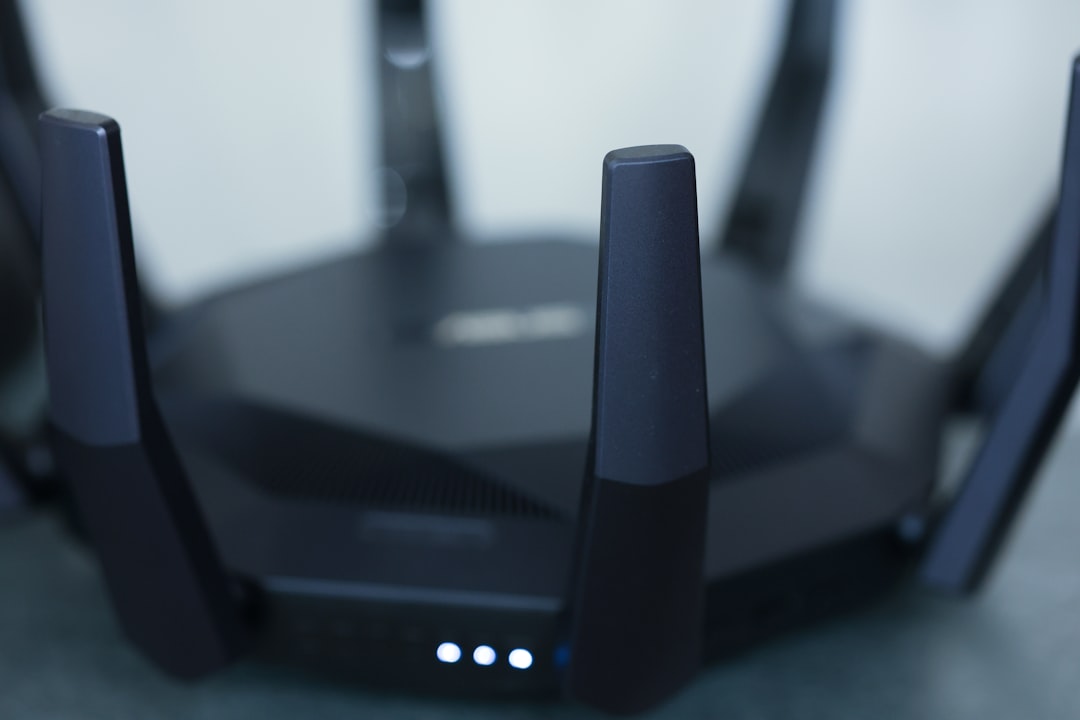
Picture this: you’re all set to binge-watch your favorite series, but when you finally settle in, your Wi-Fi throws a tantrum. The video starts buffering, and frustration creeps in. We’ve all been there, right? A strong, reliable internet connection isn’t just a nice-to-have; it’s essential in today’s connected world. So, if you’re wondering how to improve your home Wi-Fi signal, you’re not alone.
Understanding Your Wi-Fi Signal
Before jumping into solutions, let’s break down what actually affects your Wi-Fi signal. Wi-Fi works by using radio waves, and its strength depends on various factors, including distance from the router, physical obstructions, and interference from other devices. Many people don’t realize that just a few walls or even large furniture items can significantly weaken a Wi-Fi signal. Your signal strength also varies depending on the frequency band being used – 2.4 GHz offers greater range but less speed, while 5 GHz delivers faster speeds but has a shorter range. Understanding these basics can help you know where to focus your efforts when trying to boost Wi-Fi signal.
Positioning Your Router Correctly
One of the most effective tips on how to improve home Wi-Fi signal is to position your router correctly. This might sound simple, but it can make a world of difference. Place your router in a central location in your home, ideally raised off the floor on a shelf or table. Keep it away from walls, corners, and metal objects that can interfere with signal strength. In my experience, a good rule of thumb is to think of the router’s location like the heart of a circulatory system. The better the position, the stronger the signal in all areas.
Upgrade Your Router
If your router is several years old, it might be time for an upgrade. Newer models offer improved technology that can dramatically affect your Wi-Fi performance. Look for a dual-band router that supports both 2.4 GHz and 5 GHz frequencies, as this flexibility can help maintain a better Wi-Fi connection across various devices. Here’s what most people get wrong: they assume that as long as they have Wi-Fi, they don’t need to think about their router’s capabilities. Regularly updating your equipment can lead to faster and more reliable connectivity.
Eliminate Interference
Interference is a sneaky culprit when it comes to Wi-Fi signal strength. Other wireless devices in your home, such as microwaves, cordless phones, and even Bluetooth gadgets, can disrupt your Wi-Fi signal. A good practice is to keep these devices as far from your router as possible. Additionally, if you live in an apartment or another densely populated area, your neighbors’ networks could be causing interference. Changing your Wi-Fi channel through your router settings can help mitigate this problem. Many routers are set to automatic, which can lead to congestion during peak usage times.
Use Wi-Fi Extenders or Mesh Networks
When it comes to boosting a weak signal, Wi-Fi extenders and mesh networks are game-changers. Wi-Fi extenders work by repeating the signal from your existing router to reach further corners of your home. On the other hand, mesh networks consist of multiple devices spread throughout your home that work together to provide a blanket of Wi-Fi coverage. While extenders may work wonders in some cases, mesh networks provide a more consistent and reliable solution—especially for larger homes or those with tricky layouts. If you’re serious about improving your home Wi-Fi signal, it’s worth considering one of these options.
Update Firmware Regularly
Like your smartphone or computer, your router needs periodic updates. Manufacturers often release firmware updates to fix bugs or improve performance. Ignoring these updates could leave your router vulnerable to security threats or operating inefficiently. You can usually access firmware updates through your router’s web interface. Just log in and navigate to the settings page. Here’s a tip: set a calendar reminder to check for updates every few months. It’s a simple habit that can lead to a better Wi-Fi connection.
Limit Connected Devices
Every device connected to your network draws on your Wi-Fi signal. So, if you’ve got multiple smart TVs, tablets, smartphones, and even smart home devices all online at the same time, it could result in a weakened connection for everyone. Consider limiting the number of devices using the network, especially those that are particularly bandwidth-hungry. If your household is full of gamers or streamers, you might want to invest in a router that supports quality of service (QoS) settings. This prioritizes bandwidth for specific applications and can help deliver a better experience for everyone.
Incorporate Wired Connections Where Possible
If you have devices that need a stable internet connection—like gaming consoles or desktop computers—consider using a wired Ethernet connection. It’s straightforward and provides a more reliable connection than Wi-Fi. In my experience, this solution can dramatically improve streaming and gaming performance while freeing up Wi-Fi bandwidth for other devices. While it may not be feasible for every setup, incorporating wired connections where you can is an excellent way to enhance your overall internet experience.
Final Thoughts
Improving your home Wi-Fi signal doesn’t have to be a daunting task. By understanding how your Wi-Fi works and implementing some of these Wi-Fi signal strength tips, you can boost your connection and enjoy trouble-free browsing, streaming, and gaming. Remember to keep your router positioned well, consider upgrading your equipment if necessary, eliminate as much interference as you can, and be proactive about updates. With a little effort and investment, you’ll be well on your way to achieving a fast and reliable Wi-Fi signal that meets your household’s needs.








