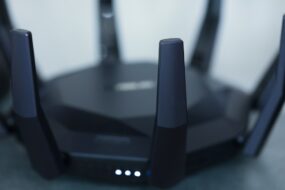
Have you ever tried binge-watching your favorite show only to find yourself in a frustrating black hole of buffering? You’re not alone. Wi-Fi dead zones can make the simplest tasks—like scrolling through social media or video calling your aunt—a massive headache. When you’re in a part of your house where your Wi-Fi signal is practically nonexistent, it’s easy to feel disconnected and overwhelmed. But don’t despair! Thankfully, there are tested ways to improve Wi-Fi signal in dead zones.
Understanding Why Dead Zones Occur
Before we dive into solutions, let’s talk about why those pesky dead zones exist in the first place. In my experience, the most common culprits are distance from the router, thick walls, and interference from other electronic devices. Maybe your Wi-Fi router is tucked away in a corner of your home, struggling to send a strong signal to your office upstairs or the guest bedroom at the end of the hall.
Certain building materials like concrete or metal can obstruct signals, making it even harder for devices to connect. Even your microwave can cause interference! Now that we know the enemy, let’s explore some dead zone solutions that can completely change your home networking experience.
Use a Wi-Fi Signal Booster
One of the most straightforward ways to improve Wi-Fi signal in dead zones is by using a Wi-Fi signal booster. These devices are designed to extend your existing Wi-Fi coverage, allowing you to reach those hard-to-access areas. Most people get it wrong when they think that one router can cover the entire house. In reality, coverage can vary based on layout and materials used in your home.
When selecting a Wi-Fi signal booster, consider your home’s layout and size. A quality device can significantly enhance your connection without too much effort on your part. Just plug it in midway between your router and the dead zone, and let it do its thing.
Mesh Wi-Fi Systems: A Modern Solution
If you’re facing persistent dead zones, it might be worth investing in a mesh Wi-Fi system. These systems use multiple units to create a network of Wi-Fi points throughout your home. Instead of relying on a single router to cover all areas, a mesh system communicates between various nodes, ensuring that you always connect to the strongest signal available.
While they can be pricier than traditional routers or boosters, many users find the performance worth the investment. Imagine moving from room to room and never losing the signal! Mesh systems are especially beneficial for larger homes or those with multiple floors.
Location, Location, Location: Where to Place Your Router
Router placement is a crucial aspect of improving Wi-Fi signal in dead zones. Many of us instinctively hide them away in cupboards or behind furniture, thinking we’re saving space. However, that can hinder signal strength. Ideally, your router should be placed in a central location, elevated off the ground, and away from walls or obstructions.
If you’ve got a multi-story house, consider putting your router on the top floor. Wi-Fi signals naturally radiate down, and you might cover more areas in one go. You might still have to deal with some dead zones, but this straightforward adjustment can make a world of difference.
Router Upgrades: When to Consider New Hardware
Sometimes, you might just need an upgrade. Older routers can struggle to keep up with today’s demands, especially if you have multiple devices connected simultaneously. If your router is several years old, it might be time to invest in a newer model designed to handle heavier traffic and larger coverage areas.
Look for routers with dual-band or tri-band capabilities, which can improve performance by operating on multiple frequencies. In essence, they can handle more devices at once without compromising speed. Do your research and read reviews of the latest models that can improve Wi-Fi signal in dead zones.
Reduce Interference with Smart Placement
External interference can wreak havoc on your Wi-Fi signal. Things like microwaves, cordless phones, and Bluetooth devices can interrupt your connection, especially if they use the same frequency. If you’re serious about improving your Wi-Fi, it’s a good idea to identify these culprits and minimize their impact.
Move your router away from devices that can interfere with the signal. For instance, your microwave shouldn’t be in the same room as your router if you can help it. Common sense goes a long way here; keep other electronics that could cause problems as far away as possible from your router.
Home Networking Tips: Advanced Solutions
If you’re willing to roll up your sleeves a little more, there are various advanced home networking tips to consider. For instance, you might want to check your router’s firmware and ensure it’s up-to-date. Manufacturers often release updates to improve performance or resolve issues. Setting up Quality of Service (QoS) can also help with prioritizing certain devices, ensuring smoother streaming and gaming experiences.
Another method is to switch to a less congested Wi-Fi channel. Most routers automatically select the best channel, but that can sometimes lead to congestion if many neighboring networks are doing the same. You can use tools to scan local networks and manually select a channel that might give you better performance.
Consider Wired Connections for Heavy Users
If you’re dealing with a gamer in the house or someone who streams movies on multiple devices, a wired connection might be your best bet for consistent performance. Ethernet cables can provide a much stronger and more stable connection compared to Wi-Fi, eliminating any issues related to dead zones altogether.
You can easily set up connections to your gaming console, smart TV, or desktop computer. While it’s not a complete solution for every area of your home, having some hardwired connections could relieve the strain on your Wi-Fi network—making everyone happier in the household.
Conclusion: Say Goodbye to Dead Zones
Improving Wi-Fi signal in dead zones doesn’t have to feel like a daunting task. With the right tools, strategies, and a little bit of curiosity, you can create a more connected and enjoyable living space. Whether it’s through a Wi-Fi signal booster, a mesh system, or some smart router placement, the solutions are varied, and many can be implemented without breaking the bank.
Take a critical look at your networking needs and apply what you’ve learned here. By proactively managing your Wi-Fi setup, you’ll find that those annoying dead zones can become a thing of the past. And who knows, you might even enjoy your streaming sessions or online meetings a lot more!