Picture this: it’s a rainy Saturday afternoon. You’ve got a hot cup of coffee in one hand, ready to binge that new series you’ve been hearing all about. But as you open your streaming app, you’re greeted with that dreaded buffering circle, stalling your entertainment plans. Sound familiar? Poor Wi-Fi signal can turn even the coziest Saturday into a frustrating ordeal. If you’ve ever wondered how to improve your Wi-Fi signal at home, you’re not alone. Let’s unpack some effective tips that could help.
The Importance of a Strong Wi-Fi Signal
Having a strong Wi-Fi signal is crucial in our digital age. Whether you’re working from home, gaming, streaming, or just browsing the web, a weak connection can lead to slower internet speeds and increased frustration. Most people don’t realize how much they depend on their internet until something goes wrong. Imagine trying to video call a friend or join a virtual meeting, only to be met with lagging video and muffled audio. It’s not just inconvenient; it can also impact your productivity.
Signs Your Wi-Fi Signal Needs a Boost
Before diving into how to improve your Wi-Fi signal, let’s identify some common signs indicating you might need a boost:
- Slow internet speeds: If your download speed is significantly lower than what you’re paying for, it’s a red flag.
- Frequent disconnections: Constantly dropping your connection or having connectivity issues can be a sign of a weak signal.
- Dead zones: Areas in your home where the internet doesn’t reach well—these are the dead zones you might not notice until you need internet access.
- Buffering during streaming: If you’re streaming your favorite shows and it keeps buffering, your Wi-Fi signal might not be strong enough to support it.
1. Optimize Your Router Placement
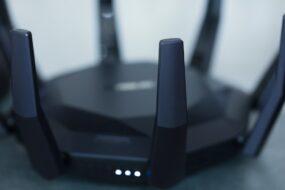
One of the simplest steps to boost your Wi-Fi signal is adjusting the placement of your router. Here’s what you should consider:
- Central location: Position your router in a central spot in your home. This can help evenly distribute the signal throughout the space.
- Elevated position: Try placing the router on a shelf or a high surface to extend the reach.
- Avoid obstructions: Keep your router away from walls, furniture, or other devices that could interfere with the signal.
In my experience, simply moving a router a few feet can significantly enhance the signal strength.
2. Update Your Equipment
Another common mistake that many homeowners make is not updating their router or modem. Outdated equipment can hinder your connection in several ways:
- Obsolete technology: Older routers may not support modern Wi-Fi standards, which can limit your internet speed.
- Firmware updates: Manufacturers often release updates that improve performance and security. Make sure to check if your router’s firmware is up to date.
If your router is more than five years old, consider investing in a new model. New routers often come with features designed to boost Wi-Fi signal, and you’ll likely see a noticeable improvement in your internet speed.
3. Use the Right Frequency Band
Most modern routers operate on dual-band frequencies—2.4 GHz and 5 GHz. It’s important to understand the difference:
- 2.4 GHz: This frequency travels farther and is better for overcoming obstacles like walls, but it often has more interference from other devices (like microwaves and Bluetooth products).
- 5 GHz: This frequency offers faster speeds and is less prone to interference, but its range is shorter.
If you’re in a crowded area like an apartment building, using the 5 GHz band can help alleviate congestion. Switching to a different band can significantly help in how to improve your Wi-Fi signal.
4. Limit Interference from Other Devices
Speaking of interference, many household devices emit signals that can interfere with your Wi-Fi. Here are some things to consider:
- Microwaves: If you notice your Wi-Fi drops when you’re using the microwave, that’s a common issue.
- Baby monitors, cordless phones, and Bluetooth devices: Try to keep these devices away from your router to minimize interference.
- Wireless speakers: Keep your speakers and other audio devices at a distance from your router as well.
Understanding these interferences can play a vital role in increasing internet speed and improving overall performance.
5. Add Wi-Fi Extenders or Mesh Systems
If you’ve got a large home or have particularly thick walls, you might face limitations with a single router alone. Here’s where Wi-Fi extenders or mesh Wi-Fi systems come in:
- Wi-Fi extenders: These devices pick up your existing signal and extend it to areas that have weak coverage.
- Mesh Wi-Fi systems: These consist of multiple nodes placed around your home to create a larger coverage zone.
From what I’ve seen, mesh systems are often more effective for larger homes, providing consistent and robust coverage. They can be a more efficient solution for families with multiple devices streaming simultaneously.
6. Secure Your Wi-Fi Network
Many people overlook network security when thinking about how to improve their Wi-Fi signal. An unsecured Wi-Fi network can lead to unauthorized users accessing your connection, potentially slowing down your internet speed. Here’s how to ensure your network is safe:
- Set a strong password: Use a complex password that’s difficult for others to guess.
- Change your network name: Avoid using easily identifiable names that can make it easy for others to attempt to gain access.
- Implement WPA3 encryption: This is the latest and most secure option for protecting your network.
Securing your network not only keeps your connection safe but also optimizes your speed by preventing unauthorized usage.
7. Check Your Internet Plan
Sometimes the issue might not be with your signal but rather with your internet plan itself. Many people opt for plans without fully understanding their needs. When evaluating your plan, consider:
- Usage: Think about how many devices you have and what activities you regularly do. Streaming in 4K, gaming, and telecommuting requires a broadband plan with higher speeds.
- Provider performance: Not all providers deliver the speeds they promise. Make sure to do some research to see what others in your area recommend.
In my opinion, if you frequently find yourself frustrated with slow speeds, it might be worth looking into a more suitable plan.
Final Thoughts on Improving Your Wi-Fi Signal
There’s nothing quite as annoying as a weak Wi-Fi signal when you need it most. But with a few adjustments and informed strategies, you can greatly enhance your connectivity at home. Whether you rearrange your router, update your equipment, or secure your network, every step counts in how to improve your Wi-Fi signal. Remember, a robust internet connection isn’t just a luxury; it’s a necessity in today’s digital world.
Feeling overwhelmed? Start small. Pick one or two tips mentioned here and implement them. You’ll likely notice an improvement not just in your internet speed, but in your overall online experience. Happy surfing!