Remember the last time your Wi-Fi signal dropped right in the middle of your favorite series? Frustrating, right? You’re not alone! Many of us face Wi-Fi connectivity issues, especially in our homes where multiple devices are competing for bandwidth. But what if I told you that optimizing your home Wi-Fi network could resolve many of those pesky interruptions? Let’s explore how you can improve your home network setup and maximize your internet speed.
Understanding Your Wi-Fi Network
Before diving deep into how to optimize your home Wi-Fi network, it’s crucial to grasp the basics of what makes Wi-Fi work. Your Wi-Fi network consists of a router and a variety of devices connected to it—like smartphones, tablets, laptops, and smart TVs. The router communicates with your internet service provider, enabling your devices to connect to the internet wirelessly.
But every household is different. Factors like the size of your home, the number of devices, and even the layout (think walls, floors, and furniture) can impact Wi-Fi performance. Understanding these elements is the first step in improving your Wi-Fi speed and reliability.
Choosing the Right Router
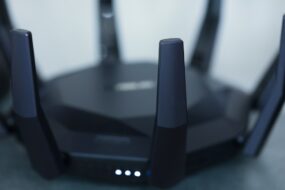
One of the most critical components for optimizing your home Wi-Fi network is your router. Not all routers are created equal. If your router is several years old, it might be time for an upgrade. Here’s what to consider:
- Wi-Fi Standard: Ensure your router supports the latest Wi-Fi standards, like Wi-Fi 6 (802.11ax). This can significantly enhance your connection speed and efficiency.
- Range: Depending on your home’s size, you might need a router with a wider range. Mesh networks can be a suitable choice if you have a larger home or face dead spots.
- Dual-Band vs. Tri-Band: A dual-band router offers both 2.4 GHz and 5 GHz bands, while a tri-band router adds an extra 5 GHz band. The extra band can be beneficial if you have multiple high-demand devices connected simultaneously.
Investing in the right router is essential for setting up a strong foundation for your home network. In my experience, a better router can make a noticeable difference in both speed and connectivity.
Optimal Router Placement
Even the best router won’t help if it’s hidden in a corner of your home. Router placement is vital for optimizing your home Wi-Fi network. Here are some tips:
- Central Location: Place your router in a central location in your home to distribute the signal evenly. If it’s in a corner, one side of your house may suffer from a weak signal.
- Avoid Obstacles: Walls, appliances, and furniture can obstruct signals. The fewer obstacles between your router and devices, the better your Wi-Fi speed will be.
- Elevate Your Router: Higher placements often yield better results. Try placing your router on a shelf or mounted high on a wall.
Many people overlook router placement when optimizing their networks. But trust me, small changes can lead to significant benefits!
Changing Your Channel
Did you know that your Wi-Fi connection can be affected by interference from neighboring networks? Fluctuating speeds can often result from multiple networks using the same channels. To improve your Wi-Fi speed, consider changing the channel on your router:
- Find the Best Channel: Use apps like Wi-Fi Analyzer (for Android) or NetSpot (for Mac) to discover which channels are least congested in your area.
- Switch It Up: Access your router’s settings (usually through your browser) and experiment with different channels. Often, channels 1, 6, and 11 for the 2.4 GHz band are the best options.
A little experimenting can go a long way in optimizing your home Wi-Fi network.
Securing Your Network
Another crucial aspect of improving your Wi-Fi speed is network security. An unsecured Wi-Fi network can be an open invitation for unwanted users, which can slow down your connection. Here’s how to secure it:
- Use WPA3 Encryption: Ensure that your router is set to WPA3 encryption for better security.
- Create a Strong Password: Make your password complex and unique. Avoid using simple passwords or personal information.
- Change Default Credentials: Many routers come with default usernames and passwords that are widely known. Change these to keep your network safe.
Securing your network not only improves speed but also protects your personal data from potential threats.
Managing Connected Devices
If you’ve got a household full of devices—from smart bulbs to streaming services—your Wi-Fi could be stretched thin. Managing these devices is essential for optimizing your home Wi-Fi network. Here’s how to do it:
- Disconnect Old Devices: Regularly check the list of devices connected to your network and disconnect those that aren’t in use.
- Prioritize Devices: Many modern routers come with QoS (Quality of Service) settings. This allows you to prioritize bandwidth for specific devices, ensuring that your streaming doesn’t buffer while someone’s playing a game.
In my experience, simply managing device connections effectively can lead to noticeable speed improvements—the fewer devices, the better your connection!
Regularly Update Your Router’s Firmware
Keeping your router’s firmware updated is an often-overlooked aspect of Wi-Fi management that can significantly influence speed and performance. Firmware updates can patch security vulnerabilities and enhance overall router performance. To optimize your home Wi-Fi network:
- Check for Updates: Regularly log into your router’s settings to check for any available updates.
- Automatic Updates: If your router supports it, enable automatic firmware updates to ensure you’re always running the latest version.
Don’t underestimate the impact of maintaining current firmware—it’s an easy way to boost performance without a lot of effort.
Consider Extending Your Network
If you live in a larger home or find yourself regularly experiencing dead zones, extending your Wi-Fi coverage may be necessary. Here’s how to do it:
- Wi-Fi Extenders: These devices can amplify your signal, effectively helping to reach areas of your home that are hard to cover with a standard router.
- Mesh Wi-Fi Systems: For a more extensive coverage solution, consider investing in a mesh Wi-Fi system that uses multiple nodes to ensure a strong signal throughout your home.
In my experience, a mesh system can be a great investment for larger homes, delivering consistent speed throughout.
Final Thoughts
Optimizing your home Wi-Fi network doesn’t have to be a daunting task. With a few simple changes and tips, you can significantly enhance your network’s performance. From choosing the right router to managing connected devices, each step plays a vital role in ensuring you enjoy smooth, uninterrupted internet access.
Remember to regularly assess your network setup. Technology keeps evolving, and what worked a year ago may need adjustments today. By actively managing your Wi-Fi environment, you’ll be set for a faster and more reliable connection.
So the next time your Wi-Fi falters, don’t simply accept it as a reality. Take charge and optimize your home Wi-Fi network the right way!