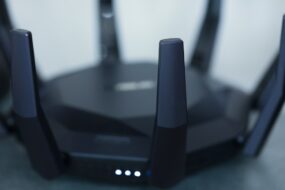
Ever been in the middle of a heated online gaming session or binge-watching your favorite series, only to have your Wi-Fi slow to a crawl? It’s frustrating, isn’t it? You might find yourself screaming at your router or shaking your device while praying for a miracle. But don’t lose hope just yet! You can optimize your home Wi-Fi network performance and get back to enjoying all that sweet internet goodness. Trust me; I’ve been there too, and I’ve got some solid tips to help you improve Wi-Fi speed in your home.
Understanding the Basics of Wi-Fi Networks
Before diving into the tips and tricks, it’s important to understand what makes a Wi-Fi network tick. At its core, a Wi-Fi network operates using radio waves to transmit data between your internet service provider (ISP) and your devices. The quality of this transmission can be influenced by various factors, including distance from the router, interference from other electronic devices, and the type of hardware you’re using.
Positioning Your Router for Optimal Performance
One of the first and easiest ways to optimize home Wi-Fi network performance is by positioning your router in the best spot possible. Most people just plop it down in the corner of a room without giving it much thought. But here’s what most people get wrong: the location of your router can drastically affect your Wi-Fi coverage.
- Central Location: Place your router in a central location in your home. This helps the signal reach all corners of your house more effectively.
- Elevated Position: Try to keep your router high off the ground. If it’s on a shelf or mounted on a wall, it can broadcast signals more efficiently.
- Avoid Obstacles: Walls, furniture, and appliances can interfere with Wi-Fi signals. It’s best to keep your router away from these obstacles as much as possible.
Choosing the Right Wi-Fi Frequency
Many modern routers come with dual-band capabilities, which means they can broadcast on both the 2.4 GHz and 5 GHz frequencies. In my experience, understanding when to use each band can significantly boost home internet performance.
- 2.4 GHz: This frequency travels further and better penetrates walls, making it ideal for general browsing and devices that are far from the router.
- 5 GHz: This band offers faster speeds but has a limited range. It works best for activities like gaming or streaming when you’re close to the router.
Try to connect your devices to the appropriate frequency based on their distance from the router—this simple step can really improve Wi-Fi speed.
Updating Your Hardware
Let’s face it: sometimes, it’s just time for an upgrade. If your router is several years old, it probably doesn’t have the technology to keep up with today’s demands. Here’s the scoop: upgrading your hardware can be one of the best investments you can make in optimizing your home Wi-Fi network performance.
- Router: Consider a router that supports the latest Wi-Fi standards, such as Wi-Fi 6, which is designed for higher speeds and better handling of multiple devices.
- Modem: If you’re using a separate modem, make sure it is compatible with your internet plan and service providers. Older modems can become bottlenecks.
- Network Extenders: If your house is large, you might want to invest in Wi-Fi extenders or a mesh network system to ensure coverage in every room.
Securing Your Network
Did you know that an unsecured Wi-Fi network can lead to reduced performance? If too many people are using your network, it can slow things down significantly. Consider yourself a Wi-Fi guardian! Securing your network is essential for optimizing home Wi-Fi network performance:
- Change Your Password: Use a strong, unique password that’s difficult for others to guess.
- Wi-Fi Encryption: Always enable WPA3 or at least WPA2 encryption. This adds a layer of security to your network.
- Monitor Connected Devices: Regularly check which devices are connected to your network and remove any unknown ones.
Managing Bandwidth Usage
Have you ever noticed that when the whole family is streaming movies, your browsing gets painfully slow? That’s due to bandwidth hogging. Managing your bandwidth wisely can truly help in optimizing your home Wi-Fi network performance:
- Prioritize Devices: Some routers allow you to prioritize devices, so your gaming console or work computer gets the bulk of the bandwidth when needed.
- Limit Background Applications: Ensure that devices aren’t running unnecessary background apps that consume bandwidth without you even realizing it.
- Set Time Limits: If you have kids, consider setting time limits on heavy internet usage to avoid clashes when everyone is online.
Regularly Updating Firmware
This is one area where many people neglect to put in the effort. Keeping your router’s firmware updated can help improve stability, security, and performance. Most modern routers have an automatic update feature, but it’s worth checking manually now and then. In my experience, a simple firmware upgrade can make the difference between a painfully slow connection and one that runs smoothly.
Performing Regular Speed Tests
Last but definitely not least, monitor your performance regularly. Running speed tests can help you identify whether you’re getting the internet speeds you’re paying for and help pinpoint problem areas. There are numerous free tools available online and apps for your smartphone that can help with this.
Final Thoughts
Optimizing your home Wi-Fi network performance might seem daunting, but with these tips, you can see significant improvements without needing to become a tech wizard. Don’t forget to assess your situation regularly, adapt your strategies based on your household’s internet demands, and always stay informed about new technologies that can enhance your setup.
If you put these tips into practice, not only will you improve Wi-Fi speed, but you’ll also ensure that every member of your household can enjoy a hassle-free online experience. Now, go ahead and tackle that slow Wi-Fi once and for all!