Picture this: you settle in for a movie night, popcorn in hand, ready to stream your favorite film. Just as you press play, the buffering wheel appears—a dreaded sight that can obliterate the mood in seconds. If you’ve ever been there, you’re not alone. Slow Wi-Fi connections can be incredibly frustrating, but the good news is that you can do something about it. If you’re asking yourself how to optimize your home Wi-Fi network speed, you’re in the right place. Let’s get started!
Understanding Wi-Fi Basics
Before we dive into the strategies for increasing Wi-Fi speed, let’s cover some essential basics. Wi-Fi works by sending data from your internet service provider (ISP) through a router, which then relays that data wirelessly to your devices. It’s influenced by a variety of factors, from the type of router you have to the layout of your home.
In my experience, most people underestimate just how many variables come into play when it comes to their internet connection. Some common obstacles include distance from the router, interference from walls or appliances, and even the number of devices connected at one time. Being aware of these factors can help you figure out where to focus your efforts to boost home Wi-Fi speed.
Positioning Your Router
One of the easiest and most effective ways to improve your network speed is to optimize the position of your router. You might be surprised by how much a little rearranging can make a difference.
- Central Location: Place your router in a central location in your home. Think of it as a radio station broadcasting to all corners of your house.
- Elevate the Router: Don’t leave your router on the floor. Instead, put it on a shelf or mount it higher up. The higher it is, the better the signal will be.
- Avoid Obstacles: Keep your router away from thick walls, metal objects, or appliances like microwaves that can interfere with the signal. Clear line-of-sight is ideal.
Choosing the Right Frequency Band
Modern routers typically offer two frequency bands: 2.4 GHz and 5 GHz. Each has its own advantages and disadvantages, and knowing how to optimize your home Wi-Fi network speed means knowing when to use each band.
The 2.4 GHz band has a longer range but is generally slower and more prone to interference from other devices, like baby monitors and cordless phones. On the other hand, the 5 GHz band offers faster speeds and less interference, but its range is shorter.
Most people get it wrong by sticking to just one band. A smart approach is to utilize both bands. For devices that require speed, like gaming consoles or streaming devices, connect them to the 5 GHz band. Use the 2.4 GHz band for devices like phones or other gadgets that don’t need as much speed.
Upgrading Your Router
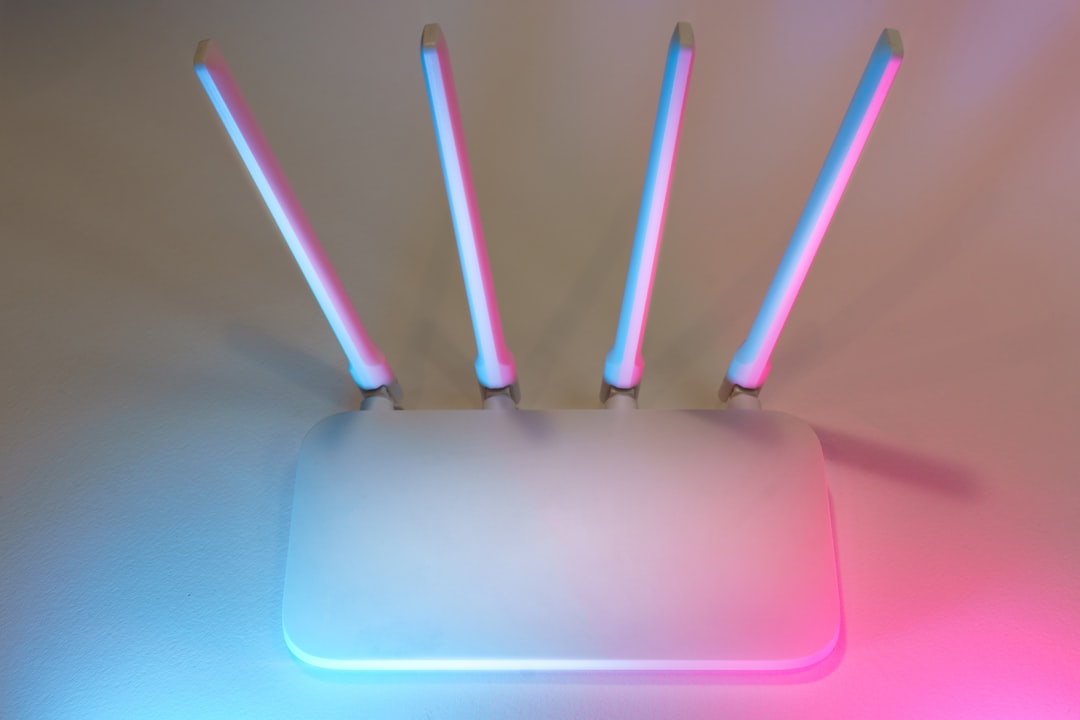
If your router is several years old, it might be time for an upgrade. Routers have evolved significantly, and an outdated model might not be able to keep up with the demands of modern devices.
When considering a new router, look for options that support the latest Wi-Fi standards, such as Wi-Fi 6. These newer models can handle multiple devices more efficiently and offer faster speeds. In my opinion, investing in a good router can make a noticeable difference in your network performance.
Wi-Fi Extenders and Mesh Systems
If you have a large home or areas where the signal is weak, you might want to consider adding Wi-Fi extenders or a mesh Wi-Fi system. Both options can significantly boost your home Wi-Fi speed.
- Wi-Fi Extenders: These devices receive your existing Wi-Fi signal and amplify it, extending the coverage area. They are usually less expensive but may not provide the best performance in terms of speed.
- Mesh Wi-Fi Systems: A mesh system consists of multiple nodes that work together to create a larger, more consistent network. It’s typically the better choice for larger homes, providing stronger signals without dead zones.
Managing Connected Devices
The more devices connected to your home network, the slower your speeds might be. Each device consumes bandwidth, so it’s essential to manage your connections effectively.
In my experience, many people aren’t aware of how many devices are connected to their networks. Regularly check your router’s settings to see what’s connected. If you spot devices that you don’t recognize or don’t need, disconnect them. This simple step can often boost home Wi-Fi speed significantly.
Securing Your Network
It may seem like a hassle, but securing your network is crucial. Unsecured networks can be hijacked by neighbors or unwanted users, which can drain your bandwidth and compromise security.
Make sure you:
- Change the default password for your router to something unique and complex.
- Use WPA3 encryption if your router supports it, as this offers better security.
- Regularly update your router’s firmware to protect against vulnerabilities.
Optimizing Your Devices
Sometimes, the problem may not be with the router but rather with the devices you’re using. Here are a few tips for optimizing devices to increase Wi-Fi speed:
- Keep Software Updated: Outdated software can slow down your device. Regularly check for updates, especially for drivers and operating systems.
- Close Unused Applications: Background applications can hog bandwidth. Close any apps or tabs you’re not actively using.
- Limit Bandwidth-Hogging Activities: Heavy downloads, large file transfers, and streaming on multiple devices at once can slow down your network. Try to limit these activities during peak times.
Regular Maintenance and Testing
Just like a car needs regular tune-ups, your home network needs maintenance, too. Regularly testing your Wi-Fi speed will help you identify any issues early on.
Consider using tools like Speedtest by Ookla or similar services to check your internet speeds periodically. This can help you gauge whether the actions you’ve taken to optimize your home Wi-Fi network speed are working.
Conclusion
Optimizing your home Wi-Fi network speed doesn’t have to be a daunting task. By following these practical tips, you can boost home Wi-Fi and make your online experiences much more enjoyable. Remember to revisit your setup periodically, as technology and network demands change. It’s all about taking actionable steps, whether that’s positioning your router better or opting for a new device altogether. So, are you ready to ensure your next movie night goes off without a hitch?