Picture this: You’re settling down for a movie night, ready to binge-watch the latest series. You’ve got popcorn, your favorite drinks, and the cozy couch all set up. But just as you’re about to hit play, your Wi-Fi starts buffering. It’s frustrating, right? For many people, a slow home Wi-Fi network can turn a quiet evening into a battle against technology. So how can you optimize your home Wi-Fi network for speed without pulling your hair out? Let’s break it down.
Understanding Your Wi-Fi Environment
Before diving into specific tips and tricks, it’s important to understand the environment in which your Wi-Fi operates. Wi-Fi signals can be affected by various factors including the layout of your home, interference from other electronic devices, and even the materials used in your walls.
In my experience, many folks underestimate the impact of physical obstructions. For example, concrete walls can easily dampen your Wi-Fi signal, while wooden walls might have less of an effect. Identifying potential trouble spots in your home is a key first step in optimization.
Choosing the Right Router
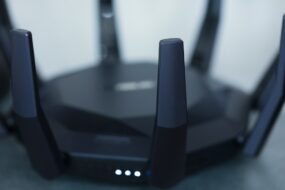
Your router is the heart of your Wi-Fi network. Choosing the right one can significantly affect your internet speed. While many people stick to the router their Internet Service Provider (ISP) gives them, upgrading can make a noticeable difference.
- Dual-Band or Tri-Band: Modern routers often come in dual-band (2.4 GHz and 5 GHz) or even tri-band options. The 5 GHz band usually provides faster speeds, so having a dual-band router helps you select the best option based on your needs.
- Wi-Fi Standard: Look for routers that support the Wi-Fi 5 (802.11ac) or Wi-Fi 6 (802.11ax) standards. These newer standards can handle multiple devices and are generally faster.
By selecting a good quality router, you take the first major step towards optimizing your home Wi-Fi network for speed.
Placement Matters
Once you’ve got the right router, where you place it can dramatically affect your Wi-Fi signal strength. If your router is tucked away in a corner or hidden behind furniture, you’re probably not getting the best results.
Here are some tips for optimal placement:
- Keep the router in a central location in your home.
- Avoid placing it near walls or obstructions that could block the signal.
- Elevate your router on a shelf or table to improve coverage.
Simply moving your router can sometimes yield astonishing results and can be a quick win in your quest to optimize your home Wi-Fi network for speed.
Reduce Interference
Another common issue people face is interference from other electronic devices. Items like microwaves, cordless phones, and Bluetooth devices can interfere with your Wi-Fi signal, particularly on the 2.4 GHz band.
To minimize interference:
- Keep the router away from other electronic devices.
- If you live in an apartment, you might find that neighboring networks are also causing interference. Consider changing your Wi-Fi channel.
Changing the channel can often help you find a less congested frequency and make a noticeable difference in your speed.
Update Firmware and Security Settings
It’s easy to forget about router updates, but keeping your firmware up to date is crucial for optimizing your home Wi-Fi network for speed. Manufacturers periodically release updates to fix bugs and improve performance.
To update your router:
- Log into your router’s admin panel (usually found at a local IP address like 192.168.1.1).
- Check for any available firmware updates.
- Follow the prompts to update.
Also, ensure you have a strong password to prevent unauthorized users from slowing down your network. You won’t believe how many people have slow Wi-Fi because their network is being used by a neighbor who snagged the password!
Prioritize Devices for Better Performance
Most modern routers have a Quality of Service (QoS) feature. This lets you prioritize certain devices or applications that require more bandwidth, like streaming services or gaming consoles. It’s a great way to manage your network smartly.
For instance, you could prioritize your smart TV when you’re streaming a movie and give lower priority to devices like smartphones or tablets during that time. In my experience, getting familiar with QoS settings can really help increase Wi-Fi speed, especially in a busy household.
Consider a Mesh Network
If you live in a larger home or one with many walls, a single router might not be enough. This is where a mesh network can shine. A mesh network consists of multiple routers or nodes that work together to provide a more extensive Wi-Fi coverage area.
The benefits of a mesh network include:
- Eliminating dead zones in larger homes.
- Providing a more consistent signal strength throughout.
- Simplifying the process of connecting additional devices.
While it might be an investment, in the long run, a mesh network can certainly help when trying to optimize your home Wi-Fi network for speed.
Regularly Check Your Internet Speed
Finally, you can’t really optimize without understanding where you currently stand. Regularly checking your internet speed can help identify issues that might arise or indicate that it might be time for another upgrade. There are many free tools available online, like Speedtest by Ookla, that can give you a quick snapshot of your current connection speed.
By keeping tabs on your internet speeds, you can measure the effectiveness of the changes you implement.
Conclusion
Optimizing your home Wi-Fi network for speed doesn’t have to be a daunting task. By following these tips, from choosing the right router to managing interference and regularly checking your speeds, you’ll be well on your way to enjoying a fast and reliable internet connection.
Of course, each home is unique, and what works for one might not work for another. Don’t be afraid to experiment a little. As you begin to implement these tips, you might find that it leads to faster speeds you never thought possible. Say goodbye to buffering and hello to a smoother online experience! Happy surfing!