There’s nothing more frustrating than settling in to binge your favorite show only to be interrupted by buffering or poor video quality. You’ve got your snacks ready, the lights dimmed, and just as you get lost in the story, the dreaded loading symbol appears on your screen. If you’re tired of these streaming woes, it might be time to optimize your Wi-Fi for better streaming. Believe me, you’re not alone in this battle against tech troubles!
The Importance of Wi-Fi for Streaming
Streaming has become a part of our daily lives. With high-definition content available at our fingertips, we expect a certain level of performance from our internet connections. However, many people overlook the importance of having a well-optimized Wi-Fi network. When you optimize your Wi-Fi for better streaming, you not only increase the speed and reliability of your connection but also enhance your overall viewing experience.
In my experience, understanding the basics of how your Wi-Fi works is crucial. You can’t just throw an expensive router into the mix and hope for the best. Many factors can affect not only your speed but also the stability of your connection.
Assessing Your Current Wi-Fi Speed
Before you can optimize your Wi-Fi for better streaming, you need to know what you’re working with. Use a speed test tool—many are available online for free—to find out your current internet speed. Keep in mind that the speed you pay for may not always be the speed you receive. Factors such as distance from the router, the number of devices connected, and even time of day can affect your speed.
Here’s a quick checklist to assess your Wi-Fi conditions:
- Run multiple speed tests at different times of day.
- Disconnect all devices except for the one you’re testing.
- Check the Wi-Fi signal strength on the device you’re using.
Choosing the Right Router
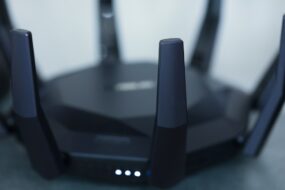
If your router is old or not capable of handling high-speed internet, it might be time for an upgrade. Not all routers are created equal, and selecting the right one can significantly improve Wi-Fi speed. Consider these factors:
- Frequency Bands: Dual-band routers that operate at both 2.4 GHz and 5 GHz can provide better flexibility and speed.
- Wi-Fi Standards: Look for routers that support the latest Wi-Fi 5 (802.11ac) or Wi-Fi 6 (802.11ax) technologies.
- Range: Ensure the router has good range capabilities, as streaming requires a stable connection throughout your space.
Here’s what most people get wrong: they stick with the router provided by their internet service provider (ISP), thinking it’s good enough. Upgrading to a quality router can make a huge difference, especially for streaming.
Positioning Your Router for Optimal Coverage
After you’ve got your hands on a great router, the next step is positioning it effectively. The physical placement of your router can dramatically affect its performance. Here are some tips:
- Place the router in a central location in your home to ensure optimal coverage.
- Avoid placing it near walls or large objects that can obstruct the signal.
- Keep it elevated on a shelf or high furniture. Wi-Fi signals tend to travel better from higher positions.
In my experience, moving the router to a different room can often have a surprising impact on performance in areas where you usually stream. Don’t be afraid to experiment!
Reducing Interference from Other Devices
Wi-Fi operates on specific frequencies, and a crowded spectrum can lead to interference. Common household devices, like microwave ovens, cordless phones, and even baby monitors, can affect your Wi-Fi signal. Here’s how you can minimize that interference:
- Keep your router away from other electronic devices.
- Reconnect your devices to the 5 GHz band if they support it; this band typically has less interference.
- Limit the use of bandwidth-heavy applications when streaming.
Easier said than done, right? It can be tough to cut back on other activities when you’re trying to get a better streaming experience—balancing isn’t always easy.
Managing Connected Devices
Every device connected to your Wi-Fi network takes up bandwidth, which can slow down your streaming speed. It’s essential to manage these connections effectively for optimal performance. Here are some Wi-Fi tips for streaming:
- Disconnect devices that aren’t in use, especially if they’re not needed for your streaming session.
- Consider implementing Quality of Service (QoS) settings in your router that prioritize streaming traffic over other needs.
- If possible, connect streaming devices directly to the router via Ethernet for the most stable connection.
Trust me; having fewer devices fighting for bandwidth while you’re watching a movie can make a noticeable difference.
Utilizing Wi-Fi Extenders or Mesh Systems
If your home is large or has areas with poor connectivity, a range extender or a mesh Wi-Fi system may be worth considering. These devices help spread the Wi-Fi signal throughout your home more evenly. Here’s how to choose between them:
- Wi-Fi Extenders: They amplify the existing Wi-Fi signal, making them a cost-effective solution for small to medium-sized homes.
- Mesh Systems: These consist of multiple units that work together, providing consistent coverage across larger spaces. They’re often more user-friendly and provide better performance.
Many people underestimate the impact that dead zones can have on their streaming, only to discover that investing in one of these solutions can be a lifesaver.
Regular Maintenance and Software Updates
Once you’ve optimized your Wi-Fi for better streaming, don’t forget about maintenance! Just like any tech, your router needs TLC too. Here are a few things to consider:
- Regularly update your router’s firmware. Manufacturers often release updates that can improve performance and security.
- Restart your router every so often to keep things running smoothly. A simple reboot can clear out unwanted clutter from its memory.
- Monitor your network for unauthorized users who may be using your bandwidth.
In my experience, people forget that technology isn’t “set it and forget it.” Your network needs a little nurture like anything else!
Final Thoughts
Optimizing your Wi-Fi for better streaming isn’t just about speed; it’s about improving your overall experience. By following these steps, you can enhance your streaming quality and reduce interruptions. Remember, it might take a little trial and error to find the perfect setup, but the reward of uninterrupted viewing is well worth it. So grab your favorite blanket, get comfortable, and enjoy some quality streaming without the anxiety of buffering!