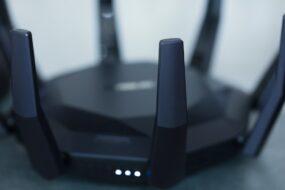
Imagine this: you’re in the middle of an intense online match, and just as you’re about to make the winning move, your Wi-Fi decides to take a break. Frustrating, right? For anyone serious about gaming, having a reliable connection can mean the difference between victory and defeat. So, how do you optimize your Wi-Fi for gaming performance? Let’s break it down.
Why Wi-Fi Matters in Gaming
First, let’s understand the role Wi-Fi plays in gaming. It’s not just about having any connection; it’s about having the right one. A laggy connection can ruin your experience, leading to inconvenient disconnections or frustrating delays. What most people get wrong is assuming any Wi-Fi connection will do; however, gaming demands stability and speed. So, if you’re serious about your gaming, it’s time to optimize your Wi-Fi for gaming.
Understanding Latency and Ping
Before diving into tips and tricks, let’s define some key terms. Latency is the time it takes for your device to communicate with the game server and back again. Ping is a measurement of that latency, usually represented in milliseconds (ms). Here’s a rule of thumb: lower ping means better gaming experience. If your ping spikes above 50ms, you might notice some hiccups in gameplay. Want to improve your Wi-Fi speed for gaming? It all starts with understanding these concepts.
Choose the Right Router
One of the biggest mistakes gamers make is sticking with the router provided by their internet service provider (ISP). It may work fine for browsing, but it often lacks the features needed for gaming. If you want to optimize your Wi-Fi for gaming, here are a few features to look for:
- Dual-Band or Tri-Band Capabilities: Look for routers that can operate on both the 2.4GHz and 5GHz bands. The 5GHz band is generally less congested and offers faster speeds.
- Quality of Service (QoS): This feature lets you prioritize gaming traffic over other types of traffic on your network, which can be crucial during peak usage times.
- Prioritize Wired Connections: If possible, connect your gaming console or PC directly to the router with an Ethernet cable. Wired connections typically offer lower latency compared to Wi-Fi.
Positioning Your Router
Even the best router won’t perform well if it’s hidden in a corner or obstructed by walls. Here are some tips to optimize your Wi-Fi for gaming by positioning your router correctly:
- Central Location: Place your router in a central location within your home to reduce distance and obstacles between the router and your gaming device.
- Elevate Your Router: Keep the router on a shelf or high surface to enhance signal distribution.
- Avoid Interference: Keep it away from devices like microwaves and cordless phones that can interfere with signals.
Adjusting Your Network Settings
Sometimes, basic settings can make all the difference when trying to improve your gaming Wi-Fi. Here’s what you can change:
- Change Wi-Fi Channel: Routers can broadcast on several channels. Use a Wi-Fi analyzer app to find the least congested channel and switch to it.
- Firmware Updates: Regularly check for firmware updates for your router. These updates often include performance enhancements and bug fixes.
- SSID Configuration: Make sure your network name (SSID) isn’t publicly visible if you want to minimize unauthorized users accessing your network.
Bandwidth Management
If you have multiple devices connected to your network, they might be competing for bandwidth, which can impact your gaming performance. Here are some tips to manage your bandwidth effectively:
- Limit Background Applications: Close any apps or services running in the background on your devices when you’re gaming, especially those using significant bandwidth.
- Set Up Guest Networks: If your friends come over, set up a guest network for their devices. This way, they won’t interfere with your gaming connection.
- Use QoS to Allocate Bandwidth: As mentioned earlier, enable QoS settings on your router to prioritize gaming packets over other ones.
Boosting Your Wi-Fi Signal
Sometimes, despite your best efforts, the Wi-Fi signal just doesn’t reach every corner of your home. Here’s where you can step it up a notch.
- Wi-Fi Extenders: Consider investing in a Wi-Fi extender or repeater. These devices capture your existing signal and extend its range, ensuring you get decent coverage.
- Mesh Wi-Fi Systems: For larger homes or tricky layouts, a mesh Wi-Fi system can provide consistent coverage throughout your space.
- Antennas: If your router supports it, external antennas can significantly improve signal strength and range.
Monitor and Test Your Connection
Finally, the last step in optimizing your Wi-Fi for gaming is to monitor your connection regularly. You might think you’ve done everything right, but testing can provide crucial insights.
- Ping Tests: Use tools like Pingtest.net to regularly check your latency. Optimally, you want it below 50ms for smooth gaming.
- Speed Tests: Regularly perform speed tests to ensure you’re getting the speeds you pay for. Services like Speedtest.net are handy for this.
- Network Monitoring Apps: Consider using apps that help identify which devices are consuming the most bandwidth and whether your network is congested.
Final Thoughts
Optimizing your Wi-Fi for gaming doesn’t have to be overwhelming. With the right tips, tweaks, and attention, you can significantly enhance your gaming experience. Whether it’s choosing the right router, positioning it wisely, or monitoring performance, there’s always room for improvement. Just remember: the key to a fantastic gaming experience is a solid and stable connection. If you’re willing to put in the work, you’ll find that the results are well worth it; those epic wins and smooth gameplay are closer than you think.