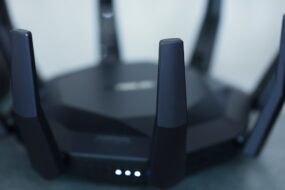
Imagine coming home after a long day, plopping down on your couch, and scrolling through your favorite streaming service. You’re excited to watch the latest episode of your show, but something feels off. The buffering is incessant, and suddenly, you notice that your Wi-Fi is acting strange. What if your home network has been compromised? For many, the thought of a cyber attack seems distant, a problem that only happens to others. But the truth is, securing your home network from cyber attacks is vital now more than ever.
Understanding the Importance of Home Network Security
We live in a digital age, and our homes are becoming increasingly smart. Our devices—from smart speakers to security cameras—connect to the internet, making our lives easier but also more vulnerable. Most people don’t think twice about their home networks until something goes wrong. Here’s what most people get wrong: they assume their default router settings are secure, or that cyber attacks only happen to large organizations. But the reality is, cybercriminals often target home networks because they’re usually easier to breach.
Assessing Your Current Security Setup
Before you can secure your home network from cyber attacks, you need to understand its current state. Take a moment to review your setup:
- What type of router do you have?
- Are your devices connected to a secure Wi-Fi network?
- Have you changed your router’s default settings?
A lot of routers come with default usernames and passwords that are easily guessable. In my experience, many people don’t change these settings, which is like leaving the front door to your home wide open.
Change Default Passwords and Usernames
The first step in securing your home network from cyber attacks is to change the default login credentials for your router. It’s astonishing how many people overlook this. Cybercriminals can easily find default usernames and passwords online. Here’s how to change them:
- Log into your router’s web interface. You’ll need to know the router’s IP address (usually something like 192.168.1.1).
- Access the settings using the current credentials (often printed on the device itself).
- Navigate to the section for user settings and change both the username and password.
Choose strong passwords that include a mix of letters, numbers, and special characters. Avoid easily guessable passwords like “password123” or your pet’s name.
Protecting Your Wi-Fi from Hackers
Besides changing defaults, another way to secure your home network from cyber attacks is by safeguarding your Wi-Fi connection. Here are some practical tips:
- Use WPA3 or WPA2 Encryption: Make sure your Wi-Fi network is secured with the latest encryption standards, like WPA3. If your router doesn’t support it, enable WPA2.
- Hide Your SSID: This means your network name won’t show up when someone scans for available networks. While it won’t stop a determined hacker, it can deter less knowledgeable attackers.
- Limit Guest Access: Many routers allow you to create a separate guest network. This is a great way to keep your main network secure while letting friends and family connect.
Regularly Update Firmware and Software
Software updates aren’t just for your devices; they apply to your router, too. Outdated firmware can leave security vulnerabilities. Checking for updates regularly is essential. Here’s how you can do it:
- Log into your router’s web interface.
- Look for a menu option that says “Firmware Update” or “Software Update.”
- Follow the prompts to install any available updates.
In my opinion, setting up your router to automatically check for updates can save you a lot of hassle and adds an extra layer of security.
Implementing Network Security Protocols
Want to take it a notch higher? Implementing additional network security protocols can significantly reduce risks. These include:
- Network Firewall: Ensure that your router has a built-in firewall and that it’s enabled. This adds another level of protection against incoming threats.
- Device Security: Make sure each device connected to your network has up-to-date antivirus software. This is crucial for preventing malware infections.
- MAC Address Filtering: Most routers allow you to specify which devices can connect to your network. By only allowing specific MAC addresses, you can prevent unauthorized access.
Educating Family Members on Safe Online Practices
Even the best security measures can fall flat if household members are not educated on safe online practices. It’s essential to talk to your family about:
- Identifying phishing attempts.
- Creating strong passwords for their devices.
- Recognizing suspicious links or downloads.
In my experience, the human element is often the weakest link in cybersecurity. People can unintentionally expose the network by clicking on malicious links or downloading compromised files.
Monitoring Your Network for Suspicious Activity
Keeping an eye on your network traffic can help you catch any suspicious activity early. You can use various tools that notify you of strange behavior:
- Router Interface: Many routers provide data on connected devices. Regularly check this list to ensure no unauthorized devices are connected.
- Network Monitoring Apps: Several apps can track your network’s performance and alert you to irregularities.
Early detection can be your best defense in preventing cyber attacks at home.
Final Words on Securing Your Home Network
Securing your home network from cyber attacks doesn’t have to be overwhelming. By taking some basic precautions and staying informed, you can greatly reduce your risk. Remember that technology will continue to evolve, and so must our tactics. Whether you change your default credentials or educate family members on safe practices, every step matters.
Cybersecurity is a continuous process, and it’s essential to remain vigilant. Regularly assessing your network’s security and keeping up with updates can save you from a lot of headaches. Your home network is your digital fortress; treat it like one, and you won’t have to worry about unwanted guests.