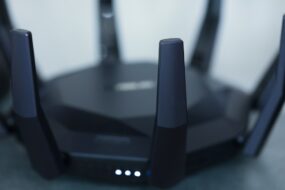
Picture this: you’re settling down for a cozy night in, ready to binge-watch your favorite series or maybe catch up on some online gaming. You log into your home Wi-Fi, but a sudden thought crosses your mind: how safe is my Wi-Fi network? With stories of cyberattacks and data breaches flooding the news, it’s a valid concern. Today, let’s dive into how to secure your home Wi-Fi network effectively and ensure that your digital haven stays just that—safe and sound.
Why Wi-Fi Security Should Matter to You
You might think, “I don’t have anything to hide, so why should I bother?” But here’s a fact: a vulnerable Wi-Fi network offers an open invitation to cybercriminals. They can access your personal information, steal your identity, or even use your internet for illegal activities—and you might be left holding the bag. In my experience, many people underestimate the importance of a secure Wi-Fi setup. So, let’s close those windows of vulnerability and get started with some Wi-Fi security tips.
Change the Default Password
One of the most frequent mistakes people make is sticking with the default password that comes with their router. These passwords are often well-known to hackers, and many even list out the default credentials online. So, you need to change it to something unique and complex. Think of it like the combination to a safe: the harder it is to guess, the better protected your valuables will be.
- Avoid using easily guessable information like birthdays or names.
- Combine uppercase letters, lowercase letters, numbers, and symbols.
- Make it at least 12 characters long; the longer, the better!
Keep Your Router’s Firmware Updated
Your router is much like a computer in that it needs regular updates to fix security vulnerabilities. Manufacturers often release firmware updates that patch holes hackers could exploit. In my opinion, many people don’t bother with this step because it seems tedious, but it’s essential. Check your router settings regularly for updates, and set it to do so automatically, if possible.
Use WPA3 Encryption
When setting up your Wi-Fi, you usually get a choice of encryption methods. WPA3 is the latest and most secure option available. If your router supports it, definitely switch to WPA3. If not, WPA2 is your next best option. It’s crucial to avoid WEP encryption, as it’s outdated and easily cracked.
Disable Guest Networks
Many modern routers come with the option to create a guest network. While this can be useful for visitors, it can also be a potential entry point for hackers if not properly managed. If you don’t need this feature, disable it. If you must have it for guests, make sure to set a strong password and limit access to only the internet.
Monitor Connected Devices
Have you ever looked at the list of devices connected to your Wi-Fi network? If you haven’t, now’s the time. Regularly checking this list lets you identify any unauthorized devices that might be siphoning off your connection or even compromising data. Most routers have a user-friendly interface where you can see all connected devices. If you notice something unfamiliar, remove it immediately and change your password.
Hide Your SSID
Your network name, or SSID, is what you see when you’re searching for a Wi-Fi connection. By default, this is usually the brand of your router, which can tell potential hackers a lot about your setup. Hiding your SSID can add an additional layer of security. This doesn’t make your Wi-Fi invisible, but it does mean that casual users won’t see it right away. Anyone who really wants to connect will likely know how to find it, but this step can deter less experienced intruders.
Invest in a VPN
If you’re serious about protecting your home network, consider investing in a VPN (Virtual Private Network). A VPN encrypts your internet traffic and masks your IP address, making it much harder for cybercriminals to track your online activities. While routers can be set up for a VPN connection, it typically requires a bit more technical knowledge, so make sure to follow instructions carefully or consult someone who knows their stuff.
Final Thoughts
So there you have it: a straightforward guide on how to secure your home Wi-Fi network effectively. It’s not as daunting a task as it may seem, and the benefits far outweigh the effort involved. Whether it’s changing the default password, keeping your firmware updated, or investing in a VPN, small steps can lead to big improvements in your Wi-Fi security. Most importantly, take your time to assess your current setup regularly and make adjustments as necessary. The peace of mind knowing your digital space is safe is absolutely worth it.
Remember, a secure Wi-Fi setup isn’t just about you; it’s about protecting your entire household’s digital life. Next time you sit down to enjoy your favorite online activities, you can do so without the nagging worry of cyber threats looming over you!