
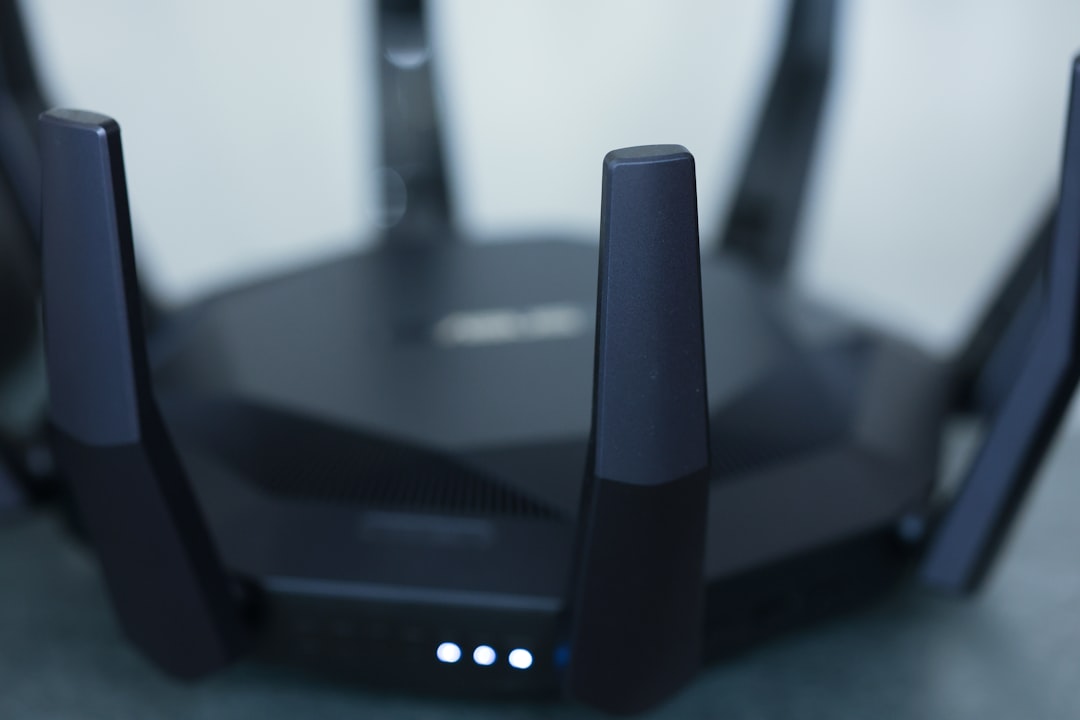
Picture this: you’ve settled into your couch, ready to binge your favorite show. Suddenly, the buffering starts, and you look down to see it—someone’s using your Wi-Fi again! Whether it’s your neighbors, a guest who overstayed their welcome, or even a stranger lurking outside, they’re eating up your bandwidth. Beyond just annoying slow speeds, it raises a larger concern: your home network could be at risk. So, how do you secure your home Wi-Fi network effectively?
Securing your Wi-Fi network isn’t just about keeping speeds high; it’s about protecting your privacy and data. Here’s everything you need to know to lock down your home network and gain peace of mind.
Understanding the Risks
When it comes to Wi-Fi, many people overlook the potential threats. In my experience, most folks believe that their password will be enough. But as networks become more sophisticated, so do the tactics of hackers. One weak link in your network can expose sensitive information like banking details and personal emails.
Here are some of the common risks:
- Unauthorized Access: This is when someone connects to your network without permission. They can steal your bandwidth or even monitor your online activities.
- Data Theft: If your network isn’t secure, hackers can easily access personal information stored on your devices.
- Device Manipulation: Hackers can infiltrate smart devices connected to your network, potentially enabling them to spy or control your equipment.
Understanding these risks is the first step in taking control. Knowing what could happen if your Wi-Fi isn’t safe can motivate you to take action. Now let’s dive into how to secure your home Wi-Fi network effectively.
The Importance of Strong Wi-Fi Passwords
The first line of defense in any home network is a strong password. Everyone knows they shouldn’t use “password123” or “123456,” yet you’d be surprised how common these passwords still are. A strong password is one of the simplest yet most effective ways to bolster your Wi-Fi security.
To create a password that stands the test of time:
- Use at least 12 characters.
- Mix uppercase and lowercase letters, numbers, and symbols.
- Steer clear of easily guessed phrases or information that could be linked to you, like birthdays or names.
Here’s what most people get wrong: they think that just having a password is enough. If your password is weak, it’s like leaving your front door unlocked. Always choose strong, unique passwords for your network—and change them regularly!
Choosing the Right Encryption Method
Encryption is essential for protecting your data from prying eyes. Most modern routers will support two main types of encryption: WEP and WPA/WPA2.
WEP, which stands for Wired Equivalent Privacy, is outdated and easily hacked. If your router uses WEP, it’s time for a change. Instead, opt for WPA2 (Wi-Fi Protected Access 2). WPA2 encrypts your data and is significantly more secure, making it the preferred choice for most homes.
To secure your home Wi-Fi network effectively, ensure your router is set to use WPA2 or the newer WPA3, if available. This setting will help keep your data safe, making it hard for unwanted visitors to intercept your connection.
Changing Default Router Settings
Many routers come with preset settings: the default username, password, network name (SSID), and more. Here’s a surprising fact: those default usernames and passwords are publicly available online. This makes it easy for someone to access your network if you don’t change them.
When setting up your home network, make sure to:
- Change the default username and password for the admin interface.
- Rename the SSID to something unique that doesn’t reveal personal information. Avoid using something obvious like “SmithFamilyWiFi.”
- Disable WPS (Wi-Fi Protected Setup)—it can be a vulnerability point.
Small tweaks in these default settings can greatly enhance your home network protection.
Regularly Update Router Firmware
Just like any other device, routers require updates to stay safe from new types of attacks. Many people don’t realize that outdated firmware can be a major security vulnerability. Your router’s firmware is the software that controls it, and manufacturers often release updates that fix bugs and security flaws.
To keep your firmware up to date:
- Check your router’s settings for a firmware update option.
- Set reminders to check regularly or enable automatic updates if supported.
- Visit the manufacturer’s website for the latest information.
Keeping your router firmware updated is a key part of securing your home Wi-Fi network effectively.
Set Up a Guest Network
If you love hosting friends or family, consider setting up a separate guest network. In my experience, this practice can stop unwanted access and keep your personal devices secure while allowing guests to connect without risk. A guest network allows visitors to access Wi-Fi while isolating them from your primary devices.
To set up a guest network:
- Access your router’s settings and find the guest network option.
- Create a unique SSID and password for your guest network.
- Check if you can limit the guest network’s access to certain features or devices.
With a guest network, you can enjoy hosting without the fear of granting your guests access to your confidential information.
Monitor Connected Devices
Staying informed about what devices are connected to your network is crucial. Many routers provide an option to review connected devices within the admin interface. Regularly checking this list will help you identify any unauthorized devices.
Here’s how to monitor effectively:
- Log into your router’s admin panel regularly.
- Review connected devices and look for anything unfamiliar.
- If you find unauthorized users, kick them off and change your Wi-Fi password immediately.
Monitoring your connected devices is an ongoing vigilance that pays off in maintaining home network security.
The Role of Firewalls and Security Software
Many routers come with built-in firewalls, but it’s still a good idea to double-check that it’s activated. A firewall acts as a barrier between your internal network and the external world, blocking malicious traffic.
Alongside router firewalls, consider installing security software on your devices. Look for software that provides:
- Malware protection
- Intrusion detection
- Web threat protection
In my opinion, this extra layer of protection can be a lifesaver when it comes to home network protection. With both a firewall in place and reliable security software, you’re proactively guarding against threats.
Final Thoughts
Securing your home Wi-Fi network effectively is no small task, but it’s entirely possible with some simple steps. By choosing a strong password, using the right encryption, changing default settings, and setting up a guest network, you’re already far ahead in protecting your digital space.
Remember, cybersecurity isn’t a one-time effort. Regular updates, monitoring, and vigilance play vital roles in ongoing protection. Take the time to make these changes, and you’ll enjoy not only a faster, safer connection but also peace of mind, knowing you’re steering clear of online threats.
Have you taken steps to secure your home network? What advice would you give to someone who’s just starting? Feel free to share your tips and stories!








