
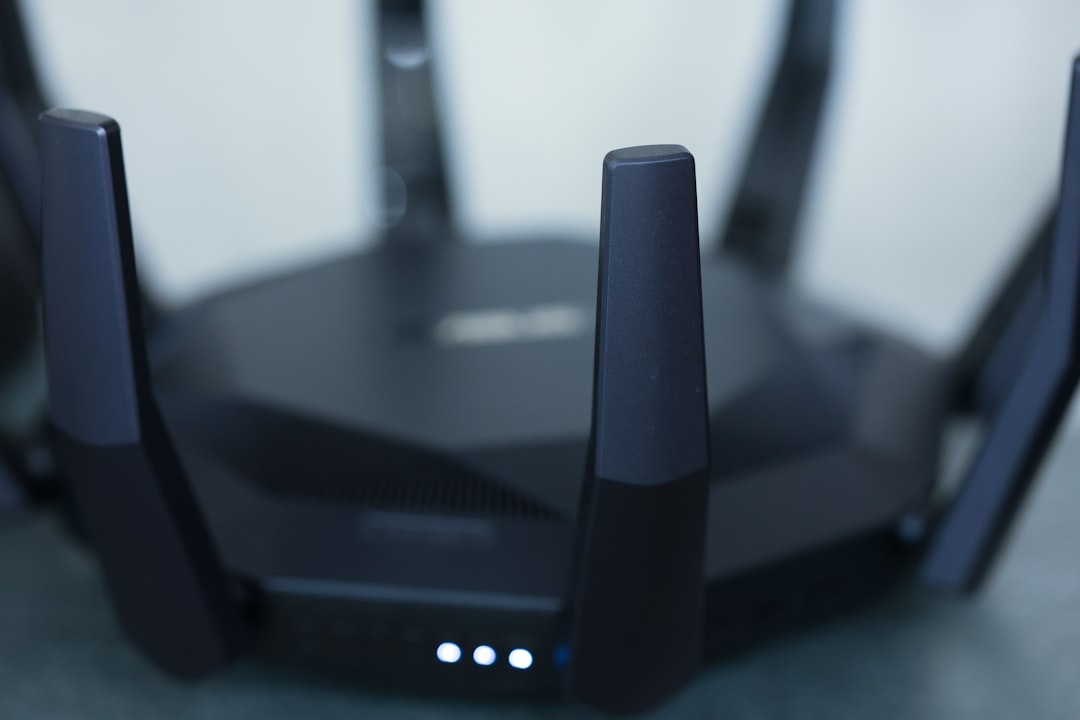
Picture this: you’re at home, cozy on the couch, scrolling through your favorite streaming service when suddenly, the video freezes. Frustrated, you check your Wi-Fi connection only to discover your network is slower than a dial-up connection. But what if it’s not just your internet speed that’s the issue? What if someone has entered your network without permission? Securing your home Wi-Fi network isn’t just about speed; it’s about safety, privacy, and peace of mind.
Why Securing Your Home Wi-Fi Network Matters
It’s easy to underestimate the importance of your Wi-Fi security. After all, it’s just for browsing and streaming, right? In my experience, many people are unaware that a weak Wi-Fi network can be a gateway for intruders. If your network isn’t secure, anyone within range could potentially access your personal information, monitor your online activities, and even impact your devices. The implications can be serious, especially as our homes become hubs for smart devices, where everything from cameras to refrigerators is online.
Understanding Common Threats
Before we get into how to secure your home Wi-Fi network, it’s essential to understand the common threats that lurk out there. Here are a few:
- Unauthorized Access: An intruder can access your network, slow it down, and use it for illegal activities.
- Data Theft: Personal information like passwords and financial data can be intercepted.
- Malware Attacks: Hackers can install malicious software on your devices through unsecured networks.
Knowing these threats can motivate you to take the necessary steps to protect your Wi-Fi network effectively.
Change Default Settings
Let’s start with the basics. If you’ve ever installed a new router, you probably noticed that it comes with a default username and password. Here’s what most people get wrong: they leave these default settings unchanged. This makes it incredibly easy for anyone with a little know-how to access your network. Changing these credentials is one of the first steps you should take to secure your home Wi-Fi network.
Instead of using something generic like “admin” or “password,” opt for a unique username and a strong password. Ideally, your password should include a mix of letters, numbers, and special characters.
Use WPA3 for Encryption
If your router supports it, opt for WPA3 encryption. It’s much more secure than its predecessors (WPA2 and WEP). While some older devices may not support WPA3, it’s worth upgrading your router if you want to protect your Wi-Fi network from intruders. If you can’t get WPA3, at least ensure you’re using WPA2.
Regularly Update Your Router’s Firmware
Another often-overlooked step in maintaining Wi-Fi safety is keeping your router’s firmware up-to-date. Manufacturers frequently release updates that patch security vulnerabilities and improve performance. Check your router’s settings and install any updates that are available. I can’t stress this enough—failing to do so can leave your network open to attacks. In fact, many hackers exploit outdated firmware to gain access to networks.
Set Up a Guest Network
If you have friends or family visiting frequently, consider setting up a guest network. This keeps your main network private and protects your connected devices from potential threats posed by guests. When they connect to your guest network, they won’t have access to your smart devices or any sensitive information.
To really secure your home Wi-Fi network, take some time to configure your guest network settings. Limit guest access to the internet while restricting visibility to local devices. This way, your guests can surf the web without posing a risk to your home network’s safety.
Monitor Connected Devices
Keeping an eye on the devices connected to your home Wi-Fi network is another essential tip many overlook. Most routers have a feature that allows you to see which devices are currently connected. Regularly review this list and disconnect any unfamiliar devices. This can help you quickly identify if someone is trying to use your network without permission.
In my experience, taking just a few minutes every month to review connected devices can save you a lot of headaches down the line.
Utilize Strong Firewall Protection
Firewalls can act as a barrier between your personal network and potential threats from the internet. Most routers come with built-in firewalls; however, you may want to enable this feature if it’s not active by default. A strong firewall will help protect your home Wi-Fi network from intruders trying to exploit your connection.
If you feel like you need extra security, consider investing in a dedicated firewall device. They can offer more advanced features and protections. While this may be overkill for some, it can be a worthwhile investment for those with serious security concerns.
Educate Yourself on Wi-Fi Safety Best Practices
Finally, the most effective way to protect your Wi-Fi network is to stay informed about safety best practices. This includes understanding phishing schemes, suspicious links, and other tactics that hackers may employ. A big part of securing your home Wi-Fi network also involves being mindful of how you share your information online.
Also, remember to educate your family about Wi-Fi security. You’re only as strong as your weakest link, so having everyone on board will help create a safer internet environment at home.
Conclusion
Securing your home Wi-Fi network should be a priority for everyone, especially as our homes become increasingly dependent on internet connectivity. By following these home Wi-Fi security tips, you can protect your network from intruders and keep your personal information safe. Change default settings, use strong encryption, monitor connected devices, and stay informed. Implement these strategies, and you’ll be on your way to a safer online experience.
Remember, it’s not just about speed; it’s about peace of mind. Don’t wait until it’s too late—secure your home Wi-Fi network today!








