Picture this: you’re settled on your couch, streaming your favorite show, when suddenly the connection drops. You check your Wi-Fi, and after wrestling with your router, you realize someone’s been leeching off your network. This scenario probably sounds familiar. Whether it’s a neighbor, an unwelcome guest, or even an automated bot, having your home Wi-Fi network compromised isn’t just annoying; it can be dangerous. So, what can you do to secure your home Wi-Fi network effectively? Let’s explore the steps you need to take.
Why Should You Care About Home Network Security?
First off, let’s talk about why securing your home network is so crucial. Your Wi-Fi network is like a gateway to your home. If it’s not protected, you leave the door wide open for hackers, data thieves, and even identity theft. In my experience, people often underestimate the importance of Wi-Fi protection. They think, “What could possibly happen?” But every day, millions of personal data breaches occur due to poor network security.
Moreover, as we rely more on smart home devices—like speakers, cameras, and thermostats—the risk increases. These devices can introduce vulnerabilities to your network. So, if you’re unprotected, your entire home is at risk. It’s time to take this seriously.
Change Your Default Router Settings
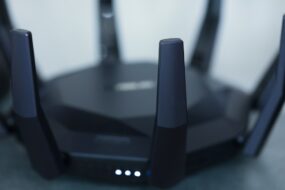
The first step in how to secure your home Wi-Fi network is to change those default settings on your router. Many people don’t realize that routers often come with factory-default usernames and passwords, which are easy to guess or find online. If you haven’t changed these, you’re begging for trouble.
- Username and Password: Change the default admin username and password to something unique and difficult to guess. A combination of letters, numbers, and symbols works best.
- Network Name (SSID): Change your network name to something that doesn’t identify you or your address. Avoid recognizable names like “John’s Wi-Fi” which can give hackers a lead.
By tweaking these settings, you’re already on your way to solidifying your home network security.
Enable WPA3 Encryption
If you want to know how to secure your home Wi-Fi network, enabling the latest encryption protocol is a must. Many routers still use WPA2, but WPA3 is the newest standard. It offers stronger security protocols, making it harder for anyone to access your network.
To activate WPA3, log into your router settings and look for the wireless security options. If your router doesn’t support WPA3, at least ensure you’re using WPA2. Avoid WEP at all costs, as it’s outdated and easily hackable.
Set Up a Guest Network
Here’s what most people get wrong: they don’t think about separating their devices. If you frequently have guests over, consider setting up a guest network. This adds an extra layer of protection to your main network. If someone connects to your guest network, they won’t have access to your computers or smart devices.
- Easy Setup: Most modern routers allow you to create a guest network within minutes. Just access your router’s settings, and follow the prompts.
- Guest Password: Change the password regularly and provide it to your guests as needed. This way, you control who gets in.
It’s a small step, but it can make a significant difference in your overall security.
Regularly Update Firmware
Firmware updates might seem tedious, but they are critical for how to secure your home Wi-Fi network. Manufacturers release updates to patch vulnerabilities and improve performance, and neglecting these updates can leave your network susceptible.
Most modern routers have an option to update the firmware automatically. However, regularly check for updates if your router lacks this feature. To update, log into your router settings and look for the firmware section. It’s usually a straightforward process.
Monitor Connected Devices
Another crucial step in maintaining your home network security is keeping an eye on which devices are connected to your Wi-Fi. This is often overlooked. If you see unfamiliar devices or if your network is noticeably slower than usual, take action.
- Device Management: Access your router settings to see a list of connected devices. Regularly monitoring this list helps you identify unauthorized access.
- Disconnect Unused Devices: If you spot anything suspicious, disconnect it and change your Wi-Fi password immediately.
Staying aware of your devices gives you a better grasp of your network’s health.
Create Strong Passwords
It shouldn’t be a surprise that strong passwords are essential for protecting your network. But you’d be surprised at how many people still use “password123” or similar variations. A simple yet effective strategy is to create unique passwords that are long, complex, and unpredictable.
In my experience, using a password manager can help keep track of all those passwords without skipping a beat. Look for a password policy that includes:
- At least 12 characters
- A mix of uppercase and lowercase letters
- Inclusion of numbers and special characters
With strong passwords, you make it incredibly difficult for hackers to gain access.
Use a VPN for Enhanced Security
Lastly, let’s talk about virtual private networks (VPNs). While a VPN doesn’t replace a secure Wi-Fi setup, it adds an extra layer of protection. It encrypts your data and hides your IP address, making it harder for outsiders to track your online activity.
Incorporating a VPN, especially when using public Wi-Fi, can protect your personal information. Choose a reputable provider, as some are faster and more reliable than others. This isn’t just a luxury; it’s becoming a necessity in our hyper-connected lives.
Final Thoughts
Securing your home Wi-Fi network may seem daunting, but taking these steps can significantly reduce your risks. Regularly updating your router, using strong passwords, and being vigilant about connected devices can make all the difference in your home network security. Remember, it’s better to be proactive than reactive. Investing time into setting up your secure Wi-Fi network today can save you headaches in the future.
So, take a moment to go through the tips I’ve shared, and if you haven’t yet, commit to securing your home Wi-Fi network. In today’s digital age, protecting your personal information is more important than ever. Don’t wait until it’s too late!