Picture this: you come home after a long day, excited to kick back and relax. You log into your favorite streaming service but suddenly find buffering issues or slow internet speeds. You’d be surprised how often this scenario isn’t about poor service but about a lack of proper Wi-Fi security. If you’re wondering how to secure your home Wi-Fi network, you’re not alone. Many people are oblivious to the potential risks lurking in their very own homes.
Why Wi-Fi Security Matters
Every time you connect to your home Wi-Fi, you’re opening a digital door that could be exploited by unwanted guests. Here’s what most people get wrong: they don’t realize how easy it is for others to access an unsecured network. Without proper Wi-Fi security, your personal information—bank details, passwords, and private communications—could be at risk. Are you ready to learn how to secure your home Wi-Fi network and protect your data?
Common Threats to Your Home Wi-Fi
Understanding what you’re up against is the first step towards securing your network. Here are some of the primary threats you might encounter:
- Unauthorized Access: People can easily break into your Wi-Fi network if it’s not protected.
- Data Interception: Cybercriminals can monitor your online activity and intercept sensitive data.
- Malware Attacks: Unsecured networks are prime hunting grounds for malware that can infect your devices.
- Bandwidth Theft: If others access your Wi-Fi, they can slow down your internet speed.
Setting Up Your Wi-Fi Router Securely
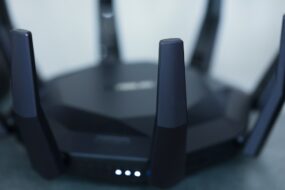
The first line of defense in learning how to secure your home Wi-Fi network is your router. Here are some crucial steps to take when setting it up:
- Change the Default Username and Password: Most routers come with standard credentials that hackers are aware of. Change these immediately to a strong and unique password.
- Update Firmware Regularly: Keeping your router’s firmware up-to-date can patch security vulnerabilities that hackers might exploit.
- Enable Network Encryption: Use WPA3, if available. If not, WPA2 is an acceptable alternative. Avoid WEP entirely, as it’s outdated and easily compromised.
Creating a Strong Wi-Fi Password
Speaking of passwords, creating a strong one is crucial. I’ve seen so many people use obvious passwords like “12345678” or their pet’s name. Don’t be that person! Here’s how to create a secure password:
- Length: Aim for at least 12-16 characters.
- Combination: Use a mix of upper and lower case letters, numbers, and special symbols.
- Avoid Common Phrases: Don’t use easily guessable words or sequences.
In my experience, using a password manager to generate and store passwords can greatly simplify this process.
Hide Your Network SSID
Your network’s SSID (Service Set Identifier) is the name of your Wi-Fi network. Many people leave it visible, allowing anyone to see and potentially connect to it. Here’s how to secure your Wi-Fi:
- Access your router settings and find the option to hide the SSID.
- This won’t make your network completely invisible, but it adds an extra layer of difficulty for potential intruders.
Limit Device Access
Do you remember the last time you checked the devices connected to your network? Probably not. Regularly auditing your device list can show you any unauthorized access. Here’s what to consider:
- Change the default admin password of your router.
- Only allow devices you know. Most routers allow you to manage device access through MAC address filtering.
- Consider creating a guest network for visitors, keeping your main network dedicated to your devices.
Utilize Firewalls
Not many people think about their router as a security device, but it should have built-in firewall functionality. Here’s how to take advantage:
- Ensure your router’s firewall is enabled. This can help block unauthorized access attempts.
- Consider additional firewalls for your computers and devices. Software firewalls can add another layer of protection.
Regularly Monitor Network Activity
Knowledge is power when it comes to securing your home Wi-Fi network. Monitoring your network can alert you to suspicious activity. Here are ways to keep tabs on your network:
- Log into your router’s admin panel frequently to check for unknown devices.
- Use network monitoring software for more detailed insights about who is using your network and what they’re doing.
People often underestimate the importance of regular checks. Even once a month can make a big difference!
Stay Informed and Updated
Wi-Fi security is a constantly evolving field. Cybersecurity threats are growing more sophisticated over time. It’s essential to stay informed about the latest Wi-Fi security tips:
- Follow tech blogs and news sites for updates on vulnerabilities and best practices.
- Participate in online forums or local workshops focused on cybersecurity to share tips and learn from others.
Wrapping It Up
So, how to secure your home Wi-Fi network effectively? By implementing these strategies—changing passwords regularly, utilizing encryption, and being proactive about monitoring—you can create a secure environment for your digital life. It might seem overwhelming at first, but remember that every step you take is a step towards better safety.
Taking the time to protect your home network is worth it. It’s not just about maintaining speed; it’s about safeguarding your personal information against those who might want to compromise it. Don’t wait until you become a victim to act. The digital world is ever-changing, but with a little effort, you can make your home Wi-Fi network a fortress to protect your online life.