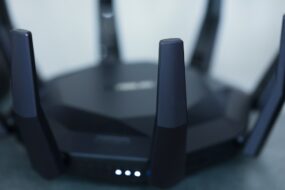
Imagine this scenario: you’re chilling at home, binge-watching your favorite show, when suddenly your internet speed drops to a snail’s pace. Frustrating, right? You check your network and find ten unknown devices connected to your Wi-Fi. Yikes! This is a common nightmare, and it’s likely a sign that your home network security isn’t as tight as it should be. If you’ve been wondering how to secure your home Wi-Fi network, you’re in the right place.
Why Secure Your Home Wi-Fi Network?
So, why should you bother hardening your Wi-Fi setup? Think about all the things you do online. From banking to shopping, we put a lot of sensitive information out there. If someone unauthorized is accessing your network, they could potentially sniff out passwords, view your browsing history, or even infiltrate smart devices in your home. In my experience, people often underestimate the risks of a weak home network. Let’s dive into what you can do about it.
Change the Default Settings
When you buy a new router, it typically comes with a set of default settings that are incredibly easy to guess. The first step in how to secure your home Wi-Fi network is to change these defaults, especially the admin username and password. Most people make the mistake of leaving the default credentials, making it easy for outsiders to access your network.
- Log into your router settings.
- Change the default username from something like “admin” to something unique.
- Set a strong password combining letters, numbers, and special characters.
This initial step gives your home network security a solid foundation.
Use Strong Wi-Fi Passwords
Now that you’ve tackled the router admin settings, it’s time to focus on your Wi-Fi password. Don’t use easily guessed passwords like “123456789” or “password.” Instead, opt for something that’s hard to crack, ideally at least 12 characters long. Use a mix of uppercase, lowercase, numbers, and symbols.
Here’s what most people get wrong: they think a passphrase like “ILoveMyDog123!” is secure, but if that’s something you commonly use, it’s not as safe as you think. Always think outside the box and avoid any common phrases.
Update Your Router Firmware Regularly
Router manufacturers roll out firmware updates to fix vulnerabilities. It’s one of those chores that often gets overlooked but can significantly enhance your network’s integrity. Set a reminder to check for updates every few months or enable automatic updates if your router supports it. Old firmware can be an easy entry point for hackers.
Enable WPA3 Encryption
If you’ve upgraded your router recently, chances are it supports WPA3 encryption, the latest standard for Wi-Fi security. If you’re still using WPA2 or WEP, it’s time for an upgrade. WPA3 offers enhanced protection, especially for public networks. To enable it:
- Access the router settings.
- Go to the wireless security section.
- Select WPA3 if available.
Don’t worry if your devices aren’t compatible; they may fall back to WPA2, but at least you’ll have higher security for those that can handle WPA3.
Consider a Guest Network
Inviting friends over? Instead of sharing your main Wi-Fi password, set up a guest network. This way, your primary devices remain protected while your guests can connect without breaching your home network security. Many routers offer simple options to enable a guest network, and it can isolate devices connected to it, adding an extra layer of protection.
Turn Off WPS
Wi-Fi Protected Setup (WPS) is a feature that lets you connect devices easily but can also be a security loophole. By turning off WPS, you’ll reduce the chances of someone getting unauthorized access. In my experience, people often overlook this simple step in how to secure your home Wi-Fi network, thinking the conveniences outweigh potential risks.
Monitor Connected Devices
Many modern routers offer the ability to monitor which devices are connected to your network. Regularly checking this list can help you spot any unfamiliar devices. If you notice something suspicious, you can take action right away, such as changing your password immediately or blocking that device from connecting again.
Keep Smart Devices Updated
As smart home devices become increasingly popular, they also become more appealing targets for hackers. Make sure to keep all your smart devices—thermostats, cameras, light bulbs—updated with the latest firmware. These devices are often gateways into your network, and securing them is just as important as securing your router.
Regularly Reset Your Router
Finally, there’s something to be said for the classic reset. It can flush out lingering connections and act as an additional security measure. While it’s not necessary to do this weekly, a monthly reset can keep things in check. Just be sure to note down any changes you’ve made, as you’ll have to reconfigure settings.
Conclusion
In conclusion, securing your home Wi-Fi network isn’t as complicated as it might seem. By changing the default settings, using strong passwords, and keeping your firmware up to date, you can create a safe and secure Wi-Fi connection. Don’t forget to monitor connected devices and educate others in your home about the importance of maintaining good network etiquette. Taking these steps will not only improve your home network security but also give you peace of mind.
So, are you ready to take action? Start with one step and gradually work through the list. You’ll feel more in control of your online security, and trust me, your future self will thank you for it!