Imagine sitting down to enjoy your favorite show, only to find that your streaming service is buffering every few minutes. Frustrating, right? What if you discovered that the culprit was an unauthorized user hogging your Wi-Fi bandwidth? Unfortunately, this scenario isn’t uncommon. With a little diligence, however, you can secure your home Wi-Fi network effectively to prevent intruders from diving into your digital life.
The Importance of Securing Your Home Wi-Fi Network
When it comes to home security, many people think of locks, alarms, and cameras. But Wi-Fi security often takes a backseat. Securing your home Wi-Fi network is just as crucial, as cybercriminals are constantly on the prowl for weak connections to access your personal data. In my experience, assuming your network is safe because you have a password isn’t enough. Relatively simple measures can significantly enhance your Wi-Fi security.
Start with a Strong Password
We’ve all heard it before: passwords are essential. But what most people get wrong is thinking that any password will do. If you want to secure your home Wi-Fi network, your password should be a combination of letters, numbers, and symbols. Avoid common words or easily guessable information like your pet’s name or birthdate.
- Length matters: Aim for at least 12-16 characters.
- Mix it up: Combine uppercase and lowercase letters with numbers and special characters.
- Change it regularly: Don’t get complacent; update your password every few months.
Update Router Firmware Regularly
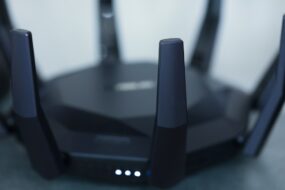
Your router is essentially the gatekeeper of your home network. Unfortunately, many individuals neglect to keep their router’s firmware up to date. Manufacturers often release updates to patch security vulnerabilities. If you want to protect your Wi-Fi connection, check your router settings and look for firmware updates periodically. There’s usually an option in the router interface to perform this task automatically.
Change the Default SSID and Admin Credentials
When you set up your router, it likely came with a default network name (SSID) and administrator username and password. One of the easiest ways to secure your home Wi-Fi network is simply changing these defaults. Cybercriminals often know the default settings for popular router models, making it easier for them to gain access.
- Rename your SSID: Choose something unique that doesn’t reveal any personal information.
- Update admin credentials: Change the default username and password to something only you will remember.
Enable WPA3 Encryption
If your router supports it, enabling WPA3 encryption is a great way to bolster your Wi-Fi security. This latest protocol provides enhanced security features compared to its predecessors. When you’re in your router settings, make sure to select WPA3 (or at least WPA2) under the security settings. You’ll find that many users still use the outdated WEP encryption, which can be easily cracked.
Use Guest Networks Wisely
Do you often have friends or family over? Sharing your network might be unavoidable, but you can still maintain some level of security. Most routers allow you to create a guest network. This way, your guests can connect to the internet without accessing your primary network, where all your devices are connected. In my experience, segregating your devices is a simple but effective way to keep your main network secure while still being hospitable.
Limit Device Connections
Another effective way to secure your home Wi-Fi network is to restrict the number of devices that can connect simultaneously. Some routers allow you to set a maximum number of connected devices, effectively limiting access to unauthorized ones. Review your network regularly and ensure that devices showing up are ones you recognize. If there’s a device you don’t recognize, take action immediately.
Consider Using a VPN
If you want an additional layer of security, especially when using public Wi-Fi, consider using a VPN (Virtual Private Network). A VPN encrypts your data, making it more challenging for anyone to snoop on your online activities. Keep in mind, however, that this is more about protecting your data flow than securing your home Wi-Fi network directly. Still, it’s a solid choice for anyone who frequently works or browses on public networks.
Regularly Check Connected Devices
Finally, regularly monitoring the devices connected to your network is critical. Most routers offer an easy way to see what’s connected. Look for options like “Device List” or “Connected Devices” in your router’s web interface. If you see any unfamiliar devices, don’t hesitate to kick them off your network. Many routers allow you to block devices, so keep the list clean and secure.
Conclusion
Securing your home Wi-Fi network doesn’t have to be complicated. With a few straightforward actions, you can significantly decrease the chances of becoming a victim of cybercrime. Whether it’s updating your router’s firmware, using strong passwords, or creating a guest network, each step can lead to a safer online environment. So, don’t wait for a breach to occur; take proactive measures now to protect your Wi-Fi connection.
If you implement these Wi-Fi security tips and stay vigilant, you’ll not only improve your internet experience but also safeguard your home’s valuable data. Trust me, a little effort goes a long way in securing your home Wi-Fi network.