Picture this: it’s 8 a.m., and you’re sitting snugly at your desk in your pajamas, coffee in hand, logging into work without the need for a commute. Working from home sounds like a dream come true, but beneath that convenience lurks a multitude of cybersecurity threats. A secure remote work setup isn’t just a luxury; it’s a necessity to protect your data and digital presence. So, what does it take to ensure you’re safe while working from your cozy cocoon?
Understanding the Risks of Remote Work
First, let’s acknowledge that working from home comes with its own set of challenges, especially regarding security. Whether you’re an employee or a business owner, it’s crucial to understand what you’re up against. Hackers are constantly finding new ways to breach networks and steal information, and unfortunately, remote setups tend to have vulnerabilities that can be exploited.
In my experience, one of the biggest misconceptions is that just because you’re working from home, you’re somehow safe. However, many people have less secure internet connections compared to what they might have in a corporate environment. This can open up a Pandora’s box of security issues.
Secure Remote Work Setup Best Practices
Now that we’ve laid the groundwork on the risks, let’s dive into the secure remote work setup best practices that everyone should implement.
1. Use a Virtual Private Network (VPN)
First and foremost, let’s talk about the VPN for remote work. A VPN encrypts your internet traffic, making it much harder for outsiders to snoop on your activities. It’s one of the simplest ways to enhance your remote work security.
Many people overlook the importance of using a VPN when connected to public Wi-Fi or even when at home. Always make sure to turn on your VPN before logging into company networks or accessing sensitive information. Trust me, setting up a VPN isn’t complicated; the benefits far outweigh any initial learning curve.
2. Secure Your Home Network
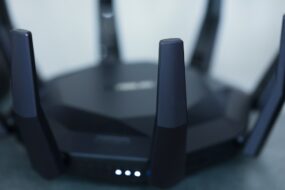
It’s surprising how many people forget about their home network security. Your router is the gateway to your digital life, and not taking precautions with it can lead to major security breaches. Change the default password, update to the latest firmware, and if possible, segment your network for work devices versus personal devices.
Here’s what most people get wrong: they think just having a password is enough. It’s not. Use strong, unique passwords, and consider enabling WPA3 if your hardware supports it. Regularly checking your connected devices can also help you spot any unauthorized access.
Best Practices for Endpoints
3. Keep Software Up to Date
Outdated software is like an open door to hackers. Ensure your operating system, applications, and any security software get regular updates. Many updates fix security vulnerabilities that could be easily exploited.
It’s a simple task, but you’d be surprised how many people ignore those update reminders. This doesn’t apply only to your work applications but also to any devices you might use—your personal laptop, tablet, or smartphone. Stay vigilant and keep everything as current as possible.
4. Use Two-Factor Authentication (2FA)
If you haven’t set up two-factor authentication on your accounts yet, it’s time to do so. This extra layer of security significantly reduces your chances of getting hacked, even if someone manages to acquire your password. With 2FA, you’ll need to verify your identity through a secondary method, like a text or an authentication app.
In my opinion, this should be a non-negotiable step in your remote work security arsenal. Too many people rely solely on passwords, which can be compromised. Do yourself a favor and incorporate 2FA wherever possible.
Ensuring Data Security
5. Be Cautious with File Sharing
When working remotely, you’ll likely need to share files with colleagues or clients. But how you do this can impact your cybersecurity significantly. Avoid using unsecured file-sharing platforms and opt for encrypted methods instead.
Most remote workers have a tendency to use their personal email or cloud storage for sharing important work files, thinking it’s more convenient. But that convenience can come back to bite you. Always use secure, company-approved methods for sharing sensitive information. You can never be too careful.
6. Educate Yourself and Your Team
Lastly, never underestimate the power of education. Conduct regular training sessions about cybersecurity best practices for all team members. Not everyone understands the nuances of remote work security, and a well-informed team is your best line of defense.
In my experience, companies that actively promote cybersecurity awareness see fewer incidents of breaches. This covers everything from password management to recognizing phishing attempts. It’s not just about having policies in place; everyone needs to be on the same page.
Physical Security Matters Too
7. Protect Your Work Environment
Though digital security tends to take the spotlight, physical security is equally important. When working from home, make sure sensitive documents are secured and that your workspace isn’t visible to prying eyes, especially if you live with others.
It’s easy to forget about the physical aspects when you’re focused on firewalls and software. A locked drawer can save you from accidental exposure of critical information. Just as you’d be cautious about data leaks in an office, treat your home office with the same respect.
Monitoring and Response
8. Have a Response Plan
No matter how many precautions you take, the reality is that breaches can happen. Having a response plan can minimize damage and get you back on track quickly. This means knowing who to contact, whether that’s your IT department or a cybersecurity expert, and what steps to take if you suspect a breach.
Here’s another common pitfall: people often panic and don’t know what to do when something goes wrong. If you prepare ahead of time, you’ll feel more secure and confident in your ability to manage any situation.
Conclusion: Your Responsibilities Don’t End at Your Desk
Building a secure remote work setup is crucial for protecting yourself and your organization from cyber threats. Incorporating these secure remote work setup best practices can dramatically improve your cybersecurity posture. Remember, you’re not just safeguarding your data; you’re helping to protect the integrity of your entire team and company.
Investing time and effort into understanding and implementing these practices isn’t just smart; it’s essential. So, grab that coffee, secure your workspace, and dive into the world of remote work—just make sure you do it securely!