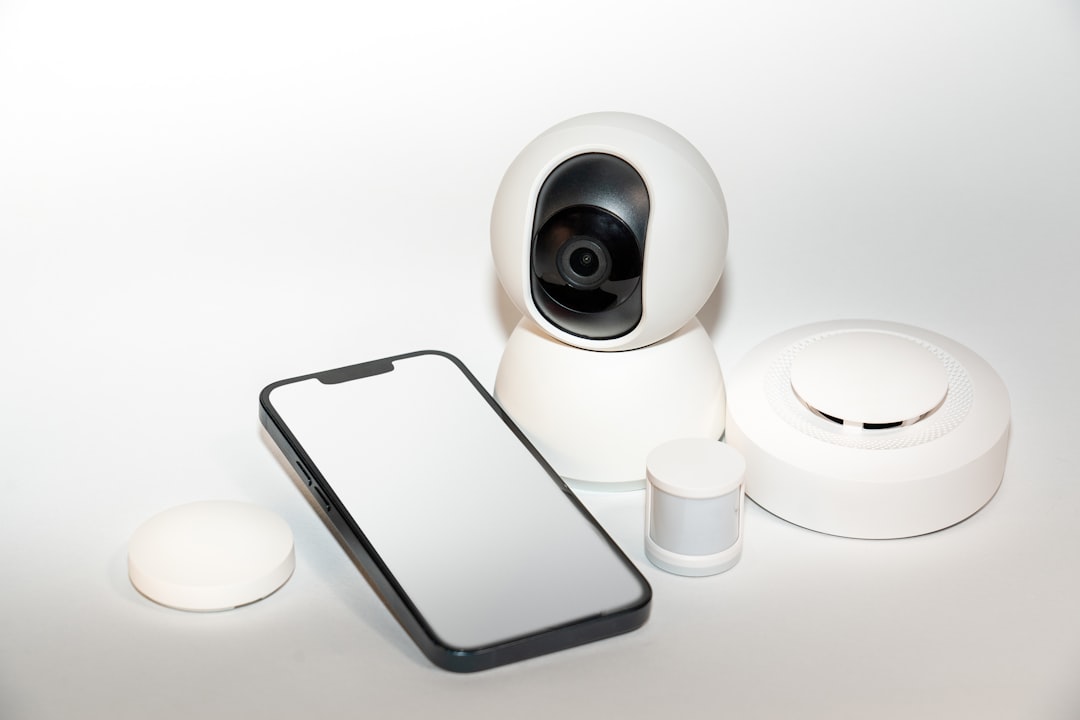
Picture this: you come home after a long day, and your smart home devices automatically adjust the lights, play your favorite playlist, and even preheat the oven for dinner. It’s a scene straight out of a modern-day dream. But here’s the kicker—what if a cybercriminal could access all these systems just as easily as you can? That’s why knowing how to secure smart home devices is more important than ever.
Why Smart Home Security Matters
With more people embracing home automation, the risk associated with smart home devices has skyrocketed. The truth is, many aren’t fully aware of the security flaws these devices can possess. These gadgets can be vulnerable to hacking, and when a hacker enters your system, they might not just play around with your lighting—they could gain control over your security cameras or door locks.
Understanding the Vulnerabilities of Smart Devices
So, what makes smart home devices susceptible to attacks? Most importantly, many of these gadgets aren’t built with security as the top priority. For instance, some devices come with default passwords that many users don’t bother to change. Unfortunately, this makes them an easy target for cybercriminals. In my experience, I’ve seen friends who thought they were making their lives easier, but they opened themselves up to unnecessary risk.
Common Vulnerabilities to Look Out For
- Default Passwords: Many smart devices come with a standard password that’s publicly known. Always change this to something unique.
- No Software Updates: Just like your computer, smart devices need software updates to fix security flaws. Many people overlook this.
- Weak Wi-Fi Security: If your Wi-Fi network is not secure, all your connected devices are vulnerable.
- Lack of Encryption: Devices without end-to-end encryption can easily be intercepted, giving hackers access to your data.
Steps to Secure Your Smart Home Devices
Knowing how to secure smart home devices requires a few proactive steps. Here’s a guide that will help you fortify your home automation safety against potential threats.
1. Change Default Passwords
First things first—always change the default passwords. It’s surprising how many users ignore this step. Create a strong password that includes a mix of letters, numbers, and symbols. Aim for something that’s hard to guess but still memorable for you.
2. Enable Two-Factor Authentication (2FA)
Another simple yet effective measure is to enable two-factor authentication on your smart devices whenever possible. This adds an extra layer of security. Even if someone manages to get your password, they won’t be able to access your devices without the second form of verification, often a code sent to your mobile device.
3. Keep Your Devices Updated
Regularly check for software updates for all your smart devices. Many manufacturers roll out updates to patch vulnerabilities and enhance security. Make a habit of doing this every couple of months—it’s a minor effort for major peace of mind.
4. Secure Your Wi-Fi Network
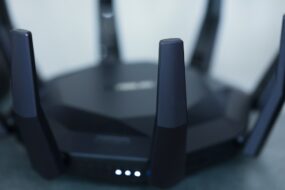
Make sure your home Wi-Fi network is secure. Change the default settings on your router and create a strong password. Consider using WPA3 encryption, which is currently the most secure option. If your router allows, set up a guest network for your smart devices; this way, they’re isolated from your main devices like computers and smartphones.
5. Use a VPN for Added Security
A Virtual Private Network (VPN) can provide an additional layer of safety. It encrypts your internet traffic, making it harder for anyone to intercept your data. While a VPN might not protect the devices directly, it does give you peace of mind by ensuring that your internet activity remains private.
Home Automation Safety Best Practices
Beyond the initial setup of secure passwords and updates, a few best practices can go a long way in protecting your smart devices. Here’s what I suggest:
1. Custom Settings
Many smart devices offer customizable settings that can enhance security or privacy. Take the time to explore these features rather than just accepting the defaults. For example, adjust privacy settings on your cameras; check what information they’re collecting and who has access to it.
2. Regular Monitoring
Keep an eye on your smart home devices. Some systems allow you to receive alerts when someone connects to them or changes settings. This way, you can quickly respond if you notice any unauthorized access.
3. Limit Remote Access
If a smart device has the option to limit remote access, take it. Often, being able to access your devices from anywhere can be convenient, but it can also expose you to risks if that ability falls into the wrong hands. Limit access to only when it’s absolutely necessary.
4. Educate Everyone in the Household
Everyone using your smart devices needs to be aware of security measures. Talk to family members about the importance of changing passwords and recognizing phishing attempts. The more people are educated on smart home security, the less likely a vulnerability will be exploited.
Common Myths About Smart Home Security
Even with a solid understanding of how to secure smart home devices, some myths might lead you astray. Let’s debunk a few common misconceptions:
1. “Only Big Targets Get Hacked”
This couldn’t be further from the truth. Just because you’re not a high-profile individual doesn’t mean you’re safe. Cybercriminals often target average households because they know users are often less vigilant about security.
2. “Smart Devices Are Inherently Safe”
Many people mistakenly believe that because a device is marketed as “smart,” it’s also secure. Remember, just because it’s marketed for convenience doesn’t mean it’s free from vulnerabilities.
3. “Software Updates Are Optional”
It’s easy to ignore updates, but doing so can expose you to risks. Software updates often include essential security patches, so treat them like the vital updates they are.
When to Seek Professional Help
Even if you follow all these tips, staying proactive about your smart home security is key. However, there might be instances when seeking professional help is the best route. If you suspect that your devices have been compromised or you’re unsure about your setup, don’t hesitate to consult a cybersecurity expert.
Final Thoughts
In conclusion, protecting your smart home devices is an ongoing process. With the rise of home automation, knowing how to secure smart home devices is critical to keeping your personal information and property safe. By following these simple steps and best practices, you can greatly reduce your risk. Remember, staying informed is your best defense in the digital age.
Ultimately, smart home security doesn’t have to be complicated, but it does require a little effort. By taking charge of your home automation safety, you can enjoy the convenience of smart gadgets without the worry. So go ahead, secure your devices and embrace the future without fear! Your home deserves it.