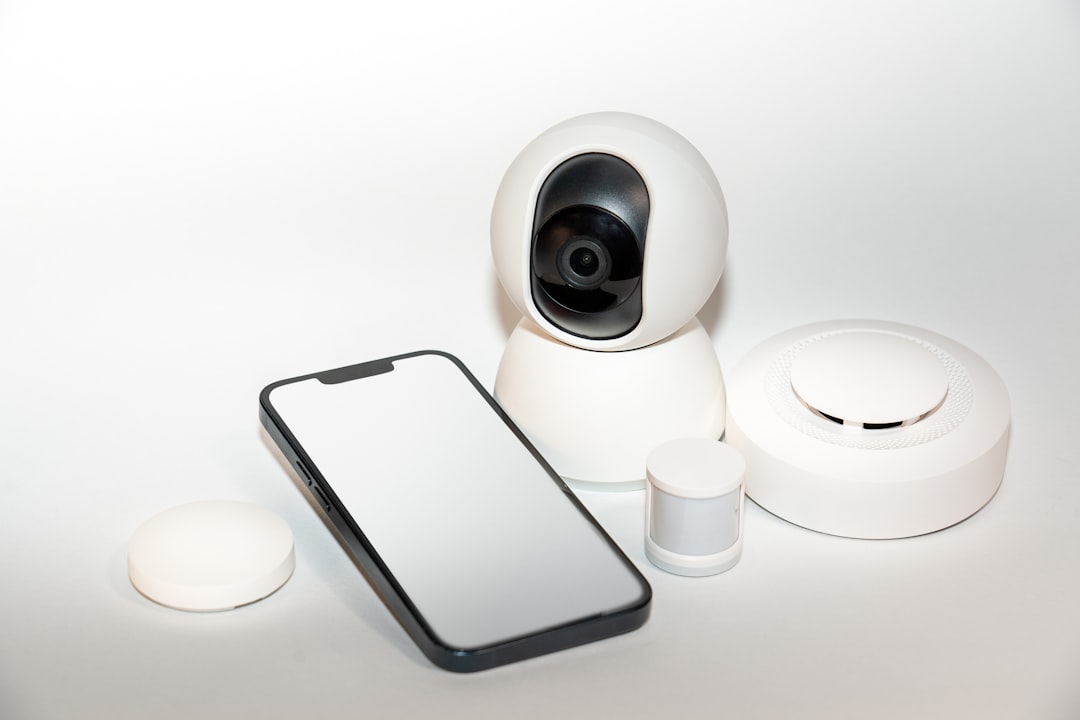
Imagine walking into your home after a long day, and your lights automatically brighten to welcome you, your thermostat adjusts to a cozy temperature, and your favorite playlist starts playing softly in the background. Smart home devices can make life incredibly convenient. However, with this convenience comes a pressing concern: security. How do you ensure these devices don’t become an entry point for cybercriminals? Here’s how to secure smart home devices effectively.
Understanding Smart Home Vulnerabilities
Before you can secure your smart home devices, it’s important to understand their vulnerabilities. Most smart devices connect to the internet and each other often via the Internet of Things (IoT). This connectivity can make them susceptible to hacking, especially if they aren’t configured properly or are using default settings. Here’s what most people get wrong: thinking that just owning these devices makes their home secure. In reality, the lack of basic security measures can leave your home exposed.
Start with Your Wi-Fi Network
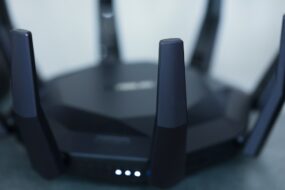
Your Wi-Fi network is the backbone of your smart home. If it’s not secure, then everything attached to it is at risk. Here are some smart home security tips for protecting your Wi-Fi:
- Change the Default Password: Don’t stick with the default password that comes with your router. Update it to something strong, combining letters, numbers, and symbols.
- Enable WPA3 Encryption: If your router supports it, use WPA3 encryption for securing your network. It’s like putting a padlock on your front door.
- Hide Your SSID: Make your network invisible by disabling SSID broadcasting. This way, would-be intruders can’t see your network name easily.
In my experience, many people overlook these basic steps. A few small changes can dramatically reduce the chances of a breach.
Keep Your Devices Updated
Smart devices receive updates to patch security vulnerabilities. It’s crucial to ensure that you keep your devices updated. Here’s how:
- Turn on Automatic Updates: Most modern devices offer the option to automatically download and install updates. Enable this feature whenever possible.
- Check for Updates Manually: For devices that don’t automatically update, make it a habit to check for updates every few weeks.
- Update Your Router’s Firmware: Don’t forget about your router! It also receives important security updates that you need to apply.
Being diligent about updates might seem tedious, but it can make the difference between a secure and vulnerable network.
Implement Strong Passwords for Each Device
Every smart device should have its own unique password. You might be thinking, “But isn’t that hard to remember?” Here’s the thing: weak passwords are a hacker’s best friend. One of the most effective ways to secure IoT devices is to assign complex, unique passwords to each device. Here’s how you can do that:
- Use Password Managers: These tools can generate and store complex passwords for you.
- Combine Words, Numbers, and Symbols: Create a phrase that’s easy for you to remember but difficult for others to guess.
- Avoid Common Passwords: Don’t use obvious passwords like “password” or “123456.” These are easily cracked.
When passwords are distinct and strong, the security of each device adds a layer of protection against unauthorized access.
Enable Two-Factor Authentication (2FA)
Two-factor authentication isn’t just for banking apps; it’s a smart choice for securing your home automation devices as well. This extra step provides an additional layer of security. Here’s why enabling 2FA is vital:
- It Creates an Extra Barrier: Even if someone gets hold of your password, they’ll still need the second form of authentication.
- It’s Simple to Set Up: Most smart device applications allow you to set this up easily. Just follow the prompts.
- Additional Protection for Remote Access: If you access your devices remotely, 2FA is essential.
In my opinion, the convenience of smart devices shouldn’t come at the cost of security. Adding 2FA can make a big difference.
Create a Guest Network for Visitors
Having guests over? Make sure they don’t have access to your main network where your smart devices reside. Here’s how to set up a guest network:
- Segregate Devices: Create a separate network just for guests. This way, they can connect to the internet without accessing your smart devices.
- Limit Access: Ensure that your guest network doesn’t allow guests to interact with your main network.
- Change the Guest Password Regularly: Update this password regularly, especially after gatherings.
By doing this, you enhance your home automation safety significantly, reducing the chances of someone mishandling your devices.
Be Mindful of the Devices You Choose
Not all smart devices are created equal. When purchasing new gadgets, do your homework. Consider these factors:
- Check Reviews: Look for customer reviews and expert opinions on security features and vulnerabilities.
- Research Brands: Some brands have better reputations for securing their devices than others.
- Understand Privacy Policies: Familiarize yourself with how companies handle data collected from their products.
In my experience, it’s better to spend a little more on a trusted brand than to risk having insecure devices in your home.
Regularly Monitor Your Devices
Finally, just like you’d periodically check your home security system, regular monitoring of your smart devices is crucial. This doesn’t have to be a hassle. Here’s how to keep an eye on things:
- Review Audit Logs: If your device has the feature, take a look at the logs to see any unfamiliar activity.
- Use Security Apps: Some applications help you monitor the status and vulnerabilities of your connected devices.
- Disconnect Unused Devices: If you have devices that you no longer use, disconnect them from your network to reduce exposure.
Staying vigilant will help you quickly identify any potential issues before they escalate.
Final Thoughts
Smart home devices can significantly enhance your daily life, but they also come with risks. Learning how to secure smart home devices is essential for maintaining both convenience and safety. By following these smart home security tips and being proactive, you can create a secure environment for yourself and your family. Remember, the little steps you take today can make a big difference tomorrow in keeping your home automation safe.