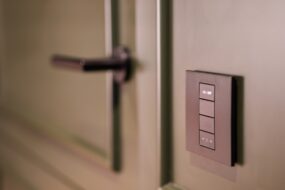
Imagine walking into your home after a long day, only to be greeted by soft lighting, your favorite music playing softly in the background, and the smell of a freshly cooked meal wafting through the air. Sounds like a scene from a futuristic movie, right? Well, it’s entirely possible with the right smart home setup. Setting up a smart home system can seem daunting, but with the right guidance and tools, you can create a living environment that’s not just comfortable but also incredibly efficient.
Understanding What a Smart Home Is
Before diving into the nitty-gritty of setting up a smart home system, let’s clarify what exactly a smart home is. At its core, a smart home uses internet-connected devices to enable remote management and monitoring of systems and appliances. This includes everything from lights and thermostats to security systems and kitchen appliances. With the right smart devices, you can control almost every aspect of your home from your smartphone or through voice commands, making life a bit easier and a lot more enjoyable.
Assessing Your Needs and Budget
Every great smart home setup begins with a plan. Start by assessing your needs and budget. Ask yourself a few questions:
- What do I want to automate and why?
- What’s my budget for smart devices?
- Do I want to start small and gradually expand my smart home system?
Here’s what most people get wrong: they jump in and buy a ton of devices without a clear idea of what they really need. Set some priorities and consider areas in your home that could benefit from automation, like lighting, security, or temperature control. Once you have a clear picture, you can move forward with confidence.
Choosing the Right Devices
With a plan in mind, it’s time to explore the best smart home devices that suit your lifestyle. Here are some categories of devices you should consider:
- Smart Speakers: Devices like Amazon Echo or Google Nest can act as your central hub, enabling voice control for other devices.
- Smart Lighting: Brands like Philips Hue and LIFX allow you to control your lights from anywhere, schedule them, and set different moods with color options.
- Smart Thermostats: Devices like the Nest Thermostat learn your temperature preferences and can help save on energy bills.
- Smart Security Cameras and Doorbells: Nest Cam and Ring help keep an eye on your home, providing peace of mind when you’re away.
- Smart Locks: Allow secure entry without keys, making it easier to manage who enters your home.
- Smart Appliances: From smart refrigerators to coffee makers, these can significantly enhance your daily routines.
When you’re choosing devices, make sure they’re compatible with each other. There’s nothing worse than realizing your devices can’t communicate. In my experience, starting with a few core devices and gradually expanding is often more effective than trying to do everything at once.
Setting Up Your Smart Home System
Now it’s time to roll up your sleeves and get your smart home setup going. Here are the steps you should follow:
- Install Your Smart Hub: If you’re using smart speakers as your hub, follow the manufacturer’s instructions to set it up. Connect it to your Wi-Fi network and complete any necessary updates.
- Add Smart Devices: Start pairing your devices with your hub. You’ll likely need to download specific apps for each device to complete the setup process. This can sometimes be a bit tedious, but it’s crucial for smooth operation.
- Create Routines and Automations: Most smart home systems allow you to create routines—like having certain lights turn on when you arrive home or automating your thermostat based on when you wake up. Spend some time customizing these to fit your lifestyle.
- Security Settings: Protect your home network with a strong password and enable any security features offered by your devices. Smart devices can be vulnerable if not properly secured. Setting up two-factor authentication where available is a wise choice.
How to Automate Your Home: Practical Tips
Automating your home isn’t just about fetching new devices; it’s also about integrating them into your daily life. Here are a few tips to get the most out of your smart home:
- Set Timers: Use smart plugs to control your appliances based on a timer; for example, schedule lights to turn on just before sunset.
- Voice Commands: Get familiar with voice commands. Devices like Alexa or Google Assistant can significantly streamline your smart home experience—just remember to use clear phrasing.
- Geofencing: Some devices allow you to set up geofencing so they can react to your location. For instance, your smart thermostat can adjust when you leave home.
- Regular Maintenance: Keep your devices updated with the latest firmware. This helps ensure they’re running smoothly and securely.
Integrating Security into Your Setup
Your smart home setup is only as good as the security that surrounds it. A well-integrated security system can provide peace of mind. Here’s how to enhance your home’s security:
- Smart Cameras: Place smart cameras around your home strategically to monitor entry points.
- Smart Sensors: Consider motion sensors or smart door/window sensors that can alert you when something’s unusual.
- Smart Lighting for Security: Set your lights to simulate your presence at home even when you’re away. This simple trick can deter burglars.
Common Mistakes to Avoid When Setting Up a Smart Home System
Even with the best intentions, it’s easy to make mistakes when setting up a smart home system. Here’s what you should watch out for:
- Ignoring Compatibility: Make sure devices work together before you buy. A device that promises to do everything might not be the best choice if it doesn’t connect with your existing devices.
- Overcomplicating Things: Don’t try to automate every aspect of your home right away. It can become overwhelming. Start slow and add devices gradually.
- Neglecting Setup Instructions: Take time to read the setup instructions. Rushing through can lead to headaches down the road.
- Forgetting About Updates: Failing to update your devices can lead to security vulnerabilities. Keep your software up to date.
In Conclusion: Embracing the Smart Home Lifestyle
Setting up a smart home system might seem like a considerable challenge initially, but it’s easier than you think when you take it step by step. Remember that each device you add multiplies the convenience and efficiency of your home. Whether you’re turning on a light from your bed or preheating your oven on the way home from work, these little conveniences add up to a better quality of life.
Ultimately, a smart home isn’t just about gadgets—it’s about creating a space that works for you, not against you. So take the plunge, enjoy the process, and soon, you’ll find yourself living in a smart, efficient, and tailored environment.