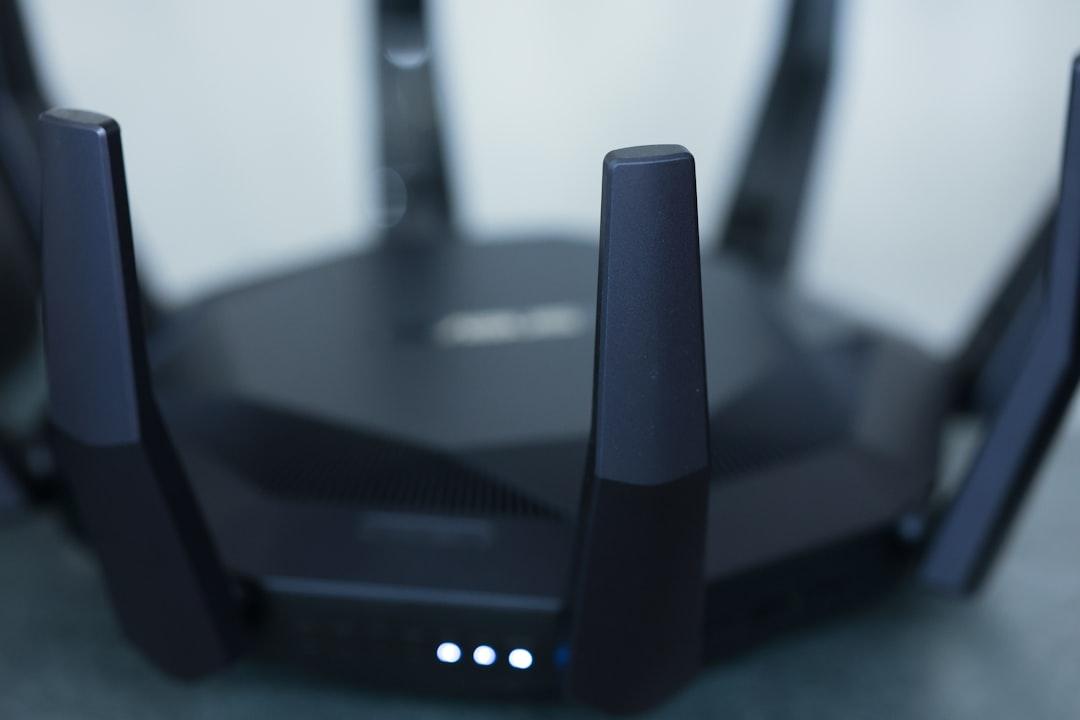
Picture this: you’re immersed in an online battle royale, fully focused on securing that elusive victory, when suddenly your screen freezes. All your well-laid plans come crashing down because of lag. It’s frustrating, and it happens far too often if your home Wi-Fi isn’t set up for gaming. Optimizing your home Wi-Fi network for gaming isn’t just a luxury; it’s a necessity for any serious gamer.
So how do you ensure your gaming experience is as smooth as it can be? Let’s dive into some Wi-Fi optimization tips that can really make a difference. We’ll cover everything from adjusting settings to the equipment you use, all geared toward improving your gaming connection.
Understanding the Basics of Wi-Fi and Gaming
Before we jump into tips and tricks, let’s clarify some fundamentals. Gaming, especially online, is different from casual browsing or streaming movies. It demands a stable, low-latency connection. Things like ping rates and packet loss can determine whether you land that headshot or find yourself respawning.
Check Your Internet Plan
First and foremost, if you want to optimize your home Wi-Fi network for gaming, you need to start with your internet plan. Most ISPs (internet service providers) offer various plans based on speed, stability, and usage type. Here’s what to look for:
- Download Speed: Aim for at least 25 Mbps for gaming. Higher speeds are always better, especially if you share your connection with multiple devices.
- Upload Speed: If you’re streaming gameplay or using a webcam, higher upload speeds (5 Mbps or more) help send your data smoothly.
- Ping Rate: Look for a plan with low latency—usually under 40 ms. Anything higher can result in noticeable lag during intense gaming sessions.
In my experience, many gamers overlook the value of a reliable internet plan. If you’re using a plan designed for just browsing and streaming, it might not cut it for competitive gaming.
Router Placement Matters
The physical position of your router can significantly affect how well your network works. If you want to optimize your home Wi-Fi network for gaming, consider the following placement tips:
- Central Location: Place your router in a central location in your home to evenly distribute the Wi-Fi signal.
- Elevate the Router: Keep the router elevated—on a shelf or mount it on a wall—to avoid obstacles and improve range.
- Avoid Interference: Stay away from other electronics, especially microwaves and cordless phones, which can interfere with the signal.
Here’s what most people get wrong: they’ll tuck their router away in a corner or behind a bunch of devices. This creates dead zones that can ruin your gaming experience.
Choose the Right Frequency Band
Modern routers typically offer both 2.4 GHz and 5 GHz frequency bands. Each has its pros and cons. To truly optimize your home Wi-Fi network for gaming, you need to choose wisely:
- 2.4 GHz: This band offers a broader range but generally supports lower speeds. It can be ideal for devices far from the router.
- 5 GHz: This band offers much higher speeds and lower latency, making it ideal for gaming. However, it has a limited range.
In my own setup, I run my gaming console on the 5 GHz band while keeping less demanding devices on 2.4 GHz. This setup minimizes interference and maximizes my gaming performance.
Update Your Router’s Firmware
Another essential step in improving your gaming connection is keeping your router’s firmware up to date. Router manufacturers regularly release updates that can enhance performance and security. To check for updates:
- Access your router’s settings through your web browser.
- Look for a firmware update option, usually located in the administrative settings.
- Follow the instructions to download and install any available updates.
Many people neglect this step, but outdated firmware can result in slower speeds and less stability. Regular updates can optimize your home Wi-Fi network for gaming, ensuring you get all the enhancements your router can offer.
Quality of Service (QoS) Settings
Many modern routers come with a feature called Quality of Service (QoS). This feature can prioritize traffic to your gaming device, reducing lag and improving your experience. Here’s how to set it up:
- Log in to your router settings through a web browser.
- Locate the QoS section. It might be listed under advanced settings.
- Set your gaming device (console or PC) as a priority.
In my testing, enabling QoS has helped a lot, especially during evenings when everyone in the house is online. It gives my gaming sessions a boost while ensuring that other devices get the bandwidth they need, just not quite as much as my console.
Connect Via Ethernet if Possible
While Wi-Fi is convenient, nothing beats a wired connection for gaming. If your gaming setup is close enough to the router, opt for an Ethernet cable. Here’s why:
- Lower Latency: Ethernet connections typically have much lower ping times compared to Wi-Fi.
- Stability: Wired connections aren’t affected by interference from other electronics or walls.
In my experience, switching to an Ethernet connection made a noticeable difference in my gaming performance—especially in competitive scenarios. If your setup allows it, don’t hesitate to go wired!
Regularly Monitor Your Network
Last but not least, make monitoring your network a regular habit. Keeping tabs on your Internet speed, ping times, and potential device overloads can help you catch issues before they affect your gaming. Use tools like:
- Speedtest.net: This can give you real-time updates on your connection speed and ping.
- Network Monitoring Software: Programs like GlassWire can track which devices are using your bandwidth.
Many gamers don’t worry about this until problems arise, but being proactive can save you a lot of headaches down the road. You might discover that a device is hogging your bandwidth when it shouldn’t be, which is something you’d want to fix immediately.
Conclusion
Optimizing your home Wi-Fi network for gaming is a multi-step process, but it’s well worth the effort. By understanding your internet plan, placing your router strategically, selecting the right frequency, keeping your firmware updated, and using QoS settings, you’ll be well on your way to a superior gaming experience. And let’s not forget about the benefits of a wired connection and regular monitoring!
Take the time to apply these Wi-Fi optimization tips, and watch how your gaming performance improves. It’s an investment not just in speed but in enjoyable, uninterrupted gameplay. Happy gaming!