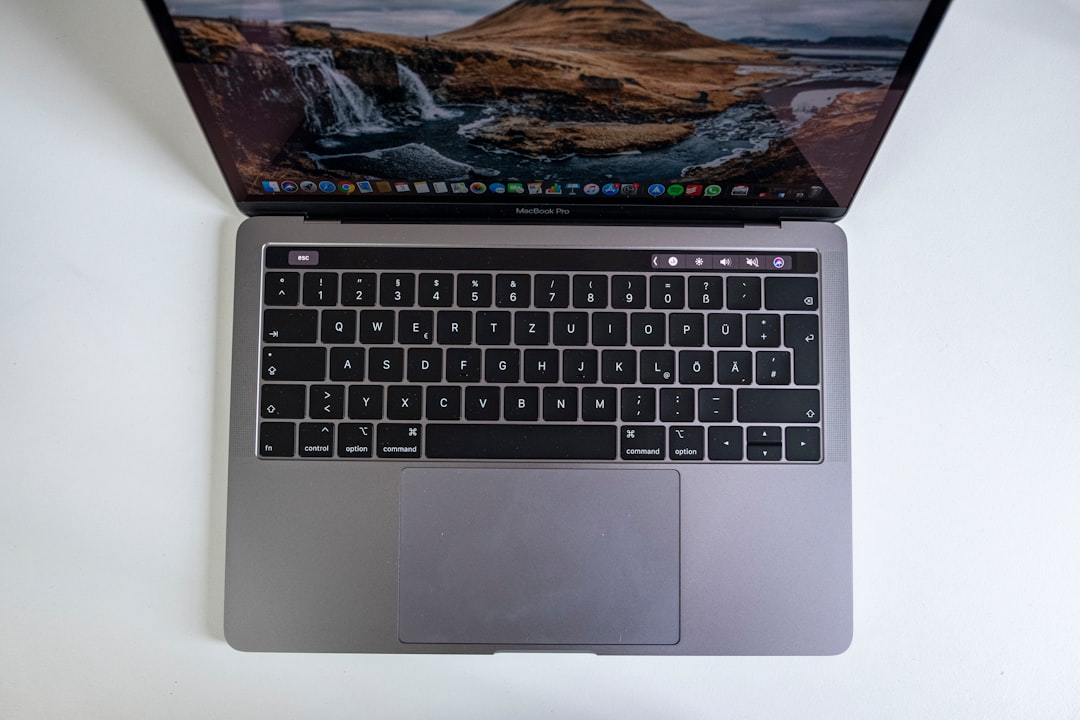
Picture this: you walk into an electronics store, and you’re confronted with an endless sea of laptops. Some are sleek and shiny, while others look a bit bulkier and more utilitarian. The pricing ranges from a couple of hundred bucks to several thousand. It’s overwhelming, right? How do you choose the right laptop that meets your specific needs without breaking the bank? If you’ve ever found yourself asking, “What to look for in a laptop?” you’re not alone. Choosing a laptop can feel daunting, but with the right approach, it can also be a fun adventure.
Understanding Your Needs
The very first step in how to choose the right laptop is understanding what you’ll actually use it for. Are you a student who’s mostly writing papers and browsing the web? Or are you a gamer looking for the best performance? Maybe you’re a creative professional who needs to run design software. Whatever your needs are, define them clearly before diving into the specs.
For Students
When considering the best laptops for students, portability tends to be a crucial factor. You’ll want something lightweight for those long days on campus. Battery life is equally important; you don’t want to be scrambling for an outlet between classes. Look for a laptop with at least 8GB of RAM and a decent processor for smooth multitasking.
For Gamers
Gamers, on the other hand, need to consider graphic cards and processing power. A laptop with a dedicated GPU can make all the difference in gaming experiences. Look for models designed specifically for gaming, as they usually offer better cooling systems and high-refresh-rate displays for a smoother visual experience.
Budgeting Wisely
Once you’ve identified your needs, it’s time to set a budget. The price range for laptops can be all over the map. It’s tempting to just go for the hottest new model, but often, you don’t need all those extra bells and whistles. In my experience, it’s better to prioritize performance and reliability over brand prestige. You might find that a mid-range laptop covers all your bases without the hefty price tag.
Key Specs: What to Look For in a Laptop
Now comes the fun part: the specs! Here’s what to focus on when you’re figuring out how to choose the right laptop:
- Processor (CPU): The brain of your laptop. Look for Intel i5 or i7 processors for day-to-day tasks, and AMD Ryzen for better performance in gaming and multitasking.
- RAM: More RAM means better multitasking capabilities. Aim for at least 8GB; 16GB is preferable for more demanding applications.
- Storage: SSDs are faster and more reliable than HDDs. A minimum of 256GB SSD is ideal, though 512GB is better for those who store a lot of files.
- Graphics Card: For gaming and graphic design, a good GPU is essential. Look for NVIDIA or AMD options.
- Screen Size and Quality: Decide whether you prefer a larger screen or more portability. A Full HD resolution (1920 x 1080) is a minimum for a decent viewing experience.
- Battery Life: Ideally, you’ll want at least 8 hours to get through a school or workday without searching for an outlet.
Operating System: Windows vs. Mac vs. Chrome
Another significant decision revolves around the operating system. If you’re pondering how to choose the right laptop, this is key. Here’s a quick rundown:
- Windows: Most versatile, compatible with a vast array of software, and suitable for gaming as well.
- Mac: Preferred for design and multimedia tasks. They tend to be pricier but offer excellent build quality and longevity.
- Chrome OS: Great for browsing and basic tasks. If you mostly use web applications, a Chromebook could be the best fit.
In my experience, students often gravitate towards Chromebooks for their affordability and simplicity, but they may struggle with software that requires more substantial processing power.
Brands That Stand Out
With so many options out there, it’s crucial to know which brands deliver quality and customer support. Some of the most reliable options include:
- Dell: Known for their solid build quality and customer service.
- Apple: Exceptional hardware and software integration, but pricey.
- HP: Offers a range of laptops from budget-friendly to high-performance.
- Lenovo: Excellent options for both business and gaming laptops.
- Acer: Often provides good value for cheaper models.
Personal Touch: Style and Aesthetics
While tech specs are vital, let’s not forget the importance of personal preference. A laptop is probably something you’ll be seeing—and using—every day. It’s okay to want something that looks good. For example, if you’re a digital nomad, a sleek, thin laptop might appeal to you more than a bulky one.
Additionally, consider the keyboard and trackpad. If you type a lot, make sure you can comfortably use them. Read some reviews—users often share their real-world experiences regarding this.
Where to Buy
Finally, where you buy your laptop also matters. Online retailers typically offer better deals, but don’t overlook local stores. They sometimes have clearance sales or in-store promotions that can save you money. Plus, seeing the laptop in person can be beneficial for assessing looks and build quality.
Check return policies before making a purchase. A good store will allow you time to test the laptop. If something feels off, you’d want the option to return it without hassle.
Conclusion: Making the Final Decision
By now, you should have a clearer sense of how to choose the right laptop for your needs. You’ve identified what you’ll use it for, understood the specs to look for, and even considered the brand and aesthetics. Don’t rush your decision. Take your time to weigh your options against your budget and requirements.
Always remember that the best laptop for you might not be the one with the highest specs or the most robust marketing. The right laptop fits your life, not someone else’s. As you embark on this endeavor, equip yourself with the knowledge from this laptop buying guide, and you’ll be sure to find a machine that will serve you well for years to come.