Picture this: you’re deep into an online battle, adrenaline pumping, your skills at their peak, when suddenly, your character freezes in place. The dreaded lag hits, and all you can do is watch as your opponent takes advantage of your misfortune. Frustrating, right? This isn’t just an annoying hiccup; it’s often a result of an unoptimized home network. So, how can you optimize your home network for gaming and ensure a smoother experience? Let’s break it down.
Understanding Gaming Latency
If you’re serious about gaming, understanding latency is crucial. Latency is the time it takes for data to travel from your device to the game’s server and back. Lower latency equals quicker responses, giving you the edge in fast-paced games. Aim for a ping rate under 30 milliseconds for the best experience. Here’s what most people get wrong: they assume that their internet speed is all that matters. While speed is essential, latency often plays a bigger role in online gaming performance.
The Importance of a Dedicated Gaming Network Setup
When you optimize your home network for gaming, setting up a dedicated gaming network can make a world of difference. This means prioritizing your gaming devices over other devices in your household. You’ll want to minimize congestion, especially during peak usage times. One great way to achieve this is by creating a separate SSID for gaming. Here’s how:
- Log into your router’s admin panel.
- Create a new SSID (network name) specifically for your gaming console or PC.
- Set it to the highest priority in your router’s Quality of Service (QoS) settings.
In my experience, having a dedicated network helps reduce interference from devices streaming videos or downloading large files.
Choosing the Best Router for Gaming
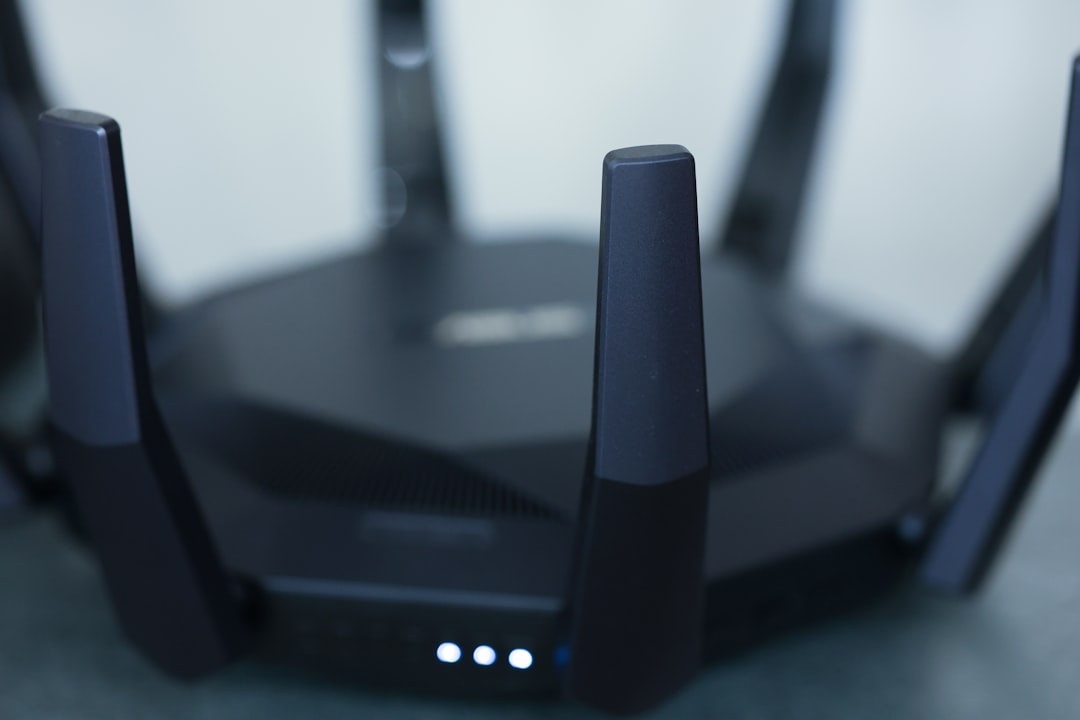
Not all routers are created equal, especially when it comes to gaming. A standard router might not handle the demands of online gaming effectively. When hunting for the best router for gaming, keep an eye on the following features:
- Dual-band or Tri-band Support: These routers can split your internet traffic, allowing for better distribution of data.
- Quality of Service (QoS): This priority system can give your gaming traffic preferential treatment over other types of data.
- Low Ping Optimization: Some routers come equipped with features to minimize ping and latency.
- Wired Connections: If possible, consider routers with multiple Ethernet ports for hardwired connections.
Take your time researching models and don’t hesitate to read reviews from other gamers. You’ll find that what works best often depends on your specific needs.
Optimize Your Home Network Strategically
Now that you know the basics, it’s time to go through some specific strategies to optimize your home network for gaming:
- Wired vs. Wireless: For the best performance, a hardwired connection is the way to go. If you can connect your gaming console or PC directly to the router, you’ll experience less interference and lower latency.
- Reduce Interference: Keep your router away from walls, metal objects, and other electronics. Obstructions can significantly affect your Wi-Fi signal.
- Update Firmware: Regularly check for firmware updates for your router. These updates can enhance performance and fix bugs that could be affecting your gaming experience.
- Limit Background Applications: Close any unnecessary applications on your gaming device that might be consuming bandwidth in the background. That includes downloads, streaming services, and updates.
Prioritizing Bandwidth Allocation
Another major step in your quest to optimize your home network for gaming lies in bandwidth prioritization. Here’s what you can do:
- Set Priorities in QoS: If your router supports QoS, configure it to prioritize gaming devices. This ensures that your gaming data gets through without being bogged down by other internet traffic.
- Bandwidth Limiting: For particularly bandwidth-hogging applications, consider setting limits. For instance, if your roommate’s streaming Netflix is causing problems, you might want to throttle that traffic.
- Monitor Your Network: Using tools like PingPlotter or similar applications can help you monitor your latency, allowing you to see if certain devices are affecting your gaming performance.
Enhancing Your Wi-Fi Signal
If you’re relying on Wi-Fi for your gaming setup, enhancing your signal can directly impact your performance. Here are some strategies:
- Use Wi-Fi Extenders or Mesh Systems: These devices can help eliminate dead zones in your home, ensuring you have a strong signal wherever you’re gaming.
- Optimal Placement: Position your router in a central location in your home. The higher up it is, the better your signal will be.
- Channel Selection: Use less crowded channels on your router. Most routers automatically select a channel, but you can manually set it to find one with less interference.
Adjusting these small details can make a noticeable difference in gaming performance.
Keeping Your Hardware Up to Date
It’s not just about the router. Your gaming hardware also plays a role. Make sure your devices are up to date. Update your console or PC’s software regularly. Outdated software can lead to compatibility issues and affect performance. If your equipment is older, consider upgrading to a newer model that can handle higher bandwidths and lower latencies.
Troubleshooting Common Issues
Even after all this optimization, you may still face occasional issues. Here are some troubleshooting steps you can take:
- Reboot Your Router: Simple but often effective. Restarting your router can solve more issues than you might think.
- Check Your Internet Speed: Use speed tests (like Ookla or Fast.com) to see if you’re getting the speeds you’re paying for.
- Consult Your ISP: If problems persist, reach out to your internet service provider. You might have connection issues that they can resolve.
- Look for Local Outages: Sometimes it’s not on your end. Check websites or forums to see if others in your area are experiencing issues.
Conclusion
Optimizing your home network for gaming isn’t just about having the fastest connection. It’s about creating an environment where your gaming experience isn’t disrupted. By choosing the right router, setting up a dedicated network, and prioritizing your gaming traffic, you’ll be well on your way to a smoother gaming session. Don’t forget to keep your hardware updated and stay aware of your network’s performance. Embrace these tweaks, and watch your gaming experience improve.
Gamers unite: let’s push those latency issues aside and conquer the virtual realms!