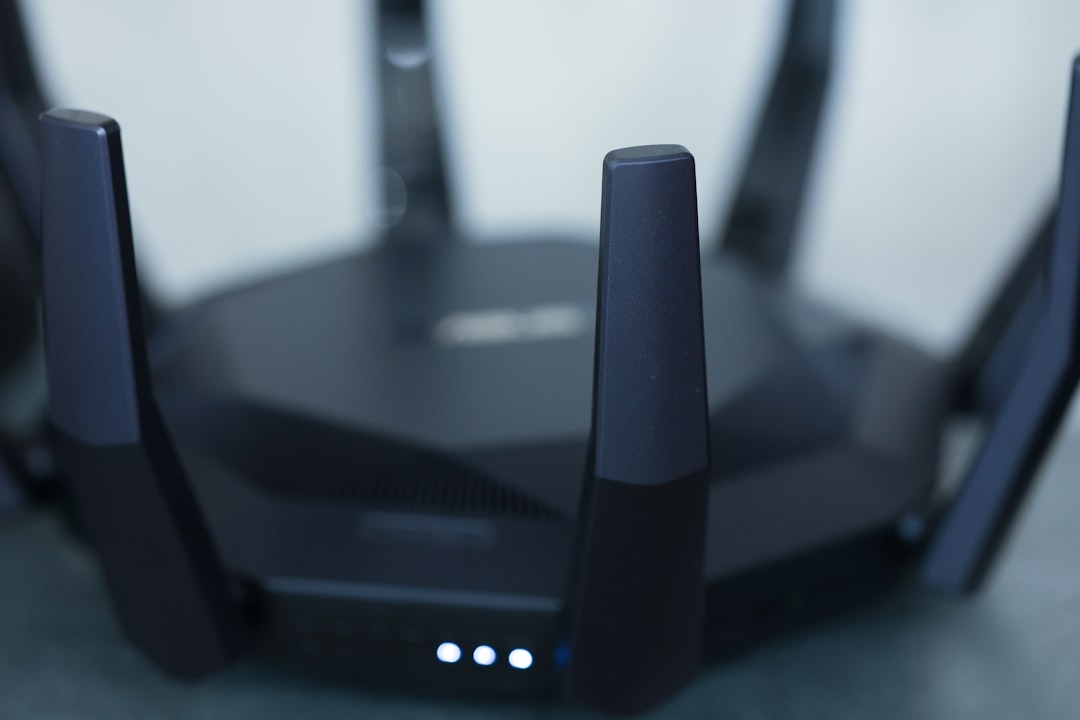
Picture this: You’re binge-watching your favorite show one night, and suddenly the stream starts buffering. Annoying, right? You check your speed, and it seems fine, but the culprit isn’t your internet provider—it’s your insecure Wi-Fi network. You might be surprised at how easy it is for someone to jump on your network, slow down your connection, or worse, access your private information. If you’re thinking, “How do I secure my home Wi-Fi network?” you’re in the right place. Securing your Wi-Fi is simpler than you might think, but making sure you do it right is crucial.
Why Your Home Wi-Fi Network Needs Protection
Many folks often overlook the importance of Wi-Fi security. It’s a common misconception that only large corporations need to worry about hackers; however, we use the internet daily, and our personal data is just as valuable. In my experience, it usually takes just one unsecured network for someone to gain access to your personal information, potentially leading to identity theft.
The threats you face include not only unauthorized access to your Wi-Fi but also the risk of malware spreading across your devices. When someone taps into your network, they can snoop on your activities, steal your password, and interfere with your internet speed. So, securing your home Wi-Fi network is not just an option—it’s a necessity.
Wi-Fi Security Tips You Should Adopt
The good news is that securing your home Wi-Fi network doesn’t have to be an intimidating task. Here are some effective Wi-Fi security tips to get you started:
- Change the Default Username and Password: Most routers come with preset usernames and passwords. These are almost always public knowledge. Change them to something unique to make it harder for hackers to gain access.
- Enable WPA3 Encryption: Make sure your router is using WPA3 encryption if it supports it. If not, at least use WPA2. This will encrypt your data and provide a layer of protection that older encryption protocols don’t offer.
- Create a Guest Network: If you have visitors who need internet access, set up a guest network. This way, they can’t access your main devices.
- Hide Your Network SSID: By hiding your Wi-Fi network name (SSID), it won’t appear in the list of available networks. This means that anyone trying to connect will need to know your SSID.
- Regularly Update Your Router’s Firmware: Manufacturers regularly release firmware updates that patch vulnerabilities. Keeping your router updated ensures you have the latest security features.
Understanding Router Security Settings
Getting familiar with your router’s security settings might seem complex, but it’s easier than it appears. Most routers come with a web-based interface you can access through your browser. Here’s a step-by-step breakdown:
- Access Your Router’s Dashboard: Type the router’s IP address into your browser (often it’s something like 192.168.1.1). You’ll need to log in with your username and password, which brings us back to the importance of changing them from the defaults.
- Find the Wireless Settings: Look for a tab related to wireless or Wi-Fi settings. Here’s where you can enable WPA3, hide your SSID, and manage your password.
- Explore Advanced Settings: If you’re comfortable, dig deeper into advanced options, like MAC address filtering, which allows only devices you specify to connect to your network.
Always remember that you shouldn’t change settings without understanding them; a misconfiguration can also compromise your network. If you’re unsure, refer to the user manual, or look up guides specific to your router model.
Protecting Home Internet: Beyond the Router
While your router is the first line of defense, securing your devices is equally vital. Installing antivirus software on your computers and mobile devices can help combat malware that might slip through your router’s defenses. Here’s how:
- Use Firewalls: Enable the firewall on your devices. Windows and macOS both have built-in firewalls that provide another layer of security.
- Keep Software Updated: Just like your router needs updates, so do your devices. Make sure your operating system and applications are regularly updated to patch any vulnerabilities.
- Educate Family Members: Make sure everyone in your household, especially kids, understands the importance of being cautious online. Phishing scams can happen on any network, and the more alert everyone is, the safer your home will be.
The Importance of Strong Passwords
If there’s one thing I’ve noticed that most people get wrong, it’s password management. Many users opt for simple, memorable passwords which are also easy to crack. Remember, when you’re looking to secure your home Wi-Fi network, strong passwords are essential.
Here are a few things to consider:
- Length is Better: Aim for at least 12-16 characters. The longer the password, the harder it is to crack.
- Mix It Up: Use a combination of upper and lower case letters, numbers, and special characters.
- Avoid Common Phrases: Steer clear of easily guessable words or dates. Something like “Spring2023” is still predictable.
Regularly Check for Unauthorized Devices
Every now and then, take a look at the devices connected to your network. Most routers allow you to check this through their dashboard. Here’s how:
- Log into your router’s web interface.
- Find a section labeled “Connected Devices” or “Device List.”
- Review the list and look for anything unfamiliar. If you spot a device you don’t recognize, you can block it from accessing your network.
Being proactive in this respect can save you a lot of headaches down the line. Regular check-ins can make it easier to identify potential intrusions before they escalate.
Wi-Fi Security Apps and Software
If you’re not tech-savvy or just want additional support, several apps can help you monitor and secure your network. Here are a few to consider:
- Wi-Fi Analyzer: This app scans your network for vulnerabilities and suggests actions to improve your security.
- GlassWire: It monitors your network traffic and alerts you to any suspicious activity.
- Fing: Similar to Wi-Fi Analyzer, Fing helps you see all devices on your network and can alert you to any that don’t belong.
Using these types of apps can help you stay one step ahead, especially if you’re not comfortable navigating your router’s settings.
Wrapping It Up: A Stronger Wi-Fi Network
Securing your home Wi-Fi network might seem daunting, but by following these tips, you’ll be well on your way to better protection. It’s all about taking small, consistent steps. Regularly changing your passwords, regularly updating your router, and staying informed about who’s connecting to your network can go a long way.
Remember, the goal is not just to protect your internet connection but also your personal information. Cyber threats are real, but with a little effort, you can make it much harder for them to reach you. So, take action today and secure your home Wi-Fi network. You won’t regret it!