Picture this: You’re all set for a cozy evening at home, ready to binge-watch your favorite show. You grab the popcorn, settle into your couch, and hit play—only to be met with the dreaded buffering symbol. Frustration sets in, and you start questioning everything from your chosen streaming service to the strength of your Wi-Fi connection. If you’ve ever found yourself in this situation, you’re not alone.
Many people struggle with slow internet speeds at home, which can put a damper on everything from working remotely to gaming. Fortunately, there’s hope! This blog will explore simple yet effective ways to optimize your home Wi-Fi network for better speed. You don’t have to be a tech whiz; with a few strategic changes, you can enjoy a faster and more reliable internet experience. Let’s dive in!
Understanding Wi-Fi Speed
Before we jump into the Wi-Fi setup tips, let’s clarify what we mean by Wi-Fi speed. Your internet speed is generally measured in megabits per second (Mbps), and it’s influenced by various factors, including your service plan, the type of router you have, and the layout of your home.
In my experience, many people overlook how their home layout can create dead zones—areas where the signal is weak or non-existent. Think about your own space: Are there rooms that consistently have poor connectivity? Understanding your environment is the first step in optimizing your connection.
Assess Your Current Setup
The best way to start is by assessing your current Wi-Fi setup. Use an online speed test (like Fast.com or Speedtest.net) to check your internet speed. Compare the results with the number promised in your service plan. If you’re significantly underwhelmed, it could be time to make some adjustments.
Check Your Router
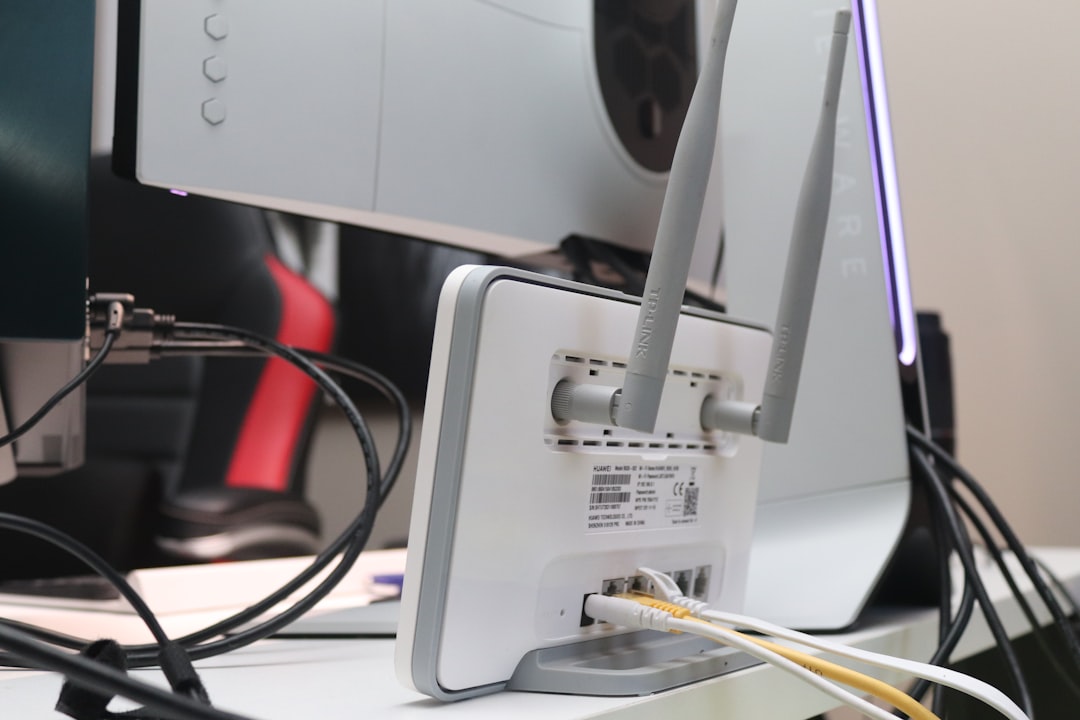
A common culprit behind a sluggish connection is the router itself. Is it outdated? Most routers have a lifespan of about five to seven years. If yours is older, it might be worth investing in a new model. Look for dual-band routers that support both 2.4GHz and 5GHz frequencies. These provide better flexibility and speed, especially for devices that need a stronger connection.
Placement Matters
After you’ve assessed your router, consider its physical location. Many people tuck their routers away in cabinets or behind furniture, thinking it’ll look tidier. But that can severely impact the signal strength!
Here’s what you should aim for:
- Central location: Place your router in a central part of your home for even distribution.
- Elevated position: Higher placements tend to offer better coverage.
- Avoid obstructions: Walls, large furniture, and metal objects can disrupt signals.
Channel Congestion: More Than Just a Buzzword
One of the things that can affect your Wi-Fi speed is channel congestion. Think of Wi-Fi channels as lanes on a highway—if they’re all crowded, traffic slows down. Most routers operate on one of 11 channels in the 2.4GHz range, which means traffic can get congested quickly, especially in apartment complexes or densely populated areas.
To optimize your home Wi-Fi network, change the broadcast channel on your router settings. Use tools like Wi-Fi Analyzer (for Android) or NetSpot (for both Windows and Mac) to identify the best channel with the least crowding.
Limit Bandwidth-Hogging Applications
In many homes, multiple devices can connect to the internet simultaneously—smart TVs, laptops, tablets, and smartphones. All these devices can contribute to slower speeds, especially when they’re streaming or downloading large files. Here’s what you can do:
- Identify devices that consume excessive bandwidth (like HD streaming or online gaming) and limit their use when doing essential tasks.
- Schedule heavy downloads during off-peak hours to avoid congestion.
- Enable Quality of Service (QoS) settings on your router to prioritize bandwidth for specific devices or applications.
Securing Your Network
It’s easy to overlook, but ensuring your network is secure is critical not just for safety but also for speed. An unsecured connection can lead to unauthorized users tapping into your Wi-Fi, which drains your bandwidth.
Here are important steps to secure your network:
- Change default credentials: Most routers come with factory-set usernames and passwords that are easy to guess.
- Use WPA3 encryption: This is the most secure option for protecting your network.
- Regularly update the firmware: Manufacturers often release updates to fix vulnerabilities and enhance performance.
Consider Using Wi-Fi Extenders or a Mesh Network
If you’ve tried all the tips so far and still experience weak signals in certain areas of your home, it might be time to consider Wi-Fi extenders or a mesh network. Wi-Fi extenders amplify your existing signal, but they can sometimes lead to reduced speeds in far-off areas. On the other hand, a mesh network replaces your single router with multiple nodes seamlessly covering your space.
In my experience, a mesh network is often the better choice for larger homes or areas with challenging layouts. The initial investment may be higher, but the payoff in terms of reliability and speed is worth it.
Regular Maintenance and Testing
Optimizing your home network isn’t a one-and-done task. Just like your car needs regular oil changes, your Wi-Fi setup requires occasional checks and updates. Make it a habit to regularly test your internet speed and assess your network health.
Set reminders to:
- Reconnect your devices to the network once in a while.
- Check for outdated firmware on your router.
- Assess any new devices added to your home that might affect speed.
Wrapping It Up
Getting the most out of your internet connection doesn’t have to feel overwhelming. By taking steps to optimize your home Wi-Fi network, you’ll experience smoother streaming, quicker downloads, and a more reliable connection. Start with understanding your needs, assessing your setup, and making minor adjustments like changing your router’s placement and securing your network.
If you’ve implemented some of these suggestions and still find yourself struggling with slow internet, it might be time to consider changing your internet service provider. Sometimes, the only way to achieve the speeds you need is to switch plans altogether.
Remember, a little effort goes a long way when it comes to home network optimization. Your online experience will thank you, and you might just find yourself enjoying those cozy evenings at home without the buffering symbol interrupting your binge-watching! Happy surfing!