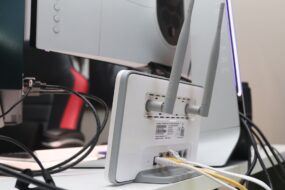
Ever thought about how secure your home network really is? If you’re like many people, you probably set up your Wi-Fi router and forgot about it. But with the increasing number of connected devices in our homes, it’s crucial to enhance home network security for beginners. A secure home network not only protects your data but also shields your privacy from potential hackers. Let’s explore some practical tips to boost your network’s security without needing a degree in cybersecurity.
Understanding the Basics of Home Network Security
Before diving into the tips, it’s essential to understand what home network security involves. At its core, it’s about protecting your wireless network from unauthorized access and potential threats. When we discuss improving Wi-Fi security, we are talking about making sure no one can sneak onto your network and misuse it.
Here’s what many people get wrong: they think that a strong password is all they need. While strong passwords are crucial, they’re just the tip of the iceberg when it comes to enhancing home network security for beginners. Understanding the various elements of your network will help you identify potential vulnerabilities.
Change the Default Passwords
Most routers come with default usernames and passwords that are known to many. If you haven’t changed these, your network is an easy target for attackers. In my experience, this is one of the simplest yet often overlooked steps in network security for beginners.
To change your router’s password:
- Log in to your router’s settings (typically accessed via a web browser using your router’s IP address).
- Find the section for changing passwords. This is usually under “Administration” or “Security.”
- Create a unique, strong password that’s hard to guess.
Strong passwords typically include a mix of upper and lower case letters, numbers, and symbols. Avoid using easily guessable information like “123456” or your pet’s name.
Update Your Router’s Firmware
Router manufacturers often release firmware updates to patch security vulnerabilities. Not updating your firmware means your network could be at risk. Here’s what to do:
- Access your router’s configuration page as you did when changing your password.
- Look for a section labeled “Firmware Update” or similar.
- Follow the prompts to download and install the latest version.
By regularly updating your firmware, you take a proactive step in enhancing home network security for beginners, keeping potential threats at bay.
Enable WPA3 or WPA2 Encryption
Your router’s encryption type plays a significant role in your network’s security. Always choose the highest level of encryption available. WPA3 is the latest, but many routers still use WPA2, which is still secure. If your router supports it, make sure to enable WPA3 or WPA2 encryption:
- Go to your router settings again.
- Locate the Wi-Fi settings section.
- Select the highest encryption option available (ideally WPA3).
This step is a game changer in terms of improving Wi-Fi security.
Set Up a Guest Network
If you often have guests over, consider setting up a guest network. This keeps your primary network private and adds another layer of security. Here’s how to set it up:
- Access your router settings.
- Look for an option labeled “Guest Network.”
- Enable the feature and set up a password, making sure it’s different from your main network.
This way, when friends or family come over, they can connect without accessing your personal devices.
Turn Off SSID Broadcasting
Your SSID (Service Set Identifier) is your network’s name, and broadcasting it makes it easy for others to see it. While this is convenient for authorized users, it also makes it easier for unwanted guests. Turning off SSID broadcasting can help enhance home network security for beginners:
- From your router settings, locate the Wireless section.
- Find the option for SSID broadcast and disable it.
Just keep in mind that if you do this, you’ll need to enter your network name manually on devices you want to connect.
Monitor Connected Devices
Most routers offer a way to view all connected devices on your network. Regularly checking this list can help you spot any unauthorized devices that might have joined without your permission. Here’s what to do:
- Log in to your router settings.
- Find the section that lists connected devices (often labeled as “Device List” or “Connected Devices”).
- If you see any unfamiliar devices, you’ll want to take action, such as changing your Wi-Fi password to kick them off.
This not only helps in improving Wi-Fi security but also gives you peace of mind about who’s accessing your network.
Use a VPN for Added Privacy
If you want to take your network security a step further, consider using a VPN (Virtual Private Network). A VPN encrypts your internet traffic, making it much harder for anyone to intercept your data. Here’s how to use one:
- Choose a reliable VPN service.
- Download and install the app on your devices.
- Connect to the VPN whenever you’re online.
This extra layer of protection is especially important when you’re connected to public Wi-Fi networks, but it also enhances home network security for beginners.
Don’t Forget About Your IoT Devices
Smart gadgets, from light bulbs to security cameras, can be vulnerable if not secured properly. Most people overlook these devices when thinking about network security tips. Here’s how you can protect them:
- Change default usernames and passwords, just like you did with your router.
- Make sure they are updated regularly.
- Disable features like remote access that you don’t use.
Since IoT devices are often connected to the same network as your computers and smartphones, keeping them secure is key to maintaining overall network security.
Final Thoughts
Enhancing home network security for beginners doesn’t have to be overwhelming. By following these simple tips, you can significantly improve not just your Wi-Fi security, but also your overall peace of mind. Remember that regular check-ins are just as important as the initial setup. Keep an eye on your network, stay updated on the latest security tips, and enjoy your tech-filled home without the worry of unauthorized access.
Your home network is an extension of your personal space—protect it like you would your home! So, when you think about how to enhance home network security for beginners, consider implementing these steps today.