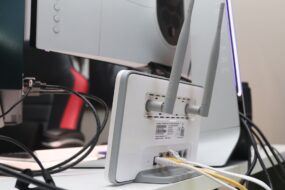
Imagine waking up one morning to find that your internet is barely functioning. After some troubleshooting, you discover that someone has been leeching off your Wi-Fi connection, slowing down your speeds, and maybe even causing security issues. It’s a frustrating situation, and it raised a lot of questions for me: How secure is my home Wi-Fi network? What can I do to protect myself? If you’ve ever asked yourself similar questions, you’re in the right place. Let’s explore how to secure your home Wi-Fi network effectively, ensuring that you’re not leaving your digital doors wide open.
Understanding the Importance of Home Network Security
When most people think of home security, they imagine locks on doors and alarm systems. However, one crucial aspect often gets overlooked—securing your home Wi-Fi network. Your Wi-Fi serves as a gateway to everything in your home that connects to the internet, from smart thermostats and security cameras to laptops and smartphones. Each device creates a potential entry point for cybercriminals.
In my experience, many individuals underestimate the risks associated with an unsecured network. They might think, “It won’t happen to me,” but the truth is that hackers often look for easy targets. By not learning how to secure your home Wi-Fi network, you’re becoming just that: an easy target.
Change Default Credentials
The first step in protecting your Wi-Fi is to change the default username and password of your router. Manufacturers often set easily guessable credentials, such as “admin” or “password.” If you don’t change these, you’re practically handing a hacker the keys to your network.
Here’s how to change them:
- Open a web browser and enter your router’s IP address (often 192.168.1.1 or 192.168.0.1).
- Log in using the default credentials.
- Navigate to the settings tab to update your username and password.
Make sure to choose a strong password—something that combines upper and lower-case letters, numbers, and special characters. Avoid using easily guessable information like birthdays or names.
Implement a Strong Wi-Fi Encryption Method
Next up on the list of home network security tips is encryption. Most routers offer different encryption methods, and it’s crucial to select the strongest one available. You’ll often see options like WEP, WPA, and WPA2 (with WPA3 being the latest and most secure). Here’s a quick breakdown:
- WEP: Wired Equivalent Privacy—outdated and insecure, not recommended.
- WPA: Wi-Fi Protected Access—a step up from WEP, but still vulnerable.
- WPA2: Wi-Fi Protected Access 2—better security, widely recommended.
- WPA3: The newest standard—better protection against hackers.
Most modern routers come with WPA2 or WPA3, but it’s worth checking that your settings have the highest encryption level enabled to protect your Wi-Fi from intruders.
Keep Your Router Firmware Up to Date
Your router’s firmware is its operating system, and like any software, it requires updates from time to time. These updates often include vital security patches and improvements. Ignoring them can leave your network exposed.
Here’s a simple way to keep your router’s firmware updated:
- Access your router’s settings through a web browser.
- Look for a section labeled “Firmware,” “Router Update,” or something similar.
- Follow the prompts to check for updates and install them.
In my experience, taking this simple step has saved many from potential breaches. It’s like changing the locks on your doors after a break-in—always a good idea.
Set Up a Guest Network
If you entertain guests or have workers in your home who need Wi-Fi, consider setting up a guest network. This isolates your main Wi-Fi network, keeping your personal devices safe from potential intrusions.
Creating a guest network is typically straightforward:
- Access your router settings through a browser.
- Find the “Guest Network” option, usually under the Wi-Fi or Wireless section.
- Enable the guest network and set a password.
This allows your guests to connect without giving them access to your main network, retaining your privacy. Plus, you can set bandwidth limits, so they won’t slow down your primary connection.
Monitor Connected Devices
Another essential home network security tip is to regularly monitor the devices connected to your Wi-Fi. Most routers allow you to see a list of devices currently using your network. If you see something you don’t recognize, it could be an intruder.
To check connected devices:
- Log in to your router settings.
- Look for a section like “Attached Devices” or “Connected Devices.”
If you spot a device that shouldn’t be there, immediately change your Wi-Fi password to kick it off your network and secure your home Wi-Fi network effectively.
Employ Network Monitoring Tools
If you’re serious about protecting your home network, consider using network monitoring tools. These tools provide detailed insights into who’s accessing your Wi-Fi and can alert you to suspicious activities.
Some popular options include:
- Nmap: A network scanning tool that can discover devices connected to your network.
- Fing: A mobile app that helps you view connected devices and offers security alerts.
- GlassWire: A comprehensive security tool that monitors your network in real-time.
In my experience, having this level of scrutiny has been beneficial, especially in households with numerous devices connected. You’ll gain peace of mind knowing what’s happening in your network at all times.
Consider Using a Firewall
A hardware firewall acts as an additional layer of security between your home network and the rest of the internet. While most routers come with built-in firewalls, investing in an external firewall can offer even more protection.
Some benefits of using a firewall include:
- Blocking Unauthorized Access: Firewalls analyze incoming and outgoing traffic, easily spotting anything suspicious.
- Status Alerts: You’ll receive alerts regarding any unauthorized attempts to access your network.
Setting up a firewall might sound complex, but many models offer user-friendly interfaces that guide you through the setup process.
Final Thoughts
Securing your home Wi-Fi network should be a priority for anyone who values their online privacy. Each of the steps we’ve discussed—from changing default credentials to monitoring connected devices—plays a vital role in protecting your digital life. Here’s what most people get wrong: they assume that merely having a password on their network is enough. As you’ve learned, it takes a bit more effort to create a secure environment.
By implementing these home network security tips, you can significantly reduce the chances of becoming a victim of cybercrime. Don’t wait for a security breach to happen; act now! With some smart choices and proactive measures, you can enjoy peace of mind while connecting to your home Wi-Fi network.